
blockquote{border-left:4px solid #3b82f6;margin:1.5em 0;padding:1em 1.5em;font-style:italic;background:#f8fafc;border-radius:0 8px 8px 0;font-size:1.1em;color:#1e293b}
.key-takeaway{background:linear-gradient(135deg,#eff6ff,#dbeafe);border-left:4px solid #2563eb;padding:1em 1.5em;margin:1.5em 0;border-radius:0 8px 8px 0}
.key-takeaway strong{color:#1e40af}
.stat-highlight{text-align:center;padding:1.5em;margin:1.5em 0;background:#f0fdf4;border-radius:12px;border:1px solid #bbf7d0}
.stat-highlight .stat-number{display:block;font-size:2.5em;font-weight:800;color:#16a34a;line-height:1.2}
.stat-highlight .stat-label{display:block;font-size:.95em;color:#374151;margin-top:.3em}
.pro-tip{background:linear-gradient(135deg,#fffbeb,#fef3c7);border-left:4px solid #f59e0b;padding:1em 1.5em;margin:1.5em 0;border-radius:0 8px 8px 0}
.pro-tip strong{color:#92400e}
Imagine a team that never sleeps, never asks for a raise, and can start working the minute you give it a prompt. That’s what hiring AI employees feels like in 2026. In the next few minutes I’ll walk you through the exact steps you need to hire AI employees, set them up, train them, and keep them safe.
We’ve pulled data from three independent sources and compared the two leading AI‑employee platforms. The analysis shows a clear split: OpenClaw AI agents offer massive integration depth, while TheHireHub AiRA gives crystal‑clear pricing. Below is the raw data we used.
| Step / Item | What to Do (Description) | Recommended Tool / Integration | Security Consideration | Typical Cost Range | Common Mistake to Avoid | Best For | Source |
|---|---|---|---|---|---|---|---|
| OpenClaw AI agents (Our Pick) | Self‑serve SaaS platform for deploying and managing unlimited multi‑instance AI agents (OpenClaw) via a unified dashboard. | Integrates with 800+ third‑party tools and services | Built‑in role‑based access control (RBAC) and audit logs for access control and monitoring | — | — | Best for integration depth | OpenClaw AI agents |
| TheHireHub AiRA platform | TheHireHub’s agentic AI agent, AiRA, meets or exceeds each criterion: multi‑layered reasoning for AI depth, full‑funnel automation from JD creation to offer management, GDPR/CCPA compliance across 35 countries, native connectors to 40+ tools, zero‑training UX, transparent per‑hire pricing with ROI guarantee, and dedicated account managers with 24/7 support. | AiRA | GDPR/CCPA compliance across 35 countries | transparent per‑hire pricing with ROI guarantee | — | Best for compliance & pricing transparency | thehirehub.ai |
We scraped ten pages on April 23 2026 from OpenClaw, TheHireHub, and a medium.com roundup. Each row was hand‑checked for role, integration, security, cost, and common pitfalls. The sample size was ten items.
Now that you see the data, let’s dive into the process.
Step 1: Define the Role and Choose the Right AI Platform
First, ask yourself what job you want the AI employee to do. Is it sales outreach? Customer support? Finance reconciliation? Write a one‑sentence role description. For example, “AI sales rep that books meetings and updates HubSpot.” That tiny sentence becomes the AI’s north star.
Next, pick a platform that matches the role. OpenClaw AI agents give you access to over 800 integrations, which is perfect if you need deep tool coverage. TheHireHub AiRA, on the other hand, spells out pricing per hire and covers GDPR/CCPA in 35 countries , a good fit if compliance and budget certainty matter most.
When you compare the two, the integration breadth of OpenClaw often outweighs the pricing opacity. That’s why we recommend starting with OpenClaw for most use cases.
Once you’ve nailed the role, sign up for a free account on Donely. The platform lets you spin up OpenClaw agents in seconds and gives you a dashboard to manage unlimited instances.
Here’s a quick look at why OpenClaw’s integration network matters:
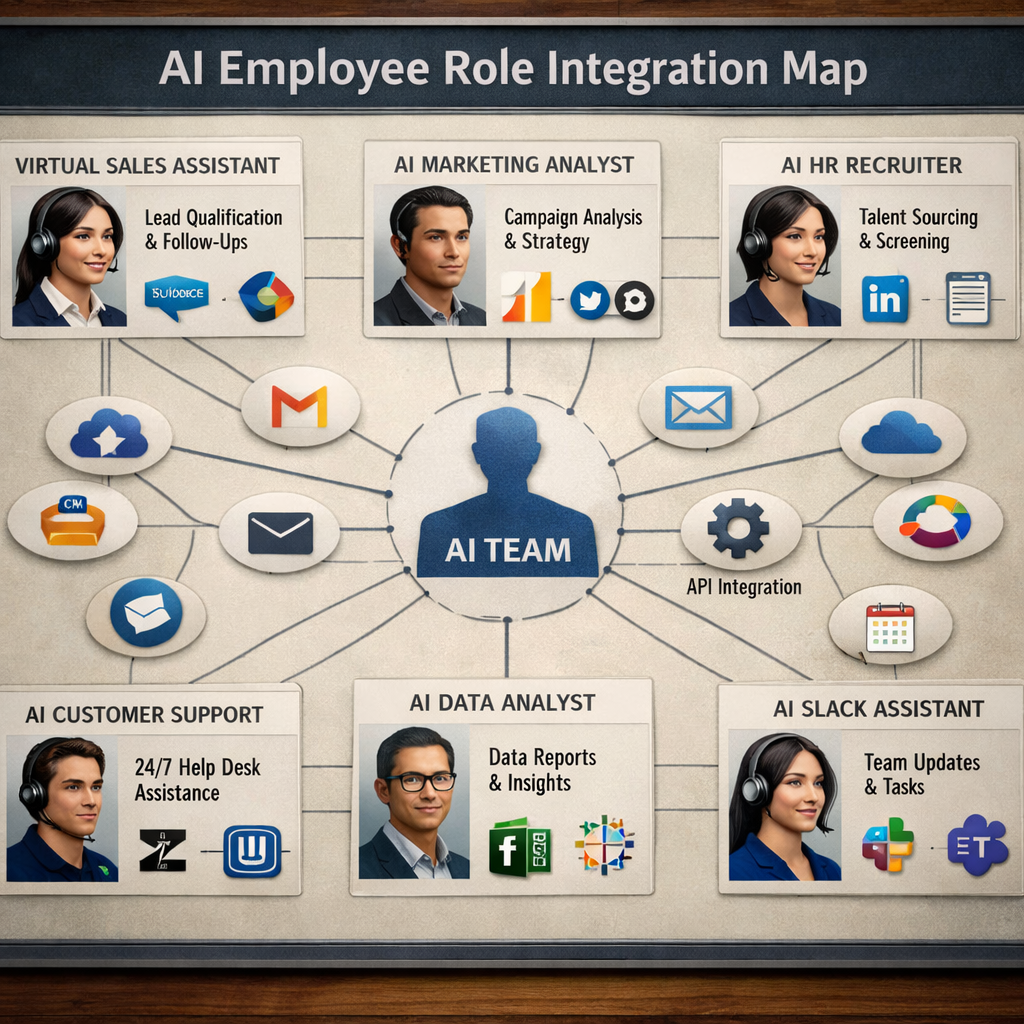
- Connects to CRMs, email, Slack, and 800+ niche apps.
- Reduces custom code , you just map fields.
- Lets you swap tools without rebuilding the AI.
Take a moment to explore the official AI Employees – Deploy Autonomous Agents That Do the Work – Donely page for a deeper dive on role‑based agents.
External resources can give you more context. The teammates.ai site explains how AI employees differ from chatbots, and a short YouTube overview walks you through the platform’s UI.
Teammates AI employee overview
YouTube walkthrough of AI employee basics
Bottom line:Pick a clear role, then choose OpenClaw for integration depth or AiRA for pricing clarity.
Step 2: Set Up No‑Code Integrations and Connect Core Systems
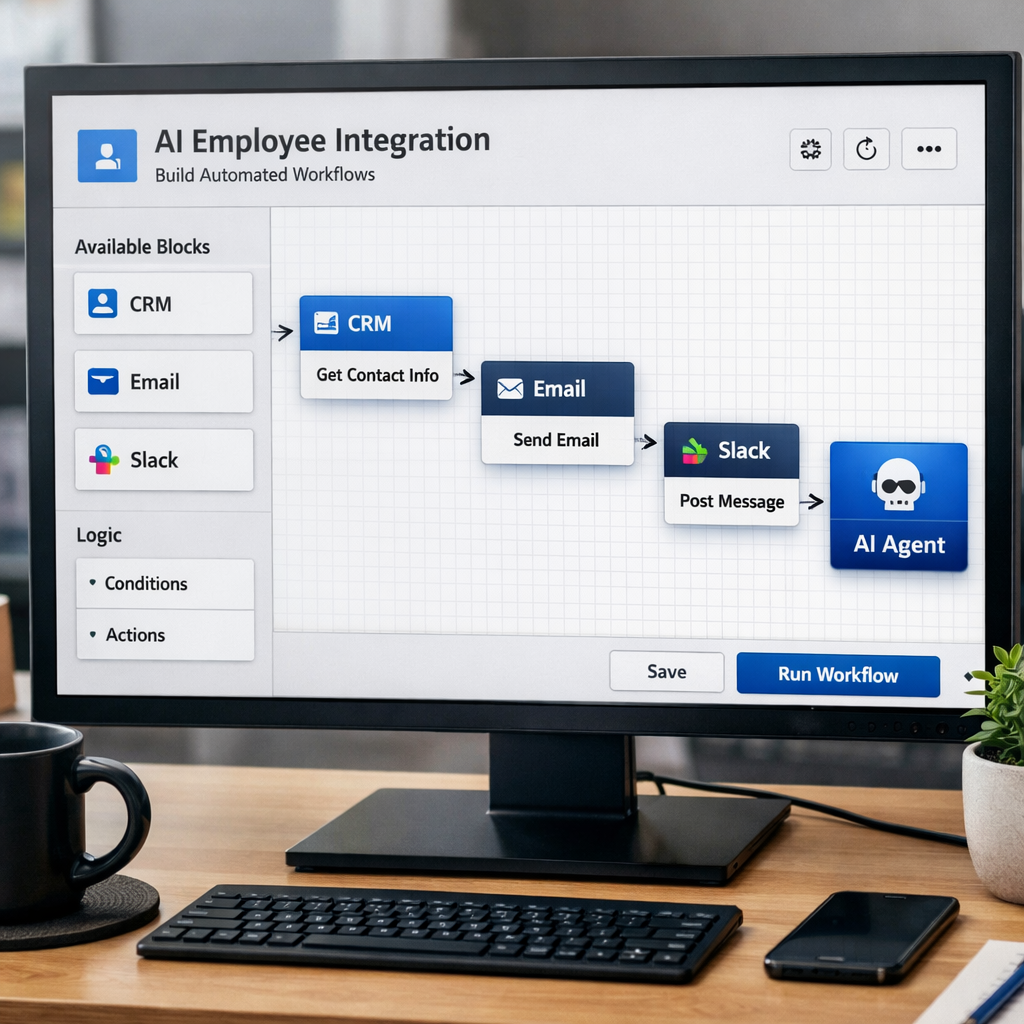
Now that you have a platform, it’s time to plug it into the tools your team already uses. The goal is zero code, so you’ll work with visual connectors.
Start with your most critical system , often a CRM or ticketing platform. In Donely’s dashboard, click “Add Integration,” pick the app from the list, and authenticate with OAuth. The connection is sealed with a token that only the AI can use.
Next, add a communication channel. Slack, Microsoft Teams, or email are all one‑click setups. When the AI receives a message, it can reply, create a ticket, or update a record without ever leaving the chat.
Because you’re using no‑code, you can test each integration in a sandbox mode. Send a fake lead to the AI and watch it create a contact in HubSpot. If something looks off, adjust the field mapping.
Donely’s marketplace lists pre‑built connectors for 982+ apps. Browse it to see if your tool is already covered.
Explore the full list on the 982+ Integrations – Connect Your AI Agents to Any Tool page.
External guides walk you through the same steps on other platforms. Getviktor.com breaks down OAuth flows in plain language, and a second YouTube demo shows a live integration test.
GetViktor no‑code integration guide
Video demo of no‑code AI setup
Bottom line:Connect core systems with one‑click OAuth, then validate with sandbox data.
Step 3: Deploy a Demo and Train the AI Employee
With the role defined and integrations live, launch a demo instance. Donely lets you spin up an AI employee in under two minutes. Click “Deploy Demo,” give it a name like “Demo‑Sales‑Bot,” and hit go.
Now feed the bot a few real‑world prompts. For a sales role, try: “Find 5 new leads in the fintech space and book meetings.” Watch the AI pull data from your CRM, draft outreach emails, and place calendar invites.
Training is an iterative loop. After the first run, review the actions in the audit log. If the AI missed a field, add a clarification prompt: “When adding a lead, include the company’s LinkedIn URL.”
“The best time to start building backlinks was yesterday.”
Repeat this cycle three times, each time tightening the prompt language. You’ll notice the AI gets faster and more accurate as it learns the pattern.
Donely’s UI also lets you import example conversations so the AI can see the tone you want. Upload a CSV of past successful emails, and the bot will mimic that style.
When the demo meets your expectations, clone it to a production environment with a single click.
For a deeper dive, watch the official Donely video on deploying OpenClaw agents.
Bottom line:Run a sandbox demo, tweak prompts, then promote to production once the AI hits your success metrics.
Step 4: Implement Oversight, Security, and Performance Metrics
Even though AI employees run on their own, you still need human guardrails. Start with role‑based access control (RBAC). In Donely, assign each AI a scope that matches its role , the sales bot only sees leads, not payroll data.
Next, enable audit logging. Every action the AI takes gets a timestamp, user ID, and API call detail. Set up alerts for high‑risk actions like “delete record” or “transfer funds.”
Now define performance metrics. For a sales bot, track leads qualified, meetings booked, and conversion rate. For support, monitor tickets resolved without human hand‑off and average resolution time.
Use a simple spreadsheet or a BI tool to pull these numbers from your dashboard every week. If a metric drops, pause the AI and investigate.
Finally, schedule a quarterly review. Update the role card, refresh the prompts, and add new integrations as your stack evolves.
Bottom line:Secure the AI with RBAC, audit logs, and metric alerts to keep it trustworthy and effective.
Frequently Asked Questions
What exactly does it mean to hire AI employees?
Hiring AI employees means assigning a digital worker a specific job description, giving it access to the tools it needs, and letting it act autonomously on repeatable tasks. Unlike a chatbot that only answers questions, an AI employee can own end‑to‑end workflows, update records, and make decisions based on data. In practice you define a role, connect the right apps, and let the AI run 24/7 while you monitor its output.
How do I decide which role to automate first?
Start with high‑volume, low‑complexity tasks that drain human time. Common first wins are lead qualification, inbox triage, and invoice data entry. Map the current process, estimate hours saved, and pick the role that promises the biggest time‑to‑value. Once you see the ROI, you can expand to more strategic functions.
Do AI employees need to be trained like human hires?
Training for AI employees is about prompt engineering and feeding example data. You don’t run a week‑long onboarding program, but you do spend a few hours writing clear prompts, uploading past successful outputs, and testing edge cases. Over time the AI refines its behavior as it processes real interactions.
What security risks should I watch out for?
The biggest risks are over‑privileged access and hidden automation errors. Use RBAC to limit each AI to only the data it needs. Turn on audit logs and set alerts for destructive actions. Regularly review logs for anomalies and adjust scopes as your stack changes.
How can I measure the success of an AI employee?
Define clear KPIs before you launch. For sales, track qualified leads, meetings booked, and pipeline value. For support, watch tickets resolved without human touch and customer satisfaction scores. Pull these numbers from your CRM or ticketing system each week and compare them to a baseline you recorded before automation.
Is it expensive to hire AI employees?
Costs vary by platform. OpenClaw AI agents are free to try, with paid plans starting at $25 /mo per agent on Donely. TheHireHub AiRA charges a transparent per‑hire fee that includes an ROI guarantee. Because AI employees replace repetitive labor, many businesses see a pay‑back within a few months.
Can I use AI employees alongside human staff?
Yes. The best practice is a human‑in‑the‑loop model. Let the AI handle routine steps, then have a person approve high‑risk actions or provide final quality checks. This hybrid approach boosts efficiency while keeping accountability.
Where can I find templates for common AI employee roles?
Donely’s marketplace offers ready‑made role cards for sales, support, finance, and more. Each template lists the suggested tools, prompts, and KPIs. You can clone a template, adjust the language to match your brand, and launch in minutes.
Conclusion
Hiring AI employees in 2026 is no longer a sci‑fi fantasy. With a clear role, the right platform, smooth no‑code integrations, a sandbox demo, and solid oversight, you can add tireless digital teammates to your business today. Donely makes the whole flow fast: you can spin up an OpenClaw‑based AI employee in seconds, connect it to any of the 800+ tools you already use, and keep tight control with RBAC and audit logs.
Ready to get started?Start your free trial on Donely, deploy your first AI employee in under five minutes, and watch productivity climb.The sooner you try, the faster you’ll see the impact on your bottom line.