
You’re probably already doing agent work by hand.
A lead fills out a form. Someone copies the details into HubSpot. A support email comes in. Someone searches old replies, drafts an answer, then checks with a manager before sending it. An invoice lands in Gmail. Someone downloads the attachment, renames the file, enters the numbers in accounting software, and hopes nothing was missed. None of that work is hard. It’s just constant.
That’s where ai agents for small business become useful. Not as a novelty, and not as a chatbot parked on your website, but as a practical layer between your team and the repetitive tasks that keep slowing everything down. The businesses getting value from agents aren’t chasing hype. They’re choosing narrow workflows, connecting the right tools, setting clear permissions, and rolling out automation with guardrails.
Table of Contents
- Your Business Can Do More With AI Agents
- What Is an AI Agent in Simple Terms
- Transforming Your Business With AI Use Cases
- Connecting Agents to Your Business Tools
- Ensuring Security and Governance for Your AI Workforce
- A Phased Rollout Plan for Adopting AI Agents
- How to Measure Your AI Agent's Success
Your Business Can Do More With AI Agents
Most small businesses don’t have a technology problem first. They have a workload problem. The same people handle sales follow-up, inbox triage, scheduling, billing, status updates, and customer questions. Growth adds more requests, but it doesn’t magically add more hours.

AI agents help because they sit inside those repetitive workflows and do work. They can watch for triggers, pull context from your systems, make routine decisions, and take the next step without waiting for a human to click through every screen. That’s very different from using AI only to draft text.
The business case is no longer theoretical. According to MarketsandMarkets research on the AI agents market, 66% of SMBs save between $500–$2,000 monthly through AI implementation, 91% of AI-using SMBs report revenue increases, and AI agents can cut manual work and operational costs by at least 30%.
Practical rule: If a task happens often, follows a pattern, and already depends on tools you use every day, it’s a strong candidate for an AI agent.
What works is narrower than most vendors promise. Start with one workflow that already hurts. Lead qualification. Support triage. Invoice intake. Appointment follow-up. Those are good starting points because the process already exists, the inputs are easy to identify, and the result is measurable.
What doesn’t work is handing an agent a vague goal like “run operations” or “manage customer success.” Small businesses get better outcomes when they treat agents like new hires. Give them a defined job, limited access, a clear escalation path, and a way to review what they did.
That’s how agents become an asset instead of risk.
What Is an AI Agent in Simple Terms
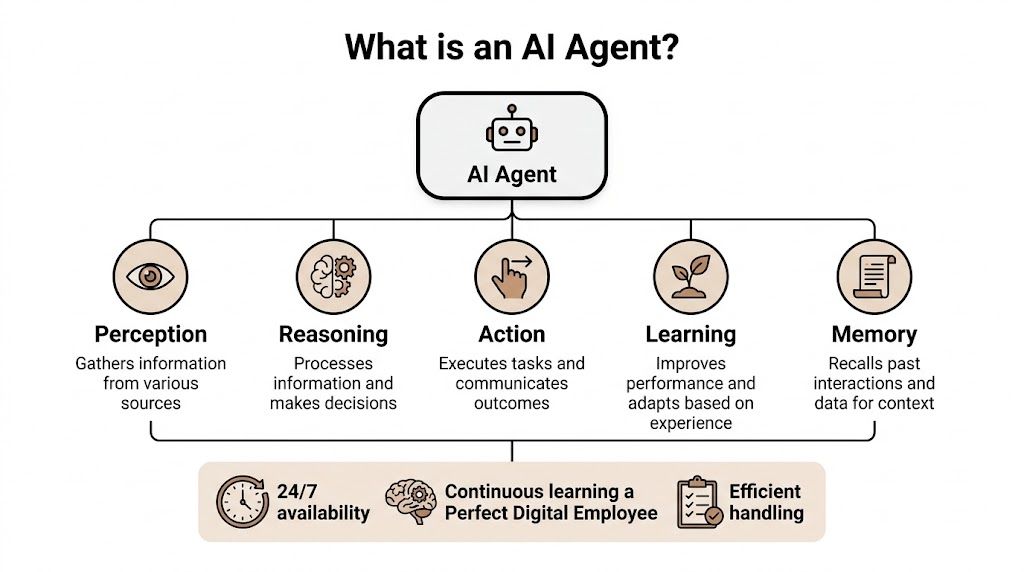
An AI agent is easiest to understand as a digital employee. Not a perfect one, and not a person replacement. But a worker that can receive instructions, use software, remember context, and complete a task across multiple steps.
Think of an agent as a digital employee
A chatbot waits for a prompt and responds. An agent goes further. It can read an incoming message, check a CRM record, decide which template fits, draft a reply, create a task in Slack or Jira, and hand the case to a human if it falls outside the rules.
That distinction matters. Small business owners usually don’t need more text generation. They need help finishing work.
If you want a deeper primer on what an AI data agent is, that resource is useful because it explains how agents work with data rather than only generating language. It’s a good companion to understanding the difference between an agent and a conversational interface. For a direct comparison, this breakdown of AI agents vs chatbots is also helpful when you’re deciding what kind of system your team needs.
The three parts that matter most
You don’t need to get buried in model architecture to evaluate ai agents for small business. Focus on three pieces.
The brain
This is the model that interprets requests, reasons through steps, and produces outputs. It’s what lets the agent understand a support request, recognize intent, or draft a useful email.The toolbelt
Through its toolbelt, the agent becomes operational. Gmail, Slack, HubSpot, Salesforce, Notion, Google Calendar, Stripe, Zendesk. Without tool access, the agent can talk about work but can’t do much work.The mission
This is the workflow definition. What starts the task, what context the agent can use, what actions it may take, and when it must stop or escalate.
A good agent is less like magic and more like a trained operator with a limited scope.
That last part is where many first deployments go wrong. Owners expect broad intelligence when they should be designing narrow autonomy. A well-scoped agent for appointment follow-up often delivers more value than a loosely defined “general business assistant.”
A simple test helps. Ask three questions before you deploy:
- What event starts the job
- What systems must the agent access
- What final action counts as success
If you can answer those clearly, you’re close to a usable agent. If you can’t, the workflow needs more definition before any platform will save you.
Transforming Your Business With AI Use Cases
The best way to judge ai agents for small business is to picture them inside work you already recognize. Not futuristic scenarios. Normal days.
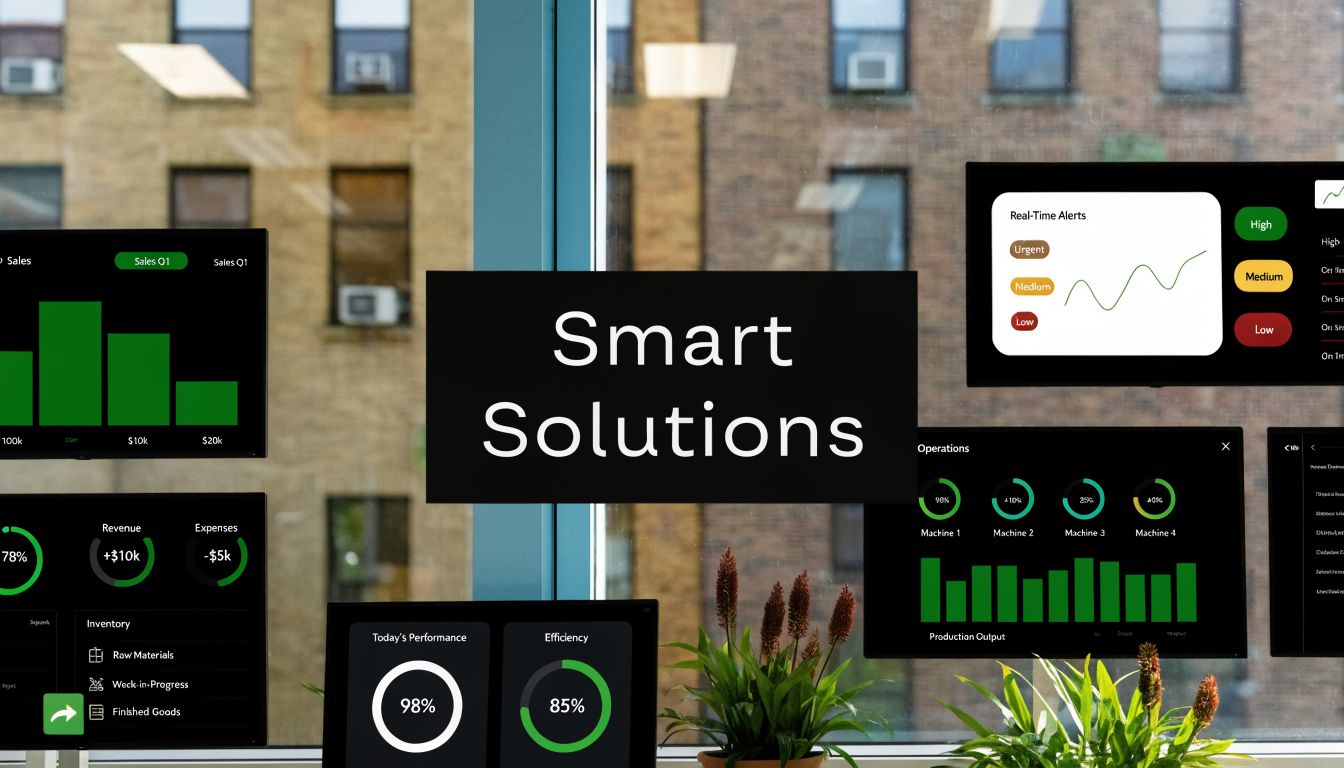
According to Business.com’s analysis of AI agents for SMBs, agents rely on predictive analytics for forecasting needs like churn or inventory planning, and rule-based automation for deterministic workflows like invoice processing or lead routing. That combination matters because small businesses usually need both. They need foresight, and they need execution.
Sales workflows that stop leaking leads
A lead submits a form on your website at 8:14 p.m. By the next morning, the prospect has already heard back from a competitor.
A sales agent can reduce that gap. It can read the submission, enrich the contact using the information already in your CRM, classify the lead by product interest or urgency, and draft a personalized follow-up that a rep can review or send automatically under defined conditions. If your team handles inbound volume inconsistently, this is one of the fastest places to recover lost momentum.
For product-based businesses, the same logic is pushing into buying journeys. If you want a useful view of how autonomous systems are shaping transactions, Zinc’s piece on Agentic Commerce is worth reading.
Support agents that handle the first pass well
Support is where owners often overestimate automation. An agent shouldn’t answer everything. It should answer the things that are repetitive, documented, and low risk.
That means order status requests, password reset guidance, appointment policies, refund rules within a preset threshold, or common product questions pulled from a knowledge base. The right support agent triages first, resolves what’s routine, and escalates edge cases with a clean summary so the human doesn’t start from zero.
If an agent can’t explain why it routed a ticket a certain way, your team won’t trust it for long.
A practical setup often looks like this:
Incoming email or chat arrives
The agent identifies the intent and urgency.Knowledge is checked first
It searches approved documentation before drafting a response.Escalation is structured
Complex cases go to a person with context, notes, and suggested next actions.
Here’s a look at how teams are using agents in production-oriented workflows:
Operations automation that removes admin drag
Operations is usually the least glamorous and the most rewarding area to automate. Consider invoice handling. Before an agent, someone monitors a shared inbox, downloads the file, extracts vendor name, due date, and amount, enters the data into accounting software, and pings the approver.
An operations agent can watch that inbox, identify the attachment, extract the needed fields, categorize it according to your rules, and push the record into the next system for review. The gain isn’t just speed. It’s consistency.
If you want to explore more workflow patterns across departments, this library of AI agent use cases is a practical reference for mapping ideas to business functions.
Connecting Agents to Your Business Tools
Many first-time deployments fail for a simple reason. The agent is smart enough to reason, but it can’t reach the systems where the work lives.
Why smart agents still fail
For small businesses, data integration and system connectivity are the primary technical constraint on agent performance, as described in Nexos guidance on AI agents for small businesses. That matches what shows up in real deployments. If the agent can’t access email, CRM records, calendars, support platforms, and internal documentation cleanly, it starts making decisions from partial context.
That’s when owners conclude the AI is unreliable, when the actual issue is architecture. The agent isn’t failing because it can’t write. It’s failing because it can’t see enough.
Three integration mistakes show up repeatedly:
Siloed access
The agent can read a Slack message but can’t check HubSpot, so it responds without customer history.Outdated data paths
The CRM is connected, but key fields are incomplete or stale, so the agent routes work badly.Missing action permissions
The agent can detect what should happen next but can’t create the ticket, update the deal, or send the notification.
What good integration looks like
A good integration layer does two things. It gives the agent context, and it gives the agent controlled ability to act.
That means the workflow should be mapped before launch. What triggers the job. What systems the agent may read. What tools it may write to. What must stay read-only. What exceptions force human review.
The fastest way to waste time on AI is to automate a workflow that hasn’t been mapped.
This is why pre-built connectors matter so much for SMBs. If you’re evaluating platforms, look closely at the depth of their integration catalog and how fast you can connect real tools without custom engineering. A platform page like business app integrations for AI agents is the kind of thing to inspect because it reveals whether the system is designed for operational work or just demos.
A strong sign you’re choosing well is when your agent can move through the same systems your staff already uses every day, without forcing the business into a separate portal or awkward workaround.
Ensuring Security and Governance for Your AI Workforce
Small business owners often hesitate at the exact right point. They see the value, then worry the agent will touch the wrong data, message the wrong customer, or mix one client’s information with another’s. That hesitation is healthy.
Governance is what turns that concern into a deployable plan.

Control starts with access boundaries
An agent should never have broad access just because it’s convenient. It should have the minimum permissions needed for its job. The same goes for the employees who configure or supervise it.
That’s where role-based access control matters in practice. Finance agents shouldn’t automatically see HR records. A support supervisor shouldn’t be able to edit every sales automation. If you’re running multiple agents, access rules should reflect your org chart and your process risk, not just your software defaults.
A useful governance checklist looks like this:
Define who owns the workflow
Someone should be accountable for prompts, tool access, review policy, and exceptions.Separate read access from action access
Reading a knowledge base isn’t the same as sending a customer message or updating a record.Keep an audit trail
You need a record of what the agent saw, what it did, and who approved changes.
Isolation matters when work should stay separated
This becomes even more important for agencies, consultancies, and multi-brand operators. If you manage several clients, each client’s agent environment should stay isolated. If you run separate departments with different confidentiality needs, those workloads should also stay apart.
That’s not overengineering. It’s basic operational hygiene. Shared environments are easy at the start and messy later.
A few situations where isolation helps immediately:
| Scenario | Why isolation matters |
|---|---|
| Agency with multiple clients | Keeps client data, prompts, logs, and workflows separated |
| Business with finance and support agents | Reduces unnecessary cross-access between sensitive and routine work |
| Owner using personal and company automations | Prevents mixing personal tasks with business records |
Governance doesn’t slow AI adoption. Poor governance is what slows it later, when people stop trusting the system.
Audit logs also matter more than is often assumed. When an agent takes the wrong action, the question isn’t just “what happened?” It’s “what context did it use, what rule allowed it, and how do we prevent a repeat?” Without logs, troubleshooting turns into guesswork.
The small business mistake is treating governance like something only regulated enterprises need. In reality, governance is what lets a small team scale AI without creating a bigger management problem than the one it was supposed to solve.
A Phased Rollout Plan for Adopting AI Agents
Most bad AI rollouts have one thing in common. The team starts too wide.
They try to automate support, sales, operations, and internal reporting at once. The result is scattered ownership, unclear success criteria, and a lot of cleanup work. A phased approach is slower for a week and much faster over a quarter.
Phase one starts with one contained pilot
Pick a workflow that is frequent, annoying, and low risk. Good examples include lead routing, appointment follow-up, FAQ handling, or invoice intake before approval. Avoid anything that combines too many systems or requires judgment your team hasn’t written down yet.
The pilot should have a clear boundary:
- One trigger
- One owner
- A limited toolset
- A defined handoff to a human when confidence is low or rules are unclear
This stage is about reliability, not ambition. You’re proving that the agent can complete the workflow consistently inside your environment.
Phase two expands only after the workflow is stable
Once the pilot works, extend it in one of two directions. Either broaden the same workflow to another team, or add a second workflow that shares similar systems. Don’t redesign everything at once.
For example, a business that successfully automated inbound lead qualification can next automate follow-up reminders and CRM hygiene. A company that started with support triage can add knowledge-base drafting or internal escalation summaries. The point is to reuse what you’ve learned about permissions, review, and exception handling.
At this point, document operating rules in plain language:
- What the agent is allowed to do on its own
- What must be reviewed
- What gets escalated immediately
- Who updates the workflow when the business process changes
Phase three solves the scaling and cost problem
Growth changes the economics. What felt cheap for a tiny team can become awkward when more employees, departments, or clients need access.
That’s the overlooked issue described in Siit’s discussion of AI agent platforms for small business. As businesses scale, per-user pricing can become prohibitively expensive, and the more durable decision is often choosing an architecture that supports isolated workloads without punishing every new seat or client.
That matters in a few specific cases:
- Agencies need separate client environments without creating account sprawl.
- Growing teams need to add people without turning every expansion step into a pricing problem.
- Businesses with sensitive functions need separated workloads for finance, operations, or customer-facing teams.
A practical rollout plan should include an architectural checkpoint before expansion. Ask whether you are scaling users, workflows, or isolated environments. Those aren’t the same thing, and the wrong pricing model can make a successful pilot surprisingly expensive later.
The strongest deployments treat AI agents like a managed workforce. One pilot proves value. A second wave standardizes operations. The final stage introduces separation, oversight, and cost control so the system can grow without becoming fragile.
How to Measure Your AI Agent's Success
If you can’t show what improved, the agent will eventually be treated like a software experiment instead of an operating asset.
Use before and after metrics
Start with a baseline. Measure the workflow before the agent touches it. Then measure the same workflow after deployment. Keep the comparison narrow so you’re judging the agent’s performance, not a dozen unrelated process changes.
For small businesses, the most useful metrics are usually operational first and financial second. Look at speed, completion quality, escalation volume, and manual hours removed. If those move in the right direction, cost and capacity improvements usually follow.
A simple measurement routine works well:
- Pick one primary KPI tied to the workflow’s main job
- Choose one secondary KPI that reflects time saved, quality, or human intervention
- Review exceptions weekly so you see where the agent still struggles
- Track changes against the original baseline, not against a vague sense of productivity
If success isn’t tied to one workflow metric, teams start debating opinions instead of reviewing results.
Example Success Metrics for AI Agents
| AI Agent Use Case | Primary KPI to Track | Secondary KPI |
|---|---|---|
| Lead qualification agent | Time-to-first-contact | Hours of manual follow-up saved |
| Support triage agent | First-response time | Escalation rate to human staff |
| Invoice processing agent | Processing cycle time | Manual entry corrections required |
| Appointment follow-up agent | Response or booking completion rate | Admin time saved per week |
| Knowledge retrieval agent | Resolution speed for common requests | Internal search time reduced |
Not every metric needs a dashboard on day one. A shared spreadsheet is enough if the workflow is still early. What matters is consistency. Use the same definition every week, and don’t change the goalposts once the agent is live.
Also watch for false positives. A support agent can reduce first-response time while increasing bad escalations. A sales agent can increase outreach volume while lowering quality. That’s why pairing one primary KPI with one secondary KPI keeps the evaluation honest.
The best measurement question is simple: did this agent remove meaningful work, improve the quality of the process, or increase the speed of a business-critical task without creating more oversight than it saved?
If the answer is yes, you have something worth expanding.
If you want a practical way to move from one pilot to a managed AI workforce, Donely gives you a clean path. You can launch production-ready AI employees quickly, connect them to the tools your business already uses, and manage separate workloads with per-instance controls, audit visibility, and centralized billing. For founders, agencies, and growing teams that need AI agents for small business without adding DevOps overhead, it’s a strong place to start.