
A team launches an agent that handles support replies in a pilot. It works well for a week. Then security asks where the conversation logs live, IT asks how it connects to the CRM and identity stack, legal asks how tenant data is separated, and operations asks who owns failures at 2 a.m. The hard part is no longer the prompt. It is the platform.
That is the filter for this guide. The best AI agents are rarely defined by model quality alone. In practice, platform choice determines whether an agent stays a useful experiment or becomes a managed system your team can deploy, monitor, audit, and improve over time.
This article focuses on the platforms behind agent deployment at scale. That includes runtime controls, system integrations, governance, observability, access management, and the path from one assistant to a coordinated AI workforce. A polished chat interface matters, but technical leaders usually get blocked by environment isolation, approval flows, tool permissions, and lifecycle management long before UI becomes the deciding factor.
I also weigh these products the way architecture teams evaluate them. Where do they fit well? What do you give up for speed, flexibility, or compliance? Which platforms help a business unit ship fast, and which ones make more sense once multiple teams, regulated data, or production SLAs enter the picture?
If you want a concrete example of what fast deployment looks like before comparing enterprise options, see how to deploy an AI agent in 60 seconds.
Table of Contents
- 1. Donely
- 2. OpenAI Frontier and ChatGPT Workspace Agents
- 3. Google Cloud Gemini Enterprise Agent Platform
- 4. Microsoft Copilot Studio and Agent 365
- 5. AWS Agents for Amazon Bedrock AgentCore
- 6. Salesforce Agentforce
- 7. IBM watsonx Orchestrate
- 8. Freshworks Freddy AI Agent Studio
- 9. Relevance AI AI Workforce Platform
- 10. LangChain LangGraph and LangSmith
- Top 10 AI Agent Platforms, Core Features Comparison
- Choosing Your Platform From Single Agent to AI Workforce
1. Donely
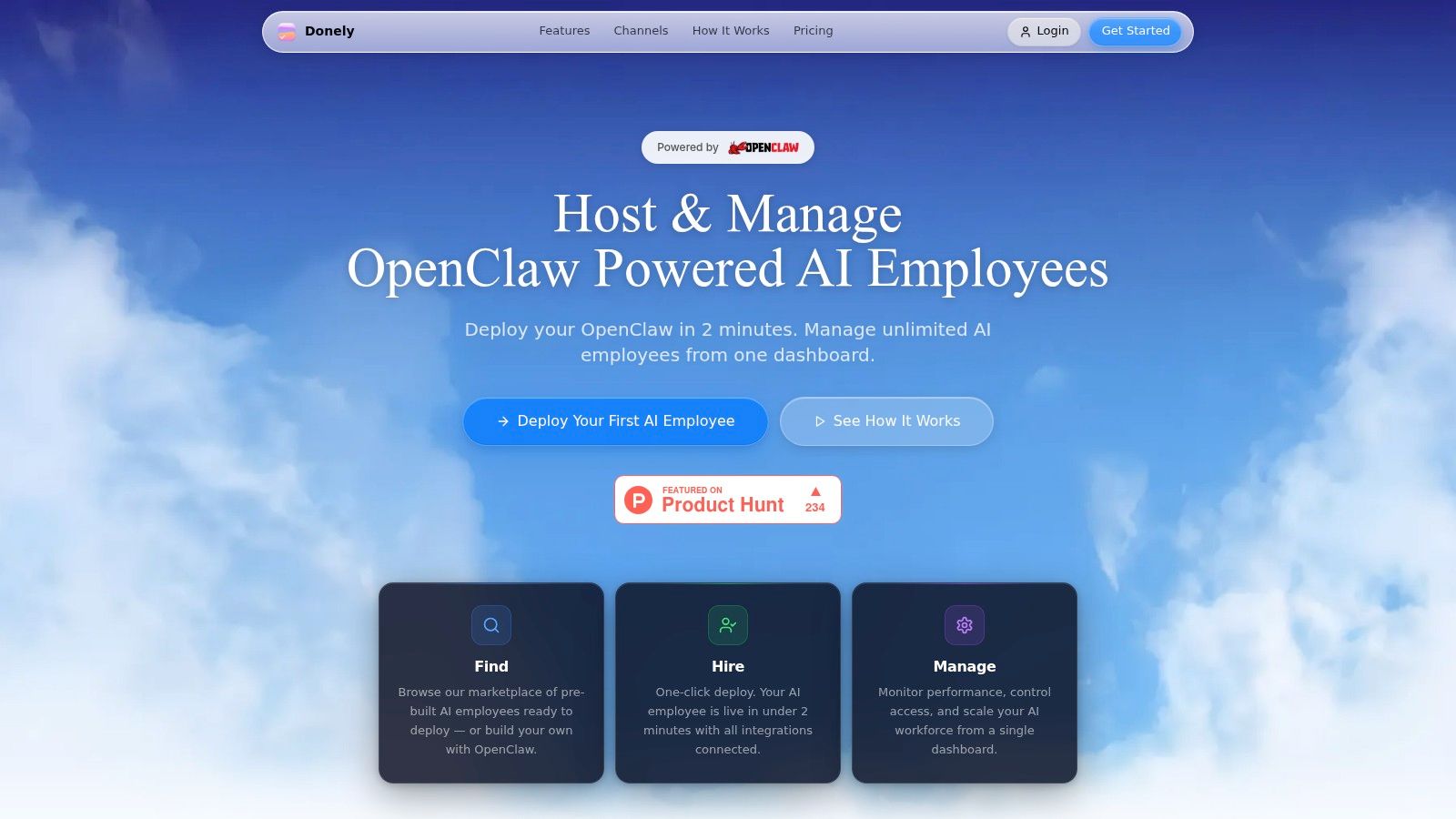
Donely is the most practical option here if your problem isn’t “can I build an agent?” but “how do I run many of them without turning my team into part-time platform engineers?” It’s built around OpenClaw-powered AI employees and the core design choice is the right one for real operations: separate instances per project, client, or department, managed from one dashboard.
That sounds simple, but it solves a failure mode I see constantly. Teams launch one promising agent, then jam multiple use cases into the same environment. Access controls get messy, prompts bleed across contexts, and client separation becomes policy-by-spreadsheet. Donely avoids that by making isolation part of the operating model, not an afterthought.
Why Donely stands out
Donely supports unlimited agents inside each instance, built-in connections to 850+ tools, and channel deployment across WhatsApp, Telegram, and Slack. It also gives you per-instance RBAC, scoped data access, isolated containers, audit logs, centralized monitoring, and unified billing.
Those details matter more than glossy “AI employee” language. A founder might run one internal ops agent, one sales qualifier, and one client-facing assistant. An agency might need a dozen separate deployments with distinct data boundaries and invoicing. Donely handles both patterns without forcing migrations or separate accounts.
If you want the fastest path from idea to deployment, Donely also leans hard into zero-DevOps setup. The platform’s own deployment guide shows how to launch an AI agent in about 60 seconds, which is exactly the right bar for teams that want speed without giving up governance.
Practical rule: If you expect to manage agents across clients, business units, or regulated workflows, instance isolation matters more than raw model choice.
Where it fits best
Pricing is straightforward enough to map to team maturity. There’s a free tier, Personal starts at $25 per month per instance, and Team starts at $50 per month per instance. Enterprise adds SSO, on-prem options, dedicated support, and custom SLAs. There are also automatic volume discounts for larger multi-instance deployments.
The trade-off is clear. Per-instance pricing can add up if you spin up many environments quickly. But that cost often replaces hidden operational drag elsewhere, especially for agencies and consultancies.
Pros and cons in practice:
- Best for isolation-heavy deployments: Separate client and department workloads without juggling multiple accounts.
- Best for fast execution: Zero-DevOps setup means operators can deploy without maintaining infrastructure.
- Best for centralized oversight: Logs, billing, usage, and monitoring live in one place.
- Less ideal for teams wanting one monolithic environment: If you prefer everything crammed into a single shared workspace, Donely’s structure may feel opinionated.
Website: Donely
2. OpenAI Frontier and ChatGPT Workspace Agents
A familiar pattern shows up in large organizations. Teams start with ChatGPT for drafting, research, and coding help. Then each function builds its own prompts, custom GPTs, and lightweight automations. After a few months, leadership has an adoption win on paper and a governance problem in practice.
That is why OpenAI belongs on a platform list, not just a model list. Frontier and ChatGPT Workspace Agents matter because they give organizations a path from individual usage to managed deployment inside a tool employees already use every day.
Best fit
OpenAI is a strong fit for companies that already have real ChatGPT usage and want to standardize before sprawl turns into risk. The value is less about raw model quality alone and more about distribution, policy control, and reducing the friction of asking staff to adopt another interface.
For technical leaders, the key question is operating model. If the agent experience needs to live where employees already write, analyze, and ask questions, ChatGPT has an adoption advantage. If the requirement is strict environment isolation, custom infrastructure control, or tightly bounded runtimes, a platform built around dedicated deployment units may be easier to govern.
The trade-off is maturity. OpenAI moves fast, but enterprise controls and agent features often roll out in phases. Pricing can also get hard to predict once agents start calling tools, processing long contexts, or serving many internal users. Teams should test real workloads, not just demos, before making it the default platform.
There is also a strategic angle beyond internal productivity. Some organizations want their content, products, or recommendations to surface inside AI interfaces. In that case, this guide on how to rank in ChatGPT is a useful companion to platform evaluation.
Website: OpenAI
3. Google Cloud Gemini Enterprise Agent Platform
A common enterprise scenario looks like this. The data platform runs on BigQuery, analytics teams already use GCP IAM and networking controls, and the AI team needs agents that can handle text, images, documents, and internal APIs without stitching together five vendors. In that setup, Google Cloud is often less a model choice and more a platform decision.
Google’s appeal is operational coherence. Gemini on Vertex AI sits inside the same cloud environment where teams already manage identity, storage, observability, and security policy. That matters if the goal is not just to prototype an agent, but to deploy one with logging, access controls, and review paths that a security team will sign off on.
Where Google wins
Google is a strong fit for organizations building agents around multimodal and data-heavy workflows. Document processing, search over large internal corpora, image understanding, and retrieval tied to GCP services are all easier to keep under one governance model when the runtime and the surrounding infrastructure live in the same stack.
That platform-first approach is why Google stays in serious enterprise evaluations. Analysts broadly expect agent adoption and agentic software features to keep rising across enterprise software over the next few years. The practical takeaway is simpler than the forecasts. Buyers are choosing control planes now, and Google wants Vertex AI to be that layer for teams already committed to GCP.
The trade-off is implementation complexity.
Vertex AI can reduce custom plumbing, but it does not remove architecture work. Teams still need to define tool permissions, retrieval patterns, evaluation criteria, fallback behavior, and cost guardrails. I have seen Google deployments go well when the cloud foundation is already mature. I have also seen them stall when a business unit wanted a quick internal assistant and discovered it needed platform engineering support much earlier than expected.
Cost is the other issue to examine closely. Model inference is only part of the bill. Storage, networking, vector search, monitoring, and connected GCP services can turn a clean demo into a harder production cost model. If you are comparing Google with a lighter platform such as Donely for a narrower workflow, that difference shows up fast in both staffing and governance overhead.
Choose Google Cloud when AI agents need to live inside a broader GCP operating model. Look elsewhere if the priority is a fast, business-led rollout with limited cloud engineering involvement.
Website: Google Cloud Vertex AI
4. Microsoft Copilot Studio and Agent 365
A common enterprise scenario looks like this: the business wants an internal agent in Teams, legal wants data controls, IT wants Entra-based access, and operations wants auditability without standing up a separate platform team. In that situation, Microsoft often makes the shortlist fast because so much of the operating environment is already there.
Copilot Studio is strongest as a deployment and governance layer for organizations that already run on Microsoft 365, Azure, Dynamics, and Power Platform. The value is less about chasing the highest benchmark model and more about fitting agent behavior into existing identity, content, workflow, and admin boundaries. That matters when the actual project is not "launch an agent," but "launch one without creating a new compliance exception process."
The Microsoft advantage
Copilot Studio lets teams build agents that can work across Microsoft surfaces and selected external channels. That matters for companies that want to start with employee support, knowledge access, or workflow automation, then expand carefully into customer or partner use cases after the guardrails are proven.
The practical benefit is governance density. Entra permissions, Microsoft 365 content boundaries, Power Platform connectors, and familiar admin tooling give security and architecture teams a shorter review path than they would have with a standalone agent stack. I have seen this make a real difference in large organizations where the technical build was never the blocker. Approval flow was.
The trade-off is commercial and operational complexity.
Microsoft licensing rarely fails because the product is weak. It fails because buyers underestimate how many moving parts sit behind a production deployment. Copilot seats, Copilot Studio consumption, connector constraints, environment strategy, and tenant-specific feature availability all need validation early. Agent 365 is promising as an oversight layer, but roadmap language should not drive architecture decisions until the capabilities are live in your environment.
This is also where platform choice becomes clearer. If the organization wants centrally governed agents tied closely to Microsoft work patterns, Copilot Studio is a strong fit. If the use case is narrower and the goal is to stand up a business workflow quickly with less licensing and admin overhead, a lighter platform such as Donely can be easier to operationalize.
Website: Microsoft Copilot Studio pricing
5. AWS Agents for Amazon Bedrock AgentCore
A common enterprise pattern looks like this: the data platform is already on AWS, security reviews already run through AWS controls, and the team wants agents to fit the same operating model as other production services. In that situation, Bedrock and AgentCore are often a serious candidate because they let teams build agents inside an environment they already know how to secure, observe, and govern.
That matters more than feature checklists.
AWS stands out for platform-level flexibility. Teams can work across multiple model providers, connect agents to AWS-native services, and keep identity, logging, networking, and policy enforcement close to the rest of the application stack. For organizations choosing an AI agent platform based on deployment and governance, not just prompt quality, that is the core argument for Bedrock.
What AWS gets right
AWS is a strong fit for companies that already have cloud engineering discipline. IAM patterns, VPC design, service permissions, observability, and infrastructure automation are familiar territory for AWS-native teams. That shortens the path from prototype to production because the review model already exists.
The other advantage is architectural control. Teams can choose different models for different jobs, route requests based on cost or latency requirements, and plug agents into existing event-driven systems, knowledge stores, and operational workflows. If the goal is to run agents as part of a governed platform, not as isolated demos, AWS has a clear case.
The trade-off is implementation overhead.
Bedrock can look straightforward in a pilot and get more complex once security, retrieval, monitoring, and cost controls enter the design. Token charges are only part of the picture. Runtime services, storage, orchestration, logging, network configuration, and surrounding AWS components all affect total cost of ownership. Regional service availability can also shape rollout decisions, especially for global teams with data residency requirements.
This is usually not the fastest option for a business unit that wants to launch an internal agent next week. It is better suited to organizations with platform engineering support and clear operating standards. If speed and simplicity matter more than deep cloud control, a lighter deployment path such as Donely may be easier to put into production.
- Strong fit for AWS-centered enterprises: Agent deployment can follow existing security, observability, and infrastructure patterns.
- Strong fit for platform buyers: Model choice and service integration give architects more control over cost, routing, and governance.
- Weak fit for low-ops teams: Setup, review, and ongoing management usually require cloud engineering involvement.
Website: AWS Bedrock AgentCore pricing
6. Salesforce Agentforce
A common pattern shows up in large service organizations. The AI demo works, but production fails because the agent cannot reliably act on customer history, case status, entitlements, routing rules, or approval paths. Agentforce is built for that problem. It works best when the agent is expected to operate inside Salesforce records, permissions, and workflows rather than beside them.
That makes Agentforce a platform decision, not just a model decision. For teams standardizing on Salesforce, the value is less about raw model flexibility and more about execution close to CRM data, service processes, and revenue operations.
Where Agentforce makes sense
Agentforce fits service and sales operations that already treat Salesforce as a system of record. Case deflection, account research, guided next best actions, appointment coordination, and post-call follow-up are all stronger when the agent can use live CRM context without a separate integration layer for every step.
Industry packaging also matters here. Salesforce has gone deeper than many horizontal agent tools in areas such as financial services, healthcare, government, and field service, where workflow shape, audit expectations, and access controls are rarely optional details. That can shorten design time for enterprise teams that need the platform to match an existing operating model.
The trade-off is platform gravity.
If Salesforce is already central, that gravity helps. Identity, permissions, objects, flows, reporting, and admin practices are already in place. If Salesforce is not central, Agentforce can become an expensive way to rebuild context that already lives in another CRM, support stack, or internal system.
Cost planning also needs more care than buyers expect. Packaging and usage models can be hard to compare across licenses, conversations, actions, and surrounding Salesforce products. The budget question is not just "what does the agent cost?" It is "what does this architecture cost once data, automation, service operations, and governance all run through the Salesforce stack?"
Choose Agentforce when customer-facing work already depends on Salesforce data and controls. Choose another platform when your agents need to span a broader stack and Salesforce is only one system among many.
Website: Salesforce Agentforce pricing
7. IBM watsonx Orchestrate
A common enterprise scenario looks like this. The team wants agent automation, but the data sits across on-prem systems, private cloud workloads, approved SaaS tools, and business processes that already carry audit and retention requirements. In that setting, the platform decision is less about who ships the slickest demo and more about who can operate inside those constraints without creating a governance problem six months later.
That is where IBM tends to make sense. watsonx Orchestrate is built for organizations that need agent coordination across hybrid environments, formal controls, and long approval chains. The buying committee is usually broader too. Security, architecture, procurement, legal, and line-of-business owners often all have a vote.
Where IBM fits
watsonx Orchestrate fits best in large enterprises that already run meaningful parts of their stack with IBM, or need deployment patterns that align with regulated operating models. Banks, insurers, healthcare providers, and public-sector teams often care less about fastest initial launch and more about policy enforcement, data handling, and how the agent platform connects to existing systems without forcing a full platform rewrite.
That makes IBM a platform choice, not just an agent choice.
The trade-off is implementation speed and flexibility for smaller teams. IBM usually involves more solution design upfront, more stakeholder coordination, and less self-serve experimentation than the lighter tools on this list. If a product team wants to prototype an internal research agent this week, a developer-first framework or a simpler SaaS platform will usually get there faster.
If the requirement is controlled rollout at enterprise scale, IBM becomes more compelling. It is one of the clearer options for teams that need to deploy agents into a governed environment instead of building governance around the agent after launch.
Website: IBM watson pricing
8. Freshworks Freddy AI Agent Studio
A support leader usually does not need a general-purpose agent platform first. They need faster resolutions, lower ticket volume, and tighter control over how automation touches customer conversations. That is the lane Freshworks Freddy AI Agent Studio is built for.
Freddy is strongest as an operational platform inside the Freshworks stack. It is designed for service teams that want to deploy AI agents in chat, email, and support workflows without standing up a broader orchestration layer across the business. For SMB and mid-market teams, that focus can be an advantage because the platform choice is tied directly to the service use case, not to a larger AI infrastructure program.
Best use case
Freddy fits organizations that already run customer support in Freshworks and want to add agents with a shorter path to production. The visual builder and service-oriented workflow design make it accessible to support operations teams, while still giving admins enough control to supervise behavior, review outcomes, and tune automations over time.
The trade-off is clear. You get speed and tighter alignment with support processes, but less flexibility once the roadmap expands into cross-functional agents, complex multi-step business processes, or custom developer-led orchestration. Teams that expect agents to span sales, finance, IT, and internal knowledge workflows will hit the edges sooner here than they will on broader platform offerings.
That does not make Freddy a limited product. It makes it a more opinionated platform choice.
In practice, that can be the right call. I would rather see a service team ship a well-governed support agent with clear escalation rules, auditability, and channel coverage than buy a larger platform they will only use at 15% of its capability.
Website: Freshworks Freddy AI
9. Relevance AI AI Workforce Platform
A common pattern shows up after the first few agent pilots. One team ships an internal assistant, another adds a lead qualification bot, and a third starts automating research or outbound prep. Very quickly, the problem stops being model access and becomes agent operations. Relevance AI is built for that stage.
Its positioning is more specific than a general cloud AI stack. Relevance AI focuses on creating an "AI workforce" of task-oriented agents, connecting them into business workflows, and giving operators a clearer way to manage runs, usage, and cost. For teams that want a managed control plane instead of stitching together frameworks, vector infrastructure, schedulers, and monitoring on their own, that focus is attractive.
Where it helps most
Relevance AI fits teams that want to operationalize agents across functions, especially where the business owner expects a working platform rather than a custom engineering project. The platform is a reasonable fit for growth, operations, and agency environments that need repeatable agent workflows with less platform assembly work. Teams comparing it with lighter deployment options such as AI employees for business workflows should view the trade-off clearly. Relevance AI is broader and more orchestration-oriented, but that usually means more design decisions around process boundaries, oversight, and access control.
The main question is not whether it can run multi-agent workflows. It is how much control your organization needs around isolation, approval steps, and centralized governance. That matters more in regulated environments than in fast-moving internal automation use cases.
Advanced teams should test the edges early. The current Relevance AI website shows strong support for building and deploying agent workflows, but some more custom orchestration patterns can still push teams toward code, especially when they need strict system boundaries or highly customized handoffs between agents and human reviewers.
That is the practical trade-off with Relevance AI. You get a platform built around agent work as an operating model, not just a chatbot feature. You still need to validate whether its governance model matches your security posture before you scale it across departments.
10. LangChain LangGraph and LangSmith
A common pattern shows up once an AI initiative moves past prototype stage. The team no longer needs just a prompt interface. It needs stateful workflows, tool calling, retries, traceability, and a way to debug why one branch of an agent graph failed in production while another passed evaluation. That is the case where LangChain starts to make sense.
LangGraph and LangSmith are a better fit for engineering-led programs than for business teams looking for a packaged agent deployment platform. LangGraph gives developers explicit control over workflow state, branching, and multi-step execution. LangSmith adds tracing, testing, and evaluation workflows that matter once agents are tied to customer-facing or revenue-linked processes.
The trade-off is clear. You get flexibility at the cost of platform ownership.
That matters because LangChain is a framework stack, not a finished operating layer for enterprise deployment. Teams still need to handle runtime architecture, access controls, secret management, environment separation, and the approval model around tool use and human review. In practice, those decisions often take longer than the first agent build.
This stack is strongest when agent behavior is part of the product or when the workflow logic is specific enough that packaged platforms become restrictive. If the requirement is custom graph logic, model portability, specialized retrieval patterns, or close observability during iteration, LangChain has real advantages. If the requirement is fast rollout of governed AI employees for business workflows, a managed platform usually reduces operational overhead.
I have seen teams choose LangChain for the right reason and still struggle later because they budgeted for prompt design, not for platform engineering. The hard part is rarely getting an agent to run. The hard part is making it reliable, reviewable, and supportable across environments.
LangChain is often the right choice when custom behavior is the differentiator and your team is prepared to own the surrounding infrastructure.
Website: LangChain LangSmith pricing
Top 10 AI Agent Platforms, Core Features Comparison
| Platform | Core capabilities | Unique selling points (✨) | Quality (★) | Target audience (👥) | Pricing / Value (💰) |
|---|---|---|---|---|---|
| Donely 🏆 | Multi-instance isolated containers; instant agent deploy (<2min); 850+ connectors; centralized monitoring & per-instance RBAC | ✨ True per-instance air‑gapped instances; unified billing + auto volume discounts | ★★★★☆ | 👥 Founders, agencies, startups, enterprise ops, compliance teams | 💰 Free tier; Personal $25/inst/mo; Team $50/inst/mo; Enterprise custom; volume discounts |
| OpenAI – Frontier + ChatGPT Workspace Agents | Fleet governance (Frontier) + Workspace Agents in ChatGPT; broad model & tooling ecosystem | ✨ Deep ChatGPT integration and workflow/code tooling | ★★★★☆ | 👥 Enterprises, product & dev teams seeking model ecosystem | 💰 Credit/usage-based; can be complex at scale |
| Google Cloud – Gemini Enterprise Agent Platform | Gemini models, managed runtime, orchestration, GCP security & integrations | ✨ Native multimodal Gemini + large context support | ★★★★☆ | 👥 GCP-centric enterprises, ML teams | 💰 Usage-based (model + runtime); complex cost modeling |
| Microsoft – Copilot Studio + Agent 365 | Copilot Studio, M365/Dynamics integration, enterprise governance & identity | ✨ Deep M365/Dynamics publishing and SSO/SCIM controls | ★★★★☆ | 👥 Microsoft-first orgs, IT/admins, internal/external agents | 💰 Complex licensing (M365 seats + add‑ons) |
| AWS – Agents for Amazon Bedrock (AgentCore) | AgentCore runtime, multi-model access, IAM + AWS data services integration | ✨ Mix many foundation models behind one AWS control plane | ★★★★☆ | 👥 AWS-standardized teams, infra & security engineers | 💰 Model tokens + AWS services; complex TCO |
| Salesforce – Agentforce | CRM-native agents for Service/Sales/Data Cloud; telephony & supervisor analytics | ✨ Native CRM data access & contact-center grade features | ★★★★ | 👥 Salesforce customers, contact centers, sales ops | 💰 Per-user/conversation/flex credits; best with Salesforce stack |
| IBM – watsonx Orchestrate | Multi-agent orchestration, catalog/marketplace, hybrid deploy & governance | ✨ Strong hybrid-cloud flexibility and enterprise governance | ★★★★ | 👥 Regulated enterprises, IBM estates, large IT orgs | 💰 Enterprise pricing; consultative procurement |
| Freshworks – Freddy AI Agent Studio | No-code/low-code agent builder inside Freshworks; prebuilt vertical agents | ✨ Fast time-to-value for customer support scenarios | ★★★☆ | 👥 SMBs & mid-market support teams | 💰 Competitive if on Freshworks; add-ons for sessions/insights |
| Relevance AI – AI Workforce Platform | Multi-agent orchestration, BYO-model support, vendor-credit budgeting | ✨ Opinionated agent-ops SaaS with transparent cost controls | ★★★☆ | 👥 Teams wanting managed agent ops without infra | 💰 Credit-based budgeting; transparent cost tracking |
| LangChain – LangGraph + LangSmith | Open-source agent framework + LangSmith tracing, evaluation & deployment observability | ✨ Max control for custom agent architectures; strong observability | ★★★★☆ | 👥 Developers, ML engineers building custom agents | 💰 Open-source core; LangSmith paid tiers for observability |
Choosing Your Platform From Single Agent to AI Workforce
A familiar pattern plays out after the pilot succeeds. One team launches an agent for support triage or internal knowledge search. Then another team wants its own version, with different data, different approval rules, and different cost controls. Within a quarter, the central question is no longer which agent looked best in a demo. It is which platform can run ten or fifty agents without creating identity gaps, audit problems, or budget sprawl.
That is the shift from single agent to AI workforce. Platform choice starts to matter more than model choice.
A useful way to frame the decision is operational scope. A single-agent deployment can tolerate manual reviews, shared credentials, and a loosely defined owner for prompts and policies. A multi-agent deployment cannot. Once agents start touching customer records, internal documents, or downstream systems, you need role boundaries, environment separation, logging, and a clear escalation path when an agent fails or takes the wrong action. If your team still needs a baseline definition, What is an AI agent gives the conceptual model. The buying decision, though, should focus on runtime control and governance.
The strongest platforms in this category solve four problems at once. They let teams deploy agents quickly. They connect cleanly to the systems where work already happens. They give admins a way to control who can access what. They make it possible to monitor cost, behavior, and exceptions after launch.
That last part gets underestimated.
I have seen teams spend weeks comparing model quality, then hit delays because no one decided who approves actions, how logs are retained, or whether one business unit can see another unit’s prompts and conversation history. Those are platform problems, not prompt problems.
Selection gets easier if you match the platform to the operating model:
- Business-led deployment: Choose a managed platform with clear admin controls, approval paths, and usage visibility. This fits operations, support, and go-to-market teams that need to launch without waiting on engineering.
- Stack-native deployment: If your workflows already sit inside Microsoft, Salesforce, Google Cloud, or AWS, the native option often reduces integration and identity work.
- Multi-tenant or regulated deployment: Prioritize isolation early. Agencies, consultancies, healthcare groups, and financial services teams usually need separated environments, audit trails, and stricter access boundaries from day one.
- Custom orchestration deployment: If you have an engineering team that can own evaluation, tracing, routing, and failure handling, a framework-first approach such as LangGraph can make sense. If you do not, the flexibility becomes ongoing platform work.
The trade-offs are real. Managed platforms shorten time to production and usually give you better controls out of the box, but they can limit how extensively you customize orchestration logic. Frameworks give maximum control, but they shift responsibility for monitoring, governance, regression testing, and support back to your team. Native cloud and SaaS platforms sit in the middle. They reduce rollout friction if your data and identity already live there, but they also pull you further into that vendor’s operating model.
For startups, the practical goal is speed with enough structure to avoid a rebuild. Start with one workflow that has clear business value and bounded risk. Measure task completion, review failure cases weekly, and keep ownership explicit.
For agencies, the first design question is separation. If every client needs its own data boundary, billing view, and access policy, choose for that requirement before you choose for interface polish.
For enterprises, expansion should happen through a governed sequence of use cases. One approved agent with tight controls beats five loosely supervised ones. The right platform gives security, IT, and business teams a common operating model instead of a pile of disconnected pilots.
This is why platform evaluation should look more like solution architecture than software shopping. Map the workflow. Identify the systems of record. Decide where identity and permissions will be enforced. Define who reviews logs, who handles incidents, and who can publish changes to prompts, tools, or automation paths.
Teams that want a direct path from isolated pilot to managed rollout should pay attention to deployment structure. Donely stands out here for a practical reason. It supports per-instance separation, broad integrations, and a straightforward path from one agent to a larger managed set of agents without requiring a heavy DevOps layer. That does not make it the right fit for every organization. It does make it a credible option for teams that care as much about operating the system as building the first use case.