
Your AI agent updates a few hundred Salesforce records, posts a status note in Slack, pings a Gmail thread, and creates a Jira issue before anyone notices the data is wrong. Now your team is scrambling. Was the prompt bad, the integration stale, the RBAC policy too broad, or did someone misuse a service account?
Without a reliable audit trail, AI operations turn into blame-driven debugging. You have activity, but not accountability. In a multi-instance platform, that problem gets worse because the same agent framework may run across client environments, business units, and separate data boundaries at the same time.
That's why audit trail best practices matter more for AI agent platforms than for ordinary apps. You need to know who triggered an action, which identity the agent assumed, what data changed, which external tools were involved, and whether the system can prove that record hasn't been altered after the fact. If you're also trying to improve understanding AI agent decision paths, the audit trail is the operational side of that same governance problem.
This guide focuses on what works for complex, multi-tenant agent systems. It's written for DevOps and security teams that need controls they can operate, not policy language that sounds good in a meeting.
Table of Contents
- 1. Implement Comprehensive Event Logging for All Agent Actions
- 2. Establish Role-Based Access Control RBAC with Audit Trail Integration
- 3. Maintain Immutable and Tamper-Evident Audit Logs
- 4. Correlate Audit Logs Across Integrated Tools and Channels
- 5. Implement Real-Time Audit Log Monitoring and Alerting
- 6. Define and Enforce Audit Trail Data Retention Policies
- 7. Establish Audit Trail Review and Reconciliation Procedures
- 8. Implement Per-Instance Audit Trail Isolation and Segregation
- 9. Document and Train on Audit Trail Procedures and Incident Response
- 10. Integrate Audit Logs with Centralized SIEM and Monitoring Systems
- Top 10 Audit Trail Best Practices Comparison
- From Audit Trail to AI Governance
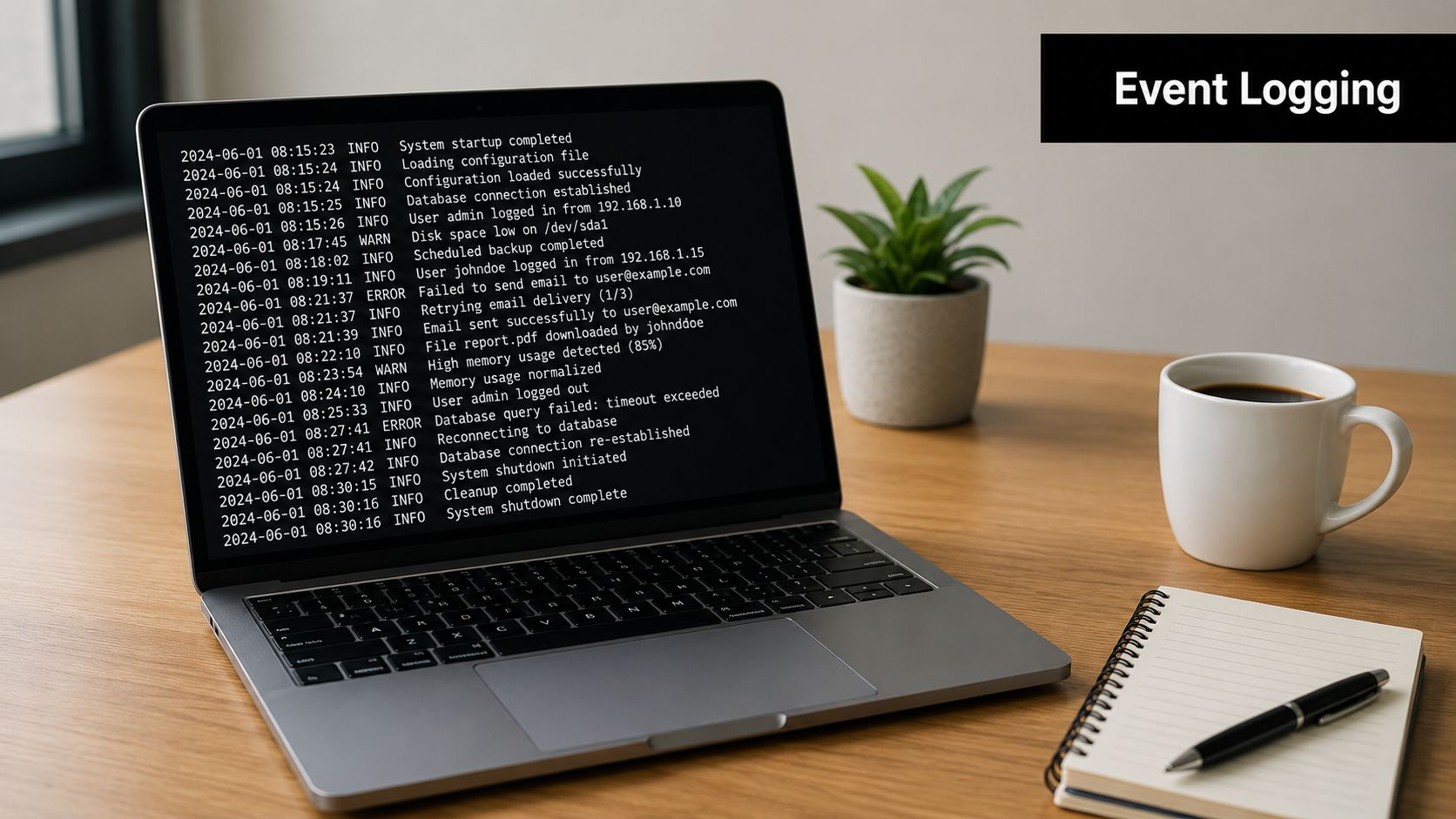
1. Implement Comprehensive Event Logging for All Agent Actions
If an agent can do it, you need to log it. That includes prompt execution, API calls, data reads, data writes, retries, permission denials, connector failures, escalation events, and handoffs to humans. In AI platforms, partial logging is usually worse than sparse logging because teams assume they have the full story when they don't.
For multi-instance deployments, the minimum useful event record includes actor identity, timestamp, target resource, action, result, and enough context to reconstruct intent. Modern guidance also recommends recording before and after values where appropriate, then storing those records centrally with strong access controls and integrity protections in a way that captures who did what, when, where, why, and how, according to New Relic's audit trail guidance.
What to log in an agent platform
A Donely-style environment complicates logging because one workflow might touch Gmail, Slack, HubSpot, and Salesforce in a single run. If you only log the final update, you lose the causal chain. If you only log the orchestration layer, you miss what each integration did.
- Log agent identity: Record the agent name, runtime identity, tenant or instance, and any delegated user context.
- Log action context: Capture the tool used, API endpoint or object type, request intent, and outcome.
- Log state changes: Preserve before and after values for sensitive records, especially CRM fields, tickets, and account settings.
- Log failures too: Permission denials, timeout errors, malformed payloads, and connector auth failures often explain incidents faster than success logs.
Practical rule: If your incident review starts with “we think the agent probably,” your event model isn't complete enough.
Asynchronous structured logging works better than inline writes to the transactional path. JSON events are easier to normalize later, and separate pipelines prevent the audit subsystem from slowing the agent runtime. What doesn't work is stuffing everything into app logs and calling that an audit trail. Application logs help engineers debug. Audit logs help teams prove what happened.
2. Establish Role-Based Access Control RBAC with Audit Trail Integration
RBAC without auditing is just configuration. You need proof that the policy was enforced, proof when it changed, and proof of which identity exercised a permission. That's especially important in AI agent platforms where service accounts, delegated access, and human approvals can blur responsibility.
In practice, this means logging every meaningful authorization decision. When an agent tries to update a Salesforce object, access a HubSpot contact list, or read a private Slack channel, the system should record the role, the evaluated policy, the resource scope, and the result. If a human admin changes a role or grants increased access, that event should carry an approval trail and justification.
Where RBAC usually breaks
The most common failure mode isn't missing roles. It's role drift. Teams create emergency admin roles, leave broad connector permissions in place, or reuse a single privileged service account across multiple tenants. In a multi-instance setup, that turns one misconfiguration into a cross-environment risk.
A better pattern is per-instance RBAC with narrowly scoped privileges and short-lived elevation for sensitive operations. Agencies need this because client A should never be able to infer or access client B's environment, even accidentally. Enterprises need it because production agent administration, model tuning, and incident response shouldn't all sit behind the same broad admin role.
Logging the control, not just the outcome
A good audit trail records more than “access granted.” It should also show what policy object granted it and under which scope. That gives your team something concrete to verify during reviews.
- Track role changes: Log who changed a role, what changed, and why.
- Track denied actions: Denials show policy effectiveness and often reveal misuse or broken automation.
- Track privileged sessions: Just-in-time access should leave a visible start and end record.
- Track cross-instance attempts: Even failed attempts matter in a tenant-isolated system.
What doesn't work is auditing only successful admin actions. You also need visibility into near misses, policy errors, and stale privileges because those are often the early warnings.
3. Maintain Immutable and Tamper-Evident Audit Logs
An audit log you can edit isn't an audit log. It's a narrative that an attacker, insider, or broken process can rewrite. For AI agent platforms, tamper resistance matters even more because agents can act at machine speed across multiple systems, and incident responders may depend on those records to determine whether damage came from a bug, abuse, or compromise.
Use storage that sits outside the transactional system and make it append-only wherever possible. DataSunrise recommends centralizing logs outside the transactional system, applying selective auditing to sensitive objects and critical actions, and using retention, rotation, and compression policies to manage cost and performance in its audit trail design guidance.

What tamper-evident really means
You don't need to log every debug event forever. You do need to make high-value audit records hard to alter and easy to verify. That usually means some combination of immutable object storage, append-only log streams, cryptographic signing, integrity checks, and strict separation of duties between application admins and audit admins.
In a multi-tenant platform, don't keep the only copy of your audit trail in the same database the agents can write to. If an agent bug corrupts data or a privileged identity gets abused, you've lost both the evidence and the business record.
Store the evidence where the workload itself can't quietly rewrite it.
A strong privacy and accountability posture also depends on proving that user and system activity records are handled with clear boundaries. If you're designing these controls in a platform context, Donely's privacy manifesto is a relevant reference point for how product teams frame data responsibility.
Trade-offs that matter
Immutable storage adds friction. Deletion workflows become more complicated, and retrieval can be slower once logs move to colder tiers. That's acceptable. What isn't acceptable is giving your primary application operators unrestricted power to alter historical evidence.
Use selective auditing to keep the signal high. Sensitive prompts, agent approvals, connector credential events, customer record modifications, and role changes belong in the durable trail. Low-value noise doesn't.
4. Correlate Audit Logs Across Integrated Tools and Channels
Most real agent incidents aren't isolated to one system. They hop systems. A support agent reads a Zendesk ticket, opens a Jira issue, sends a Slack update, and modifies a CRM contact. If each action lives in a separate log stream with a different identifier format, your team can't reconstruct the workflow without manual guesswork.
Correlation is what turns event logging into operational truth. The simplest way to do it is to assign a workflow or trace ID at the start of the agent run and pass it through every downstream integration that can carry metadata. Even when a third-party tool won't preserve your ID directly, you can still maintain a mapping layer in the orchestration service.
For AI agent platforms with broad integration surfaces, normalization matters as much as collection. Slack usernames, Salesforce object IDs, Gmail thread IDs, and internal agent task IDs all need to land in a common schema if you want usable investigations.
Make timelines line up
Time drift breaks correlation faster than expected. One host writes UTC, another writes local time, a third uses ingestion time instead of event time, and suddenly your incident timeline is out of order. Standardize timestamps and keep event-time fields distinct from processing-time fields.
Here's a walkthrough worth embedding for teams thinking about cross-system automation behavior:
A pattern that works
For a sales workflow, start the correlation ID when the agent receives the trigger. Carry that identifier through the HubSpot read, the Gmail draft or send step, the Slack notification, and the Salesforce update. If one step fails, responders should be able to see the entire chain, not just the point of impact.
- Normalize identities: Map external usernames and internal principals into one consistent identity model.
- Normalize objects: Preserve original IDs, but also map them into a shared resource schema.
- Normalize outcomes: Use consistent status fields for success, denial, retry, and failure.
- Normalize channels: Chat messages, email sends, CRM updates, and ticket changes should all fit the same event taxonomy.
What doesn't work is relying on vendor-native logs alone. They help, but they rarely give you a complete cross-tool narrative.
5. Implement Real-Time Audit Log Monitoring and Alerting
If you only review audit logs after an incident, you've built a recorder, not a control. For agent platforms, that delay is costly because an autonomous workflow can touch many systems before anyone notices something is wrong.
Real-time monitoring should start with a small set of high-impact alerts. Focus on actions that imply boundary crossing, privilege misuse, unusual connector behavior, or sensitive data movement. In multi-instance environments, one of the first rules should be any attempted access outside the assigned tenant or instance scope.
Start with detections you'll actually respond to
Many teams overbuild alert logic on day one and then mute it a week later. A better approach is to begin with clear operational cases your team can triage. That means denied admin operations, bulk record changes by an unexpected identity, connector token changes, audit pipeline failures, and after-hours access to sensitive datasets.
Operator advice: If an alert doesn't have an owner and a playbook, it's noise wearing a security label.
Donely-style centralized monitoring helps because responders need one place to see whether the issue originated in the agent runtime, the integration layer, or the tenant boundary controls. But the tooling matters less than the discipline. Alerts need severity, routing, and a response path.
For teams already wiring automation into operations, even adjacent webhook patterns can sharpen your thinking about event-driven response design. This practical guide to creating Postpulse webhooks in n8n is useful for thinking through triggered workflows and downstream handling.
Rules worth implementing early
- Watch sensitive grants: Alert when someone grants or revokes a high-impact role.
- Watch unusual fan-out: Alert when one workflow suddenly touches an atypically broad set of tools.
- Watch repeated failures: Bursts of denied or failed actions often signal drift, misuse, or a compromised token.
- Watch log silence: If a critical agent stops emitting expected audit events, treat that as an incident candidate.
What doesn't work is copying generic SIEM detections into an agent platform and hoping they fit. Agent behavior is orchestration-heavy, integration-heavy, and tenant-sensitive. Your detections should reflect that.
6. Define and Enforce Audit Trail Data Retention Policies
Retention is where many audit trail programs stop being technical and become legal, operational, and expensive. A lot of teams still carry a vague “keep logs for a few months” rule. That's not enough when different systems in the same platform are subject to different obligations.
A defensible practice is to map each audited system to the longest applicable regulatory minimum. That matters because retention requirements vary widely. PCI DSS v4.0 requires at least 12 months of logs, with 3 months immediately available. If the same platform also supports healthcare workflows, financial records, or high-risk AI use cases, your actual retention policy may need to be longer in those domains.
Retention should be mapped, not guessed
The operational mistake is setting one global retention period because it's simple. In a multi-instance AI platform, one tenant may need a different audit horizon than another, and one workflow category may need a different horizon than another inside the same tenant.
Document the system-to-regulation-to-retention mapping. Then document the exceptions, such as litigation holds, investigative preservation, and justified business needs. This turns retention into a control you can defend to an auditor instead of a default your team inherited.
A related issue is deletion. Teams need clear boundaries for when audit data ages out, when it moves to archive tiers, and how they handle product-level deletion requests without undermining compliance obligations. Donely's data deletion policy is relevant here because deletion and retention have to be designed together, not as separate workflows.
Practical retention architecture
- Keep hot and cold tiers separate: Fast access for recent investigations, lower-cost storage for older records.
- Retain by class: Access logs, model actions, financial events, and healthcare events may need different policies.
- Log the lifecycle: Archive, restore, and deletion actions should themselves be auditable.
- Test recovery: Archived logs are only useful if your team can restore and search them when needed.
What doesn't work is saying “we have backups.” Backups are for recovery. Audit retention is for evidence.
7. Establish Audit Trail Review and Reconciliation Procedures
Collection and retention aren't enough. Someone has to review the trail and confirm it's complete, coherent, and believable. Mature teams distinguish themselves from those that merely accumulate logs.
Review should happen on a schedule, but the right schedule depends on system criticality. Modern guidance notes that periodic review is still required even when automation is in place, and critical systems may need daily review while others can be checked weekly, as described earlier in the referenced industry guidance. In practice, agent platforms usually need tiered review: high-risk automations more often, lower-risk workflows less often.
Reconciliation catches what dashboards miss
A healthy review program asks whether the logs match expected reality. Did the CRM update recorded in the audit layer happen in Salesforce? Did the human approval step appear before the privileged action? Did every expected event in a workflow arrive, or is there a silent gap?
One recent review highlights a neglected area of audit operations: periodic reconciliation, normalization of usernames, object IDs, and event codes, plus human verification of automated analytics in order to catch gaps, clock drift, overlapping windows, and silent failures across systems in distributed environments, according to Accountable's audit trail review guidance.
Automated analytics are useful. They're not a substitute for proving the trail is internally consistent.
A workable review rhythm
Rotate reviewers so the same operator doesn't validate their own work every cycle. For multi-instance platforms, review by tenant boundary as well as by system. An agency should inspect client isolation evidence. An enterprise should inspect separation between development, support, and production administration.
- Reconcile key workflows: Pick representative agent runs and verify end-to-end event completeness.
- Inspect identifier consistency: Usernames, object references, and role names should normalize cleanly.
- Document findings: Review notes, anomalies, and remediation actions should be preserved as evidence.
- Feed detections back: If human review catches a recurring pattern, turn it into a better alert.
What doesn't work is treating review as a compliance ceremony. If the output never changes your detections, schemas, or controls, the process has stalled.
8. Implement Per-Instance Audit Trail Isolation and Segregation
In multi-tenant AI platforms, isolation isn't just about application data. Audit data must be isolated too. If one tenant, client, or internal business unit can access another's audit records, you've created a secondary data exposure path that many teams forget to defend.
Per-instance audit isolation should exist at several layers: storage paths, access control, encryption scope, API authorization, and operational workflows. If your platform supports separate personal, business, and client workloads, each one should have a clearly bounded audit namespace and a limited set of identities that can query it.
Isolation needs to survive operational shortcuts
The fastest way to break segregation is with convenience tooling. A shared admin dashboard, broad support role, or cross-tenant troubleshooting script can undo careful storage architecture. Security architecture has to assume that operational teams will need visibility, then give them scoped, auditable access rather than blanket power.
For agencies, the cleanest model is one instance per client with separate audit boundaries. For enterprises, separate instances for distinct workloads often reduce both risk and review complexity. That makes investigations simpler because the trail already reflects the business boundary.
Controls that hold up in practice
- Use separate keys or scopes: Don't rely on naming conventions alone to separate audit data.
- Enforce instance-aware queries: Every audit API request should be validated against tenant scope.
- Tag every event with instance identity: Correlation is easier when tenant context is explicit and consistent.
- Test boundary failures: Deliberately attempt cross-instance access during assessments and confirm it's blocked and logged.
What doesn't work is centralization without segmentation. A unified monitoring plane is useful, but it has to preserve strict access boundaries underneath it. Otherwise the logging layer becomes the easiest place to violate tenant separation.
9. Document and Train on Audit Trail Procedures and Incident Response
A solid audit system still fails if responders don't know how to use it. During incidents, teams don't need a generic security handbook. They need clear procedures for finding relevant events, validating log integrity, reconstructing a workflow, and deciding whether to contain the agent, revoke a token, or roll back data changes.
Write procedures around real scenarios. A compromised API key. An agent acting outside its approved instance. An unexpected Salesforce bulk update. A Slack-connected support agent posting sensitive information into the wrong channel. If the documentation doesn't map directly to these cases, it won't help under pressure.
Train by role, not by policy category
DevOps teams need to know where audit data lives and how to verify pipeline health. Security analysts need to know how to reconstruct timelines across connectors. Compliance teams need to know how to retrieve evidence without mutating it. Platform admins need to understand what they can and can't change in the logging stack.
This is also where examples matter. Use sanitized real log entries, not abstract diagrams alone. Show what a normal agent workflow looks like. Show what a denied cross-instance access event looks like. Show what a missing event sequence looks like when an integration fails unnoticed.
Good incident response documentation answers three questions fast: what happened, who can prove it, and what must be preserved now.
Documentation habits that age well
- Version your procedures: Auditors and responders both need to know which process was in effect.
- Tie docs to controls: Link each response step to the system or role responsible for it.
- Keep evidence handling explicit: State how to preserve logs, exports, and related artifacts.
- Refresh with incidents: Every real event should improve the playbook.
What doesn't work is annual training that treats audit response like a slide deck topic. Teams need scenario-based repetition and current runbooks.
10. Integrate Audit Logs with Centralized SIEM and Monitoring Systems
At some point, the agent platform's own audit view isn't enough. Security teams need to correlate agent actions with cloud events, identity provider logs, endpoint detections, and infrastructure telemetry. That's where SIEM integration stops being optional.
Forward audit events into your central monitoring stack in a structured format. Preserve the original fields, but also parse them into normalized identities, resource types, severities, and tenant scopes. If you lose context at ingestion, your SIEM becomes a warehouse of flattened strings instead of a place analysts can work.
What to send and how
Send the durable audit trail, not just convenience summaries. The SIEM should receive identity events, permission changes, sensitive object access, cross-system workflow actions, and audit pipeline health events. Protect transport in transit, and make sure the forwarding path itself is observable so you can detect dropped or delayed events.
If you're working in a platform ecosystem with broad connector coverage, Donely's integrations catalog shows the kind of multi-tool environment where central correlation becomes necessary rather than nice to have.
Avoid the usual SIEM failure mode
The common problem is shipping everything and governing nothing. SIEM costs rise, parsing quality falls, and analysts stop trusting the data. Keep the ingestion model disciplined.
- Prioritize high-value fields: Tenant, actor, action, target, result, and correlation ID should survive every transform.
- Separate evidence from telemetry: Audit records need stronger handling guarantees than ordinary app metrics.
- Monitor ingest health: Missing or delayed audit feeds are themselves a security issue.
- Align retention thoughtfully: The SIEM copy should support investigations, but your source-of-record retention policy still needs its own controls.
What doesn't work is treating the SIEM as the only audit system. It's an analysis layer. Your source audit trail still needs immutability, retention governance, and access boundaries of its own.
Top 10 Audit Trail Best Practices Comparison
| Item | 🔄 Implementation Complexity | ⚡ Resource Requirements | ⭐ Expected Outcomes | 💡 Ideal Use Cases | 📊 Key Advantages |
|---|---|---|---|---|---|
| Implement Comprehensive Event Logging for All Agent Actions | Medium–High, instrument agents, schema design, async logging | Medium, storage, ingestion pipelines | High (⭐️⭐️⭐️), full visibility & forensic readiness | Audit, compliance, performance optimization across instances | Complete activity record; supports root-cause analysis and compliance |
| Establish Role-Based Access Control (RBAC) with Audit Trail Integration | High, policy design, enforcement, per-instance scoping | Medium–High, identity, SSO, policy management | High (⭐️⭐️⭐️), prevents unauthorized actions and proves permission lineage | Multi-tenant agencies, regulated enterprises, least-privilege deployments | Ties permissions to actions; enables rapid revocation and auditability |
| Maintain Immutable and Tamper-Evident Audit Logs | High, cryptographic signing, append-only storage | High, immutable storage, crypto ops, separate infra | Very High (⭐️⭐️⭐️⭐️), provable log integrity for forensics | Finance, healthcare, strict-regulatory environments (SOC 2/HIPAA) | Ensures authenticity; detects tampering and meets stringent compliance |
| Correlate Audit Logs Across Integrated Tools and Channels | High, normalization, correlation IDs, time sync | High, connectors, storage, ETL & mapping work | High (⭐️⭐️⭐️), end-to-end workflow visibility across systems | Multi-system workflows (HubSpot→Gmail→Salesforce), agencies | Reveals cross-system dependencies; accelerates multi-platform investigations |
| Implement Real-Time Audit Log Monitoring and Alerting | Medium–High, stream processing, rule tuning | Medium, streaming analytics, on-call/alerting channels | High (⭐️⭐️⭐️), faster detection and reduced dwell time | Security operations, critical incident detection, sensitive data access | Immediate alerts; actionable detection of anomalous agent behavior |
| Define and Enforce Audit Trail Data Retention Policies | Medium, policy mapping, automation of archival/deletion | Low–Medium, tiered storage, archival workflows | Medium–High (⭐️⭐️), cost control and compliance alignment | Organizations with jurisdictional retention requirements (HIPAA, PCI) | Reduces storage costs; ensures compliant retention and documented deletion |
| Establish Audit Trail Review and Reconciliation Procedures | Medium, process design, scheduling, reviewer roles | Medium, skilled personnel time, reporting tools | Medium (⭐️⭐️), catches anomalies automation may miss | Periodic compliance checks, SOC 2 evidence gathering | Human oversight; validates automated detection and documents findings |
| Implement Per-Instance Audit Trail Isolation and Segregation | Medium–High, separate storage/APIs, key management | High, multiple storage instances, encryption keys per instance | High (⭐️⭐️⭐️), strong data separation and risk containment | Multi-tenant agencies, client data isolation, regional compliance | Prevents cross-instance exposure; supports per-client policies and billing |
| Document and Train on Audit Trail Procedures and Incident Response | Low–Medium, create docs, run trainings and exercises | Medium, training time, materials, periodic refreshers | Medium–High (⭐️⭐️), faster, consistent incident handling | Security teams, compliance officers, new staff onboarding | Ensures consistent response; provides audit evidence of training |
| Integrate Audit Logs with Centralized SIEM and Monitoring Systems | Medium–High, forwarding, parsing, dashboarding | High, SIEM licensing, ingestion costs, admin expertise | High (⭐️⭐️⭐️), organization-wide correlation and advanced analytics | Enterprises with existing SIEM, centralized security operations | Centralized correlation, advanced threat detection, compliance reporting |
From Audit Trail to AI Governance
Audit trail best practices aren't just about storing logs long enough to satisfy an auditor. In AI agent platforms, they're part of the control plane. They tell you which identity acted, what the agent touched, whether the action was allowed, whether the record is trustworthy, and whether the event can be tied back to a larger workflow across systems.
That matters because AI agents compress time. A mistake that used to take a human an afternoon can now happen across many records and tools before the first support ticket arrives. If the platform can't reconstruct those actions cleanly, your team loses more than visibility. You lose containment speed, incident confidence, and the ability to prove separation between tenants, customers, or internal workloads.
The best implementations share a few characteristics. They centralize audit collection but keep tenant boundaries intact. They capture enough context to explain intent, not just outcomes. They make logs tamper-evident and store them outside the main transactional path. They alert on high-risk behavior quickly, but they also keep humans in the review loop because automation won't catch every gap, drift issue, or silent failure.
Retention deserves special attention because it's where many otherwise good systems become fragile. A single blanket policy rarely survives contact with real regulatory and business obligations. Teams need documented mappings between systems, obligations, and retention windows, plus operational rules for archive, restore, and defensible deletion. That's what turns audit logging from a security feature into a compliance control.
For multi-instance AI platforms, segregation is the difference between a usable design and a dangerous one. If the same platform runs personal workloads, business operations, and client environments, then audit architecture has to preserve those boundaries as carefully as production data does. Shared dashboards, shared service accounts, and shared support shortcuts are where many teams weaken that separation.
This is also why governance can't live only in policy docs. It has to show up in schemas, storage choices, RBAC models, alert logic, review cycles, and incident playbooks. When those parts align, the audit trail becomes more than evidence after the fact. It becomes a working system for trust.
A platform like Donely fits naturally into this conversation because the operating model itself matters. Multi-instance isolation, unified audit visibility, per-instance RBAC, and centralized monitoring are the kinds of building blocks teams need when they're trying to scale AI agents without losing control of who did what and where.
If you're building or scaling AI agents and need a platform that supports isolated instances, unified audit logs, granular access control, and broad tool connectivity, explore Donely.