
You're probably in one of two situations right now. You either have a rough business idea and you're wondering whether AI can help you turn it into something real, or you already know the market you want to serve and you're trying to figure out how AI fits without building a fragile demo that never becomes a business.
That distinction matters. Most founders waste time asking AI to invent startup ideas. Better founders use AI to validate demand, define a narrow workflow, and then deploy something useful enough that customers will pay for it. If you want to learn how to use AI to start a business, that's the practical path.
The useful mental model is this: AI is not a magic feature. It's a workforce. Each agent needs a job, access to the right information, clear limits, a way to act inside your existing tools, and controls around security, billing, and monitoring. Treat AI like a team you manage, not a prompt you admire.
Table of Contents
- From Idea to AI-Validated Value Proposition
- Designing Your First AI Employee
- Building the AI Workforce with Integrations
- Deploying Your AI Business Securely and at Scale
- Go-to-Market, Monetization, and Monitoring
- Your AI-Powered Business Starts Now
From Idea to AI-Validated Value Proposition
Most AI startups don't fail because the model is weak. They fail because the founder built supply before confirming demand. The right starting point is a painful, recurring business problem that already costs someone time, revenue, or attention.
Start with pain, not novelty
A good founder prompt is not “What AI business should I start?” It's “Which workflow do buyers already hate enough to replace?” That changes your research immediately. You stop chasing cleverness and start looking for delay, repetition, inconsistency, and bottlenecks.
The U.S. Small Business Administration notes that AI helps businesses analyze data to spot themes and make better strategic decisions, and that AI can compress tasks like market research and business-plan drafting from months into days, shifting startup discovery toward faster, data-assisted validation. It also notes that by 2026, using AI to draft personas, value propositions, and competitor summaries has become a mainstream workflow in startup formation (SBA guidance on AI for small business).
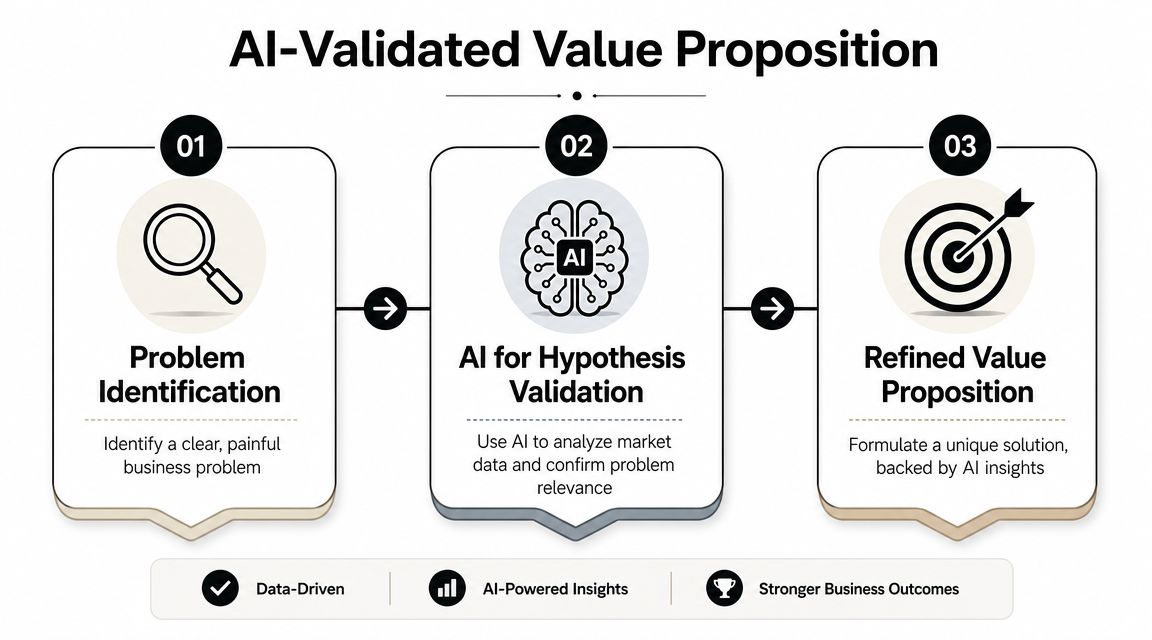
That matters because early validation work used to be slow. Founders had to gather interview notes, compare competitors manually, write rough positioning, then revise everything after a handful of customer calls. Now AI can help you create a first pass quickly, as long as you remember it is producing drafts, not truth.
Practical rule: Use AI to accelerate discovery, then use customers to confirm reality.
Use AI to pressure-test demand
Here's the workflow that works:
- List the target buyer clearly. Be specific. “Operations managers at service businesses” is better than “small businesses.”
- Ask AI for problem hypotheses. Focus on recurring operational pain, not abstract strategy.
- Generate a competitor snapshot. You want positioning patterns, pricing structures, feature clusters, and obvious gaps.
- Draft customer personas and buying triggers. AI assists in compressing messy research into something usable.
- Turn that into interview questions and landing-page copy. Your next job is testing whether real people react.
If you're building with a knowledge-heavy workflow, it helps to keep your notes, call summaries, and internal research in one place so you can query patterns across them. A company knowledge layer such as Donely's company brain makes that process more operational, especially when you're comparing feedback across prospects, channels, and documents.
A simple validation checklist
Before writing code, make sure your value proposition survives these checks:
- The problem already exists: Customers describe the pain in their own words without needing an AI explanation.
- The workflow is frequent: If the task rarely happens, automation won't feel urgent.
- The output can be evaluated: You need a way to tell good work from bad work.
- The buyer has authority: Interest from non-buyers creates false confidence.
- The process has reusable inputs: AI works better when the job repeats with recognizable patterns.
A weak idea usually sounds impressive but depends on buyers changing their habits. A strong one slots into work they already do and removes friction immediately.
Designing Your First AI Employee
Once you know the problem, stop thinking about “the app” for a moment. Think about the first AI employee you're hiring. What is this agent responsible for? What information does it need? What actions is it allowed to take? How will you know if it's doing the job well?
Write the job description first
The fastest way to overbuild is to give one agent too many responsibilities. Founders Network emphasizes that successful AI adoption starts with a clear objective and a small pilot project, and that the best practice is to identify one specific, revenue-adjacent workflow, define success metrics, and validate with a limited dataset before expanding. It also warns against trying to automate too much too early (Founders Network guide to AI for startups).
That advice is dead right. Your first AI employee should have a narrow charter. Examples:
- Lead qualification agent that reviews inbound inquiries, extracts intent, tags urgency, and routes the lead.
- Support triage agent that classifies tickets, answers basic questions, and escalates edge cases.
- Internal research agent that retrieves policy, product, or account information for your team.
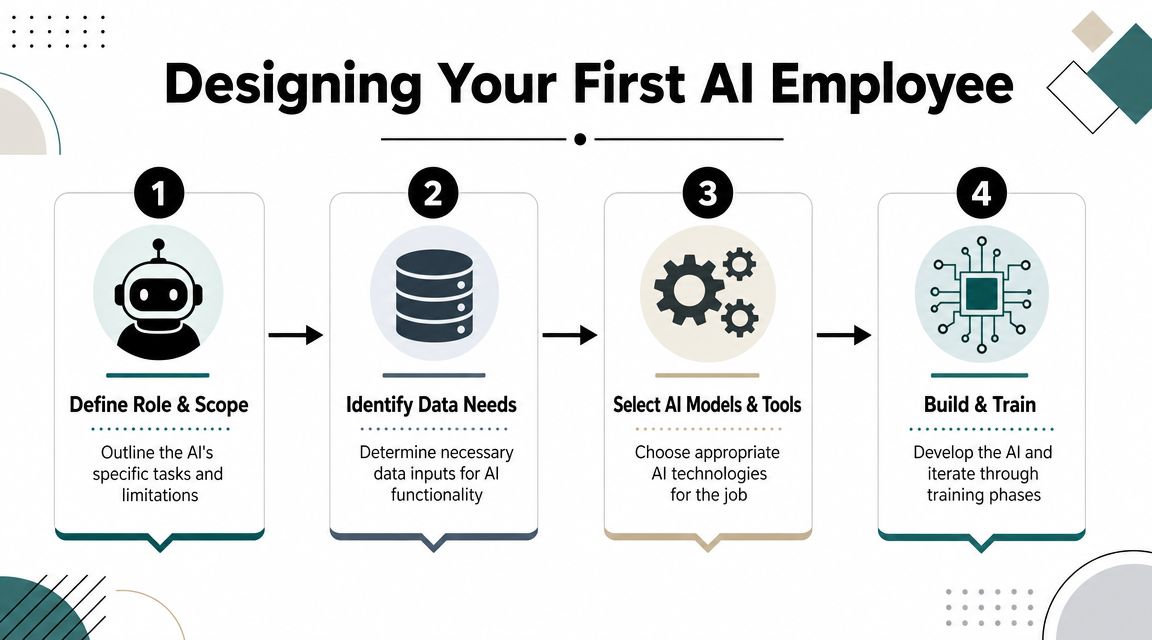
A decent job description for an AI employee includes role, scope, inputs, allowed actions, forbidden actions, escalation rules, and success criteria. If you can't write that in plain English, you're not ready to build.
Define what the agent can see and do
Most weak AI products fail for one of two reasons. They either give the model too little context, so it answers vaguely, or they give it broad access with poor controls, which creates risk and noise.
That's why retrieval and tool access matter. An agent needs curated knowledge, not just a model prompt. It also needs the right interfaces for action. If your lead qualification agent can identify a good lead but can't update the CRM or notify sales, you've built analysis, not operations.
A simple design table helps:
| Component | What to define |
|---|---|
| Role | One workflow the agent owns |
| Knowledge | Documents, FAQs, account data, product info |
| Actions | Tag, route, draft reply, create task, update CRM |
| Escalation | When to hand off to a human |
| Metrics | Response quality, routing accuracy, conversion-related outcomes |
If email is part of the workflow, don't leave infrastructure as an afterthought. Founders often design a capable agent and then realize they haven't thought through mailbox identity, sending logic, or operational reliability. This resource on understanding AI agent email infrastructure is useful because email is often the first real production channel an AI employee touches.
A platform such as Donely AI employees makes this model concrete by framing agents as role-based workers that can be deployed and managed rather than as one-off chat experiments.
Before you build, watch a practical example of agent behavior in action:
Pilot before you scale
Don't launch your first agent across every customer interaction. Run it on a narrow slice with a limited dataset. Review outputs manually. Log where it hesitates, where it hallucinates, and where it makes the right decision for the wrong reason.
The goal of the pilot isn't proving that AI works. It's learning where your workflow breaks under real conditions.
That's how you move from prompt theater to an actual business process.
Building the AI Workforce with Integrations
A single agent can be useful. A connected agent can run part of a business. The difference is integrations.
An agent without tools is just a talker
If your AI can answer questions but can't read from Gmail, post to Slack, update HubSpot, create a Stripe action, or open a ticket in Zendesk, it remains trapped in a chat box. Customers don't pay much for that unless the insight is exceptional. They pay more readily for completed work.

Founders usually discover that “AI product” is really shorthand for workflow orchestration plus context plus action. The model is one layer. The business value comes from the chain.
A good integration stack needs three things:
- Reliable triggers: New email, form submission, CRM update, payment event, support ticket.
- Structured context: Customer history, product rules, internal docs, and prior conversations.
- Controlled actions: Drafting, updating records, notifying teams, collecting approvals, and logging what happened.
If you're mapping tools and environment dependencies across a growing stack, the EnvManager integrations overview is a useful reference for thinking about how systems connect without becoming unmanageable.
What orchestration looks like in practice
Take a simple agency scenario. A prospect fills out a website form. The agent reads the submission, checks whether the company matches the agency's ideal customer profile, drafts a reply, creates a contact in the CRM, posts a summary in Slack, and schedules a follow-up task if the lead looks promising.
That's not one prompt. That's a sequence.
Here's what a connected workflow might include:
- Inbound capture from form, email, or chat.
- Qualification logic using prompt instructions plus account rules.
- Knowledge retrieval from service descriptions, case materials, and pricing boundaries.
- Action layer that updates systems of record.
- Human checkpoint if the agent hits uncertainty or a high-stakes exception.
For founders who don't want to assemble every layer from scratch, Donely integrations show what this looks like when a platform connects AI employees to common business systems and communication channels.
The more your AI can complete inside the tools your team already uses, the more it behaves like an employee and the less it behaves like a demo.
The operational payoff isn't just speed. It's consistency. Every handoff the agent can execute cleanly reduces the chance that a lead, ticket, or task disappears between systems.
Deploying Your AI Business Securely and at Scale
A lot of founders can build a good prototype. Far fewer can run an AI business that survives real customers, team access, multiple workspaces, and compliance pressure. Production changes the standard. Security and infrastructure stop being “later” problems.
Why demos fail in production
Google Cloud's startup materials make this point clearly. Production-grade AI requires a formal technical stack, including a cloud project, billing, and API keys. The operational implication is simple: even a basic launch needs infrastructure for identity, budget control, and tool use. A major pitfall is underestimating readiness, which leaves teams stuck at demo stage instead of shipping something reliable (Google Cloud startup AI guidance).
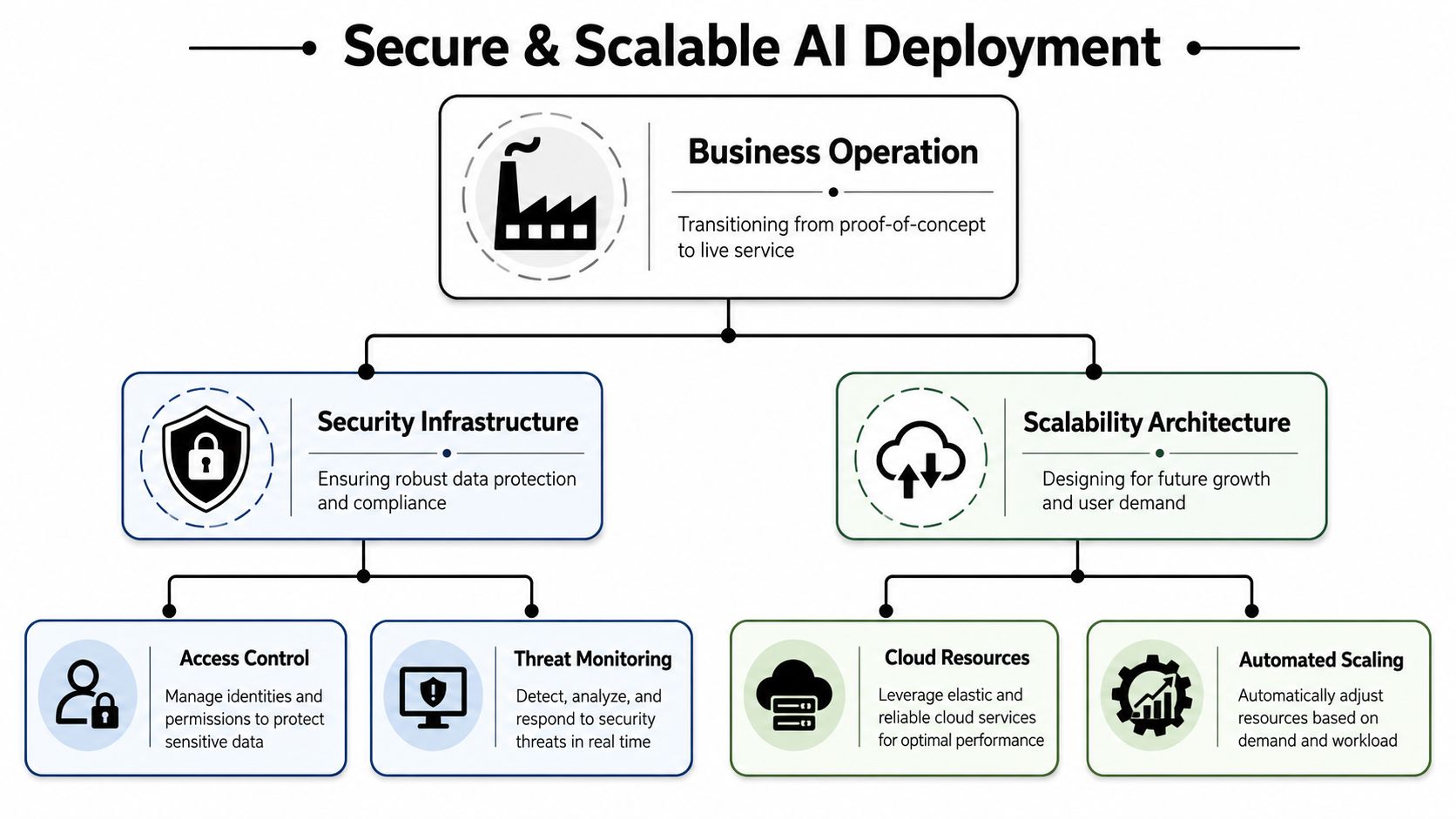
Founders feel this the moment a customer asks basic questions:
- Who can access the agent?
- Where does the data live?
- Can client accounts be separated?
- What happens if the agent makes a mistake?
- Is there a record of what it did?
If your answer is “we're still figuring that out,” you don't have a business-grade service yet.
Security features that stop being optional
Security sounds abstract until you're serving more than one team, one client, or one workflow. Then it gets very concrete.
Role-based access control
RBAC matters because not everyone on your team should have the same permissions. Sales might need to view outputs. Operations might need to adjust prompts and workflows. Leadership may need monitoring access without touching customer data. Without role boundaries, one internal mistake can become a customer problem.
Isolated instances
If you plan to support agencies, consultants, or multi-client deployments, isolation isn't a premium feature. It's basic hygiene. Separate workspaces reduce cross-client exposure and make it easier to govern prompts, tools, and data boundaries cleanly.
Audit logs
When something goes wrong, you need a record. Audit logs help with troubleshooting, accountability, and customer trust. They also force operational discipline because you can inspect what the agent saw, what it decided, and what action it triggered.
If you can't review an agent's actions after the fact, you can't manage it responsibly.
Choose infrastructure that matches your business model
A founder selling one internal AI workflow can tolerate more manual oversight than an agency managing many client agents. The architecture should reflect that.
Here's a practical comparison:
| Business type | What matters most |
|---|---|
| Solo founder | Fast setup, low overhead, clear permissions |
| Startup team | Shared management, stable integrations, cost visibility |
| Agency | Client isolation, centralized billing, repeatable deployment |
| Compliance-focused org | Access controls, logs, scoped data boundaries |
The trap is thinking zero-DevOps means zero infrastructure. It doesn't. It means someone else handles the plumbing so you can spend your time on customer workflows, quality control, and commercial execution instead of cloud administration.
Go-to-Market, Monetization, and Monitoring
An AI business becomes real when someone pays for repeated outcomes, not occasional novelty. At this stage, many technically strong founders get sloppy. They ship an agent, get a few interested users, and only later ask how pricing, reliability, and account management are supposed to work.
Pick a pricing model that fits the workflow
Your pricing has to match how the customer experiences value.
A few common models work well:
- Per-seat pricing fits internal productivity tools where a team member actively uses the agent.
- Usage-based pricing fits workflows tied to message volume, documents processed, or tasks completed.
- Flat-fee service pricing works when buyers care about the business result more than the mechanics.
- Hybrid pricing often makes sense for agencies or managed AI services, where there's a base platform fee plus workflow-specific usage.
The right choice depends on what the customer is buying. If they are buying responsiveness, a service fee may be easier to understand. If they are buying throughput, usage pricing can feel more aligned.
Monitoring is part of the product
Bipartisan Policy Center's small-business analysis points to a more useful frame for founders: AI's true value is shifting from one-off ideation toward continuous operational sensing, and the harder question is not what idea AI can invent, but which parts of the business model are defensible, automatable, and verifiable (Bipartisan Policy Center on AI and small businesses).
That's exactly why monitoring matters. You need to see whether the agent is performing reliably enough to support billing, retention, and expansion.
For a live AI business, monitor at least these layers:
- Workflow health: Did the agent complete the task or stall midway?
- Output quality: Did the result meet the standard a human would accept?
- Tool reliability: Did the CRM update, notification send, or ticket creation succeed?
- Client separation: Can you review performance by workspace or account?
- Commercial visibility: Which accounts are active, growing, or becoming expensive to serve?
A managed service business feels very different once you can see status, logs, usage, and invoicing in one place. That's particularly important for agencies running multiple client environments. Without centralized monitoring, every additional client increases operational drag.
Build around defensibility, not novelty
Plenty of AI businesses look interesting in a demo and weak in a market. The weak ones rely on model novelty alone. The stronger ones combine proprietary workflow design, clean integrations, account structure, and repeatable service delivery.
Ask hard questions early:
- If model output quality varies, does the business still function?
- Can a human review the critical steps efficiently?
- Is the workflow tied to a system of record, not just a conversation?
- Does the buyer become more embedded over time through process adoption?
Those questions push you toward a business customers can trust. That trust is what supports renewals and referrals.
Your AI-Powered Business Starts Now
Starting an AI business is no longer about raising money to build a giant platform before you know what customers want. The practical route is smaller and smarter. Find a painful workflow. Validate it fast with AI-assisted research. Design one narrow AI employee. Connect it to the tools where work happens. Deploy it with real controls. Then charge for a repeated outcome you can monitor.
That's how to use AI to start a business in a way that survives contact with customers. Start with one job, one workflow, and one pilot. Then earn the right to expand.
If you want a faster path from concept to deployed AI workforce, Donely gives you a way to host, deploy, manage, and govern AI employees from one dashboard, with integrations, isolated instances, RBAC, audit logs, and centralized monitoring built into the operating model. It's a practical option for founders, agencies, and teams that want to launch real AI workflows without turning infrastructure management into the business itself.