
Kubernetes is often presented as the responsible default for any serious container workload. That advice is too broad. Kubernetes has become the baseline for orchestration, but a baseline isn't automatically the right operating model for a small API, a mixed legacy estate, a bursty service, or an AI workload that needs isolation without a platform team.
The useful question isn't which tool has the longest feature list. It's what you value most: portability, cloud integration, scale-to-zero behavior, developer speed, global placement, mixed workloads, or enterprise governance. The answer also depends on your team's Kubernetes experience, migration friction, compliance obligations, ecosystem expectations, and how much infrastructure you're prepared to own after launch. Teams exploring event-driven products may also benefit from understanding what is serverless for startups.
Kubernetes remains dominant. Industry reporting says 96% of organizations use or evaluate it, while another estimate places production adoption at 82%, and the Kubernetes market is projected to grow from USD 2.57 billion in 2025 to USD 8.41 billion by 2031 at a projected 21.85% CAGR for 2026–2031 (Sfeir Institute). That scale makes the alternatives more useful, not less. They give teams ways to reduce operational responsibility without pretending portability and control are free.
Table of Contents
- 1. HashiCorp Nomad
- 2. Amazon Elastic Container Service
- 3. AWS App Runner
- 4. Google Cloud Run
- 5. Azure Container Apps
- 6. Fly.io
- 7. Render
- 8. Heroku
- 9. DigitalOcean App Platform
- 10. Cloud Foundry
- Top 10 Kubernetes Alternatives, Quick Comparison
- Choose the Lowest-Complexity Platform That Fits
1. HashiCorp Nomad
Nomad is the strongest escape route when Kubernetes feels too specialized for a workload portfolio that includes more than containers. It can schedule containers, virtual machines, JAR files, binaries, and batch jobs through a comparatively simple deployment model. That makes it a practical fit for organizations modernizing gradually rather than rewriting every workload into a cloud-native shape.
The operational appeal is clear. Nomad is distributed as a single binary, uses declarative job specifications, and integrates naturally with Consul for service discovery and Vault for secrets. Teams already using Terraform, Consul, and Vault can keep a coherent HashiCorp-centered workflow instead of assembling a large Kubernetes platform around a mixed estate. Its support for on-premises and cross-cloud deployments also preserves more infrastructure choice than a cloud-specific PaaS.
The tradeoff is ecosystem depth. Kubernetes has more third-party operators, integrations, tutorials, and hiring familiarity. Nomad can run the workloads you need, but you may have to design more of the surrounding platform yourself, especially for specialized networking, policy, and application controllers.
What running Nomad feels like
Nomad reduces the number of moving parts you need to understand before a deployment becomes routine. It's easier to reason about for a small platform team, and its ability to schedule non-container workloads can prevent a forced migration that creates more risk than value.
Enterprise Nomad features support namespaces, quotas, and multi-tenancy, but teams with strict compliance requirements still need to validate identity, audit, isolation, backup, and recovery processes in their own environment. Nomad won't replace the broader Kubernetes ecosystem when you need a widely supported operator model or a large catalog of cloud-native extensions.
Practical rule: Test Nomad first if your estate includes containers, legacy services, and batch jobs, and your team wants self-managed orchestration without adopting the full Kubernetes control surface.
For AI teams, a managed deployment path such as Hermes Agent hosting can remove a different layer of infrastructure work. It isn't a substitute for Nomad in a general-purpose datacenter, but it illustrates when hosted, isolated operations make more sense than running an orchestrator yourself. Visit HashiCorp Nomad for the platform details.
2. Amazon Elastic Container Service
Amazon ECS is the pragmatic choice for teams that have already committed to AWS and don't need their scheduler to travel cleanly across clouds. AWS manages the orchestration service, while you choose between EC2 capacity and the serverless Fargate runtime. That division removes control-plane administration and lets application teams work directly with AWS networking, IAM, load balancing, and observability.
ECS feels deliberately AWS-native. Application load balancers, network load balancers, CloudWatch, IAM policies, and AWS deployment tooling fit together without the translation layer you often build around a portable orchestrator. Rolling and blue/green deployment patterns are available through AWS services and workflows, while Terraform and other infrastructure-as-code tools can provide repeatability.
The cost is strategic rather than merely technical. ECS is not a portable abstraction across cloud providers. A team that builds around IAM, VPC conventions, CloudWatch, and AWS-specific service discovery may find a later migration substantially more involved than moving container images and manifests.
Where ECS works, and where it doesn't
ECS suits long-running stateless services, internal APIs, and AWS-centered product platforms. It also works well when the organization has strong AWS skills but doesn't want to hire or maintain a separate Kubernetes platform team.
It isn't the best choice when you require broad multi-cloud portability, Kubernetes-native operators, or the largest possible ecosystem of integrations. Kubernetes alternatives shouldn't be judged only by how quickly they launch the first service. Evaluate how much of your deployment model becomes AWS-specific after the third or fourth supporting service.
- Choose EC2-backed ECS when you need more direct control over underlying compute capacity.
- Choose Fargate-backed ECS when reducing host management matters more than low-level placement control.
- Test IAM and recovery early because cloud integration improves operations only when permissions, backups, logs, and incident access are designed together.
ECS is a good escape route from Kubernetes complexity, but it's also a commitment to AWS's operating model. Read the Amazon ECS documentation and model the exit cost before standardizing on it.
3. AWS App Runner
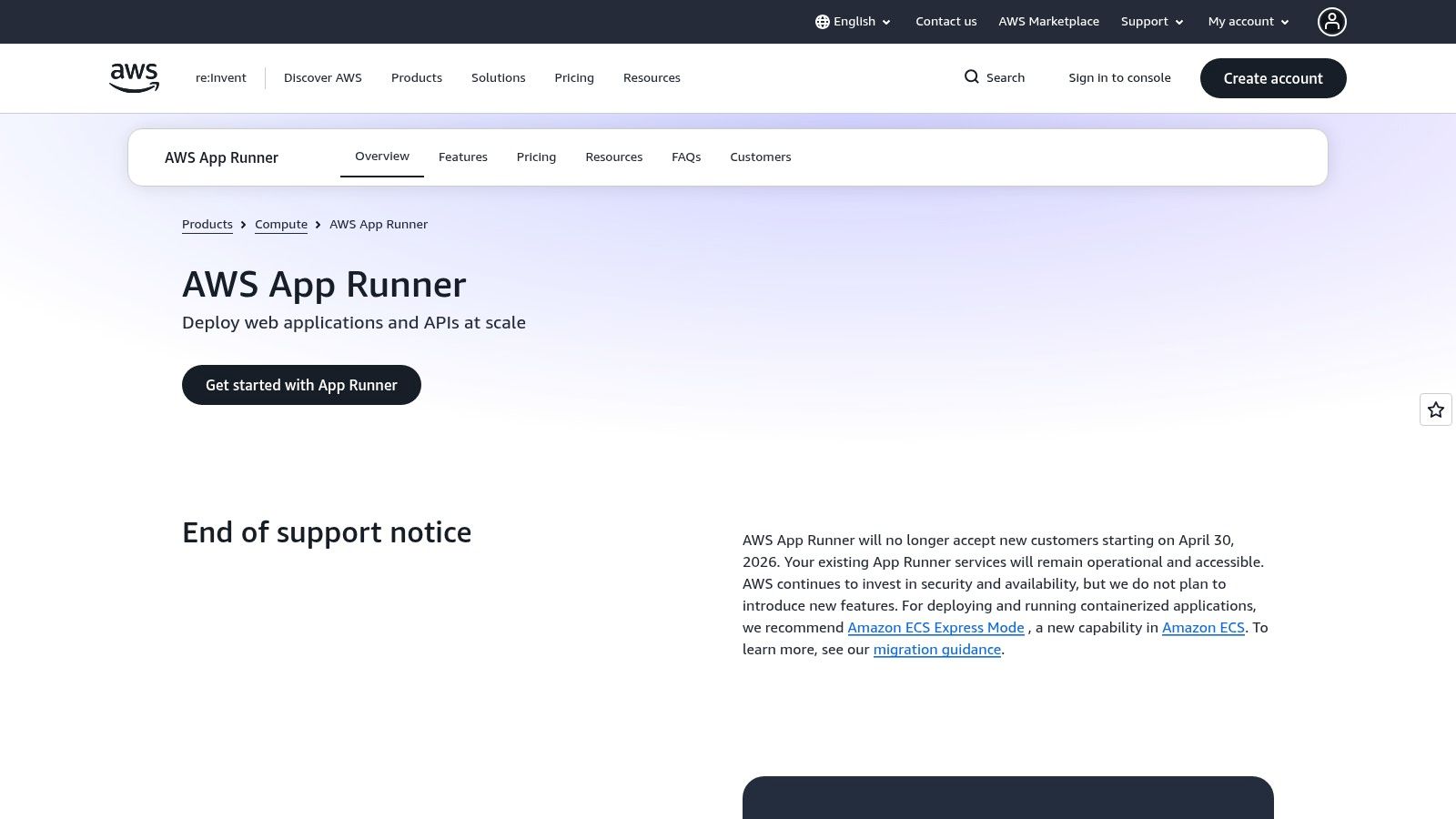
AWS App Runner targets teams that want to deploy an image or source repository and receive a production web endpoint without designing an ECS service or operating an EKS cluster. It hides much of the infrastructure involved in networking, load balancing, TLS, health checks, scaling, and log delivery. For a small stateless API, that reduction in decisions can be more valuable than access to every orchestration primitive.
The platform supports deployment from Amazon ECR or a source repository, with automatic builds and managed application operations. Private networking and VPC access support make it more useful than a purely public, developer-only deployment service, especially when the API needs to reach AWS databases or internal services.
App Runner's simplicity comes from constrained control. You won't get the same tuning surface as ECS or Kubernetes, and teams with unusual networking, scheduling, sidecar, or placement requirements may reach its boundaries quickly. It also doesn't provide native scale-to-zero behavior in the same way as some serverless container platforms, so bursty workloads should be tested against their actual traffic profile rather than assumed to be cheap when idle.
The right App Runner workload
App Runner fits small web services, stateless APIs, prototypes becoming production products, and teams with limited operations capacity. It's especially effective when the service has a straightforward HTTP lifecycle and its dependencies already live in AWS.
It's less suitable for background-heavy systems, complex multi-service scheduling, workloads needing precise infrastructure placement, or organizations that want a cloud-neutral deployment contract. Migration from App Runner to ECS is possible, but the deployment model changes, so keep application configuration and infrastructure assumptions separate from the service abstraction.
A low-operations service still needs production discipline. Define secrets, access boundaries, logs, health behavior, rollback expectations, and recovery procedures before the first customer-facing release.
Start with one representative service, not the easiest demo. Test private dependency access, deployment failure handling, observability, and a rollback under realistic conditions. The AWS App Runner service is a better fit for teams that want AWS hosting with minimal orchestration exposure than for teams seeking a general-purpose cluster replacement.
4. Google Cloud Run
Cloud Run is one of the cleanest Kubernetes alternatives for bursty HTTP workloads. You provide a container, configure the service contract, and let Google manage the underlying execution environment. Automatic scaling, including scaling to zero, makes it attractive for APIs and web services whose demand changes materially throughout the day.
The developer workflow is direct. Cloud Run supports HTTP/2, gRPC, and WebSockets with end-to-end TLS, and it connects to Google Cloud IAM and networking services. A team can move from image to URL quickly without creating a cluster, managing nodes, or building a platform around ingress and autoscaling.
That simplicity has boundaries. Request and timeout constraints shape how you build background processing, long-running jobs, and workflows that can't fit a request-driven model. Teams often solve those cases with queues, scheduled jobs, separate workers, or other Google Cloud services, but each addition increases architectural coupling.
Run the traffic pattern, not the demo
Cloud Run works best for stateless endpoints, event-triggered HTTP handlers, preview environments, and services with variable demand. It's also a strong choice when developer speed and reduced operational toil matter more than infrastructure portability.
Cloud Run isn't a general replacement for Kubernetes when you need complex scheduling, arbitrary daemons, extensive cluster networking, or a common control plane across clouds. Its cost model can be efficient for intermittent traffic, but you should test concurrency, cold-start behavior, dependency access, and observability with a representative service.
- Keep request handlers focused: Move durable background work to an explicit queue or worker pattern.
- Define identity per service: Use Google Cloud IAM deliberately instead of treating network reachability as authorization.
- Separate portable application concerns: Keep container build logic, environment configuration, and data access contracts clear if a later move is plausible.
For teams deploying multiple AI services, centralized integrations and instance management can be more useful than exposing another cluster abstraction. Donely's integrations are relevant when the workload is an isolated AI agent rather than a conventional web service. Review the Google Cloud Run platform before choosing it as the default for every container.
5. Azure Container Apps
Azure Container Apps gives Azure teams a managed container environment built on technologies associated with Kubernetes, Dapr, and Envoy without requiring them to operate Kubernetes directly. That distinction matters. You get a higher-level application platform while Azure manages the underlying orchestration layer.
The service supports HTTP and event-driven application patterns, revisions, traffic splitting, secrets management, and scale-to-zero behavior. Those capabilities make it useful for APIs, workers, and services that need staged releases without a platform team maintaining AKS. Optional Functions integration can also help teams combine containerized services with event-oriented application design.
The platform still reflects Azure's ecosystem. Azure identity, networking, monitoring, deployment pipelines, and data services can make the experience coherent, but that coherence becomes a portability tradeoff. Teams that later need another cloud may retain container portability at the image level while losing much of the surrounding deployment model.
Governance without cluster ownership
Container Apps is a good fit for Azure-native teams that need controlled environments for HTTP and event-driven workloads. Revisions and traffic splitting support safer application releases, while managed secrets and identity integration can reduce the amount of platform plumbing developers must handle.
Pricing needs careful modeling. The service supports scale to zero and per-second billing, but minimum instances can create idle charges, so the configured availability posture affects the economics. Treat the billing configuration as part of the architecture, not as an afterthought.
- Use revisions for release control: Validate traffic movement and rollback behavior with a real service.
- Test event delivery: Confirm retries, duplicate handling, dead-letter behavior, and recovery.
- Map compliance boundaries: Document who can deploy, who can view secrets, and how logs support investigations.
Azure Container Apps is less compelling for teams that need upstream Kubernetes compatibility, broad community add-ons, or deep control over cluster networking. Visit Azure Container Apps to evaluate the managed boundary against your compliance and integration requirements.
6. Fly.io
Fly.io approaches container deployment from a global, developer-centric perspective. Its Machines model, anycast routing, private application networking, and regional placement are designed for teams that want services close to users without assembling a multi-region Kubernetes platform.
That makes it attractive for latency-sensitive APIs, globally distributed applications, and startups that need a fast path from local development to a worldwide footprint. Scale-to-zero patterns, standby instances, per-second billing, and CLI-led deployments can keep the operating model compact for services with uneven demand.
Fly.io's strengths also define its risks. The ecosystem and compliance story are smaller than those of the major hyperscalers, and regional capacity or quotas may require planning. An application that works beautifully in a handful of regions can become harder to operate when it needs specialized compliance evidence, broad enterprise procurement support, or a large catalog of managed integrations.
Global placement is an operational choice
Fly.io works when your application benefits from geographic proximity and your team is comfortable with a platform that exposes a more focused set of primitives. It doesn't replace Kubernetes for every stateful system, large internal platform, or highly regulated fleet.
Test the hard parts first:
- Regional failure: Confirm how your application behaves when a region or machine becomes unavailable.
- State placement: Decide where databases, files, queues, and replicas live before distributing application instances.
- Operational access: Verify logs, metrics, deploy approvals, secrets, and incident workflows for every region.
A global network doesn't remove distributed-systems complexity. It moves more of that complexity into placement, data consistency, and recovery decisions. Read the Fly.io platform overview and run a failure exercise before using it as the foundation for a globally critical product.
7. Render
Render is a higher-level PaaS for teams that want modern application delivery without managing clusters. It supports web services, private services, workers, cron jobs, static sites, and databases, giving product teams a broader application surface than a single container endpoint.
The developer experience centers on repository-driven deployment, private networking, preview environments, health-checked releases, rollbacks, and autoscaling. YAML blueprints and API or CLI control provide a path toward repeatable environments, so the platform isn't limited to manual dashboard clicks.
Render is a strong fit for product teams that value a clear workflow over infrastructure customization. It can feel much closer to a modern Heroku-style experience than to Kubernetes, which is precisely why developers can move quickly without learning cluster internals.
Decide whether the abstraction will age well
Render's tradeoffs are fewer regions, a smaller ecosystem than the hyperscalers, and greater platform lock-in than raw cloud primitives. Those constraints may be acceptable for a startup or agency, but they deserve attention if the product has strict regional placement, unusual networking, or complex compliance requirements.
Use Render when the application architecture is conventional and the team wants to spend its time on product behavior rather than deployment machinery. Validate private service connectivity, database recovery, preview environment isolation, deployment rollback, and access roles before standardizing.
For AI-oriented teams, the relevant question is often whether the platform can host the surrounding application, while agent execution and governance need a dedicated operating model. Don't force every component into the same infrastructure layer. Compare Render's application platform with a managed, isolated agent environment when the workload is an AI employee rather than a conventional service.
8. Heroku
Heroku remains relevant because it solves a different problem from Kubernetes. Its dynos, pipelines, review apps, add-ons, private networking options, and Git-based deployment workflow give product teams a polished path from application code to production operations.
That simplicity is valuable when the bottleneck is delivery speed rather than infrastructure scale. Developers can focus on application behavior, release pipelines, and managed dependencies instead of building internal abstractions around container images, ingress, secrets, and deployment controllers.
Heroku also has enterprise options for network isolation and regulated workloads, including Private Spaces and Heroku Shield. The platform documentation and commercial terms should be reviewed carefully for the exact compliance posture your organization requires. A compliance feature on a product page isn't a substitute for mapping data flows, access policies, retention, incident response, and contractual obligations.
The price of convenience
Heroku's main operational tradeoff is control. Teams that grow into highly customized networking, unusual compute requirements, or cost-sensitive large-scale workloads may find raw cloud platforms more flexible. The product roadmap and direction under Salesforce also belong in a long-term platform review, particularly for organizations planning a multi-year standard.
Heroku makes sense for product teams, agencies, and internal applications where fast delivery and a mature PaaS workflow outweigh infrastructure portability. It doesn't replace Kubernetes for teams building a reusable internal platform or requiring extensive workload scheduling.
Test these areas before committing:
- Release operations: Run review apps, promotions, rollback, and failed deploy recovery.
- Data boundaries: Verify private connectivity, secrets handling, and administrative access.
- Exit planning: Export application configuration, identify add-on dependencies, and document the target runtime elsewhere.
Explore Heroku as a delivery platform, not as a direct Kubernetes clone. Its value comes from narrowing the operational surface, not from exposing every infrastructure control.
9. DigitalOcean App Platform
DigitalOcean App Platform is aimed at small and mid-sized teams that want repository or Dockerfile deployments with less infrastructure ceremony. It supports containers, static sites, background workers, autoscaling, private services, and jobs, while connecting naturally to DigitalOcean managed databases and Spaces.
The platform's appeal is clarity. Teams can work with familiar application concepts instead of assembling a Kubernetes environment, and its instance-based pricing tiers and bandwidth allowances are easier to reason about than a large collection of cloud-native billing dimensions. That makes it a reasonable first platform for a product team with modest operational and compliance requirements.
The limitations are equally practical. DigitalOcean offers fewer regions and enterprise capabilities than the hyperscalers, and its SLA and compliance options may not satisfy organizations with demanding regulatory or procurement requirements. A straightforward deployment experience doesn't eliminate the need to test backups, access control, private networking, and recovery.
A good first platform, not a universal platform
App Platform fits founders, agencies, and small engineering teams running conventional web applications with manageable traffic and dependencies. It's less suitable for global infrastructure, complex regulated environments, specialized scheduling, or organizations that need the broadest catalog of managed integrations.
Use a representative service to test:
- Build reproducibility: Confirm how repository builds and Dockerfile builds behave across releases.
- Worker reliability: Validate jobs, retries, health checks, and shutdown handling.
- Operational visibility: Make sure logs, alerts, deploy history, and access permissions support an incident.
Teams managing isolated AI instances should also separate application hosting from agent governance. OpenClaw hosting is relevant when the need is to deploy and manage AI agents without creating a dedicated orchestration layer. For conventional applications, start with DigitalOcean App Platform and document where its simpler model stops fitting.
10. Cloud Foundry
Cloud Foundry is the established PaaS option for organizations that want developers to push applications without exposing them to cluster operations. Its cf push workflow, buildpacks, routing, logging, metrics, autoscaling, and organization and space model create a strong separation between application delivery and infrastructure administration.
That separation can be powerful in large enterprises. Platform teams define the paved road, while application teams deploy within controlled boundaries. BOSH and cloud provider interfaces also support multi-cloud deployment patterns, which gives Cloud Foundry a different portability story from a cloud-specific PaaS.
The catch is that operating the platform itself is not simple. Organizations often depend on commercial distributions or managed providers because maintaining the underlying platform, upgrades, networking, security, and availability requires a serious operations capability. Cloud Foundry removes Kubernetes from the developer experience, but it doesn't remove platform engineering from the organization.
Mature governance with a heavier platform commitment
Cloud Foundry suits enterprises with an existing PaaS culture, strong governance needs, and a preference for standardized application delivery. It can also work where buildpacks and twelve-factor application patterns align with the estate.
It's less compelling for greenfield teams that want serverless containers, rapid hyperscaler integration, or a lightweight developer platform. Newer application PaaS products may offer a quicker start, while Nomad may be a better fit when the organization needs to schedule mixed workloads rather than hide infrastructure behind a push workflow.
Before choosing Cloud Foundry, test the platform team's ability to handle upgrades, disaster recovery, supply-chain controls, tenant isolation, and provider dependence. Review Cloud Foundry with the same scrutiny you'd apply to Kubernetes, because the operational responsibility has shifted rather than disappeared.
Top 10 Kubernetes Alternatives, Quick Comparison
| Platform | ✨ Core features | 👥 Best for | ★ Ops & DX | 🏆 Security & compliance | 💰 Pricing / value |
|---|---|---|---|---|---|
| HashiCorp Nomad | Multi-workload scheduler (containers, VMs, binaries); Consul & Vault integration | On‑prem & multi‑cloud ops teams running mixed workloads | ★★★, simpler than K8s but needs ops know‑how | Enterprise multi‑tenancy, ACLs, namespaces | 💰 Moderate, self‑host costs; enterprise options |
| Amazon ECS | Managed orchestration (EC2 or Fargate); deep AWS integrations | Teams fully committed to AWS | ★★★★, very low ops on AWS (Fargate) | AWS IAM, CloudWatch, strong regional SLAs | 💰 Varies, managed convenience, potential lock‑in |
| AWS App Runner | Repo/image → URL, autoscaling, TLS, health checks | Small services & teams wanting zero‑ops on AWS | ★★★★★, minimal ops; fast path to prod | AWS security stack (account dependent) | 💰 💰 Cost‑effective for small apps; fewer tuning knobs |
| Google Cloud Run | Scale‑to‑zero containers; HTTP/2, gRPC, WebSockets | Bursty HTTP APIs & GCP users | ★★★★★, excellent dev DX, quick image→URL | GCP IAM, audit logs; free tier available | 💰 Low‑cost for bursty workloads; pay-per-use |
| Azure Container Apps | Serverless containers on K8s + Dapr; revisions & traffic split | Azure shops & event‑driven apps | ★★★★, low ops, Azure ecosystem complexity | Azure compliance portfolio; enterprise features | 💰 Per‑second billing; pricing nuances to watch |
| Fly.io | Global anycast, Machines, private networking, scale‑to‑zero | Startups needing low‑latency global footprint | ★★★★, CLI‑centric, simple global deploys | Good performance; smaller compliance story | 💰 Cost‑effective for spiky traffic; regional quotas |
| Render | PaaS for web, workers, cron, DBs; preview envs & YAML blueprints | Dev teams wanting Heroku‑like simplicity | ★★★★, strong DX, built‑in CI/CD | Growing feature set; limited hyperscaler compliance | 💰 Competitive for devs; some platform lock‑in |
| Heroku | Git push deploy, dynos, add‑ons, Private Spaces | Product teams valuing speed to market | ★★★★★, fastest code→prod experience | Strong enterprise compliance (Shield, SOC, HIPAA w/ BAA) | 💰 Higher cost at scale |
| DigitalOcean App Platform | Repo/Docker builds, autoscaling, managed DBs | Small→mid teams wanting simple, predictable PaaS | ★★★★, straightforward UX and pricing | Basic compliance & limited regions | 💰 Predictable & affordable for modest apps |
| Cloud Foundry | Buildpacks + cf push, org/space governance, autoscale | Enterprises needing mature PaaS abstraction | ★★★, proven developer flow; platform ops heavy | Mature enterprise deployments via vendors | 💰 Variable, self‑host or managed vendor pricing |
Choose the Lowest-Complexity Platform That Fits
The right Kubernetes alternative starts with workload shape, not brand preference. Classify each service as a long-running application, bursty HTTP endpoint, event-driven workload, batch job, mixed legacy system, or regulated enterprise service. That classification immediately narrows the field. Cloud Run is a natural candidate for bursty HTTP services, Azure Container Apps fits Azure-centered event-driven applications, Nomad handles mixed workloads, and ECS suits teams already committed to AWS.
Kubernetes remains the dominant reference point, but alternatives have not disappeared. Industry coverage reports Docker Swarm at roughly 24% usage in some surveys, while about 12% of organizations reportedly run containers without Kubernetes (Sfeir Institute). Another 2026 summary describes Docker Swarm as a niche at roughly 3–5% market share (ObsiUm). The figures vary by survey scope, but the practical conclusion is consistent. Teams choose alternatives for constraints, not because one replacement has broadly displaced Kubernetes.
Shortlist two platforms and run the same workload through both. Don't stop at a successful deployment. Test networking, secrets, observability, rollback, autoscaling, access control, recovery, and the permissions an operator needs during an incident.
- Founders and solo builders: Start with Cloud Run, Render, DigitalOcean App Platform, or another PaaS that minimizes platform work. Move to a deeper orchestrator only when workload complexity justifies it.
- Agencies: Prioritize tenant isolation, repeatable environments, client-level access, billing visibility, and clean offboarding. A simple platform can fail an agency if every client deployment becomes a manual exception.
- Developers and operations teams: Test Nomad for mixed workloads, ECS for AWS-native systems, and Cloud Foundry when a mature internal PaaS model already exists.
- Enterprises: Evaluate identity, RBAC, auditability, isolated environments, policy enforcement, data residency, recovery, and supplier risk before comparing developer convenience.
- AI teams: Consider whether you need a general scheduler at all. Donely is relevant when the goal is to host and govern isolated AI employee instances from a centralized platform rather than build orchestration infrastructure for each agent workload.
Document portability and exit costs while the system is small. Record cloud-specific IAM, networking assumptions, managed data dependencies, deployment formats, observability integrations, and the process for exporting data and rebuilding services elsewhere. Recent coverage identifies complexity as the top issue for 34% of container teams, while also warning that simpler serverless platforms can introduce vendor lock-in, reduced networking control, and uncertain long-term unit economics (WebAsha). Simplicity is valuable, but only when you understand what you've traded for it.
For teams with annual container budgets under USD 200,000, practitioner-facing comparisons report that simpler platforms can cover 80% of typical containerized workload requirements at 50–70% lower operational cost, and that Docker Swarm can reach productivity in roughly 2–4 weeks compared with a longer Kubernetes ramp (CheckThat). Treat those figures as directional evidence from the cited comparison, not as a promise for your architecture. Your team's labor, compliance controls, traffic pattern, and data services will determine the actual result.
The best platform is the one your team can secure, observe, recover, and operate consistently. For a broader view of how platform choices support transformation planning, review this guide to a platform for digital transformation in 2026.
Donely provides hosted, isolated containers for OpenClaw and Hermes AI agents, with centralized deployment, per-instance access controls, scoped data environments, integrations, monitoring, and billing. If you want to run governed AI employees without building and maintaining a Kubernetes-style orchestration platform, visit Donely and evaluate the deployment model for your workloads.