
Every founder knows that time is money. When you need an AI agent or SaaS app live in seconds, the wrong platform can waste weeks of work. In this guide we compare the fastest one‑click deploy services that promise to spin up a SaaS product in under two minutes. You’ll see how each option handles security, multi‑instance management, and integration depth, so you can pick the right tool for your team.
We’ll walk through eight solutions, rank them by speed and feature set, and give you a checklist to evaluate any new service you meet later.
1. Instant One-Click Launch Platform (Our Pick) , Instant One-Click Launch
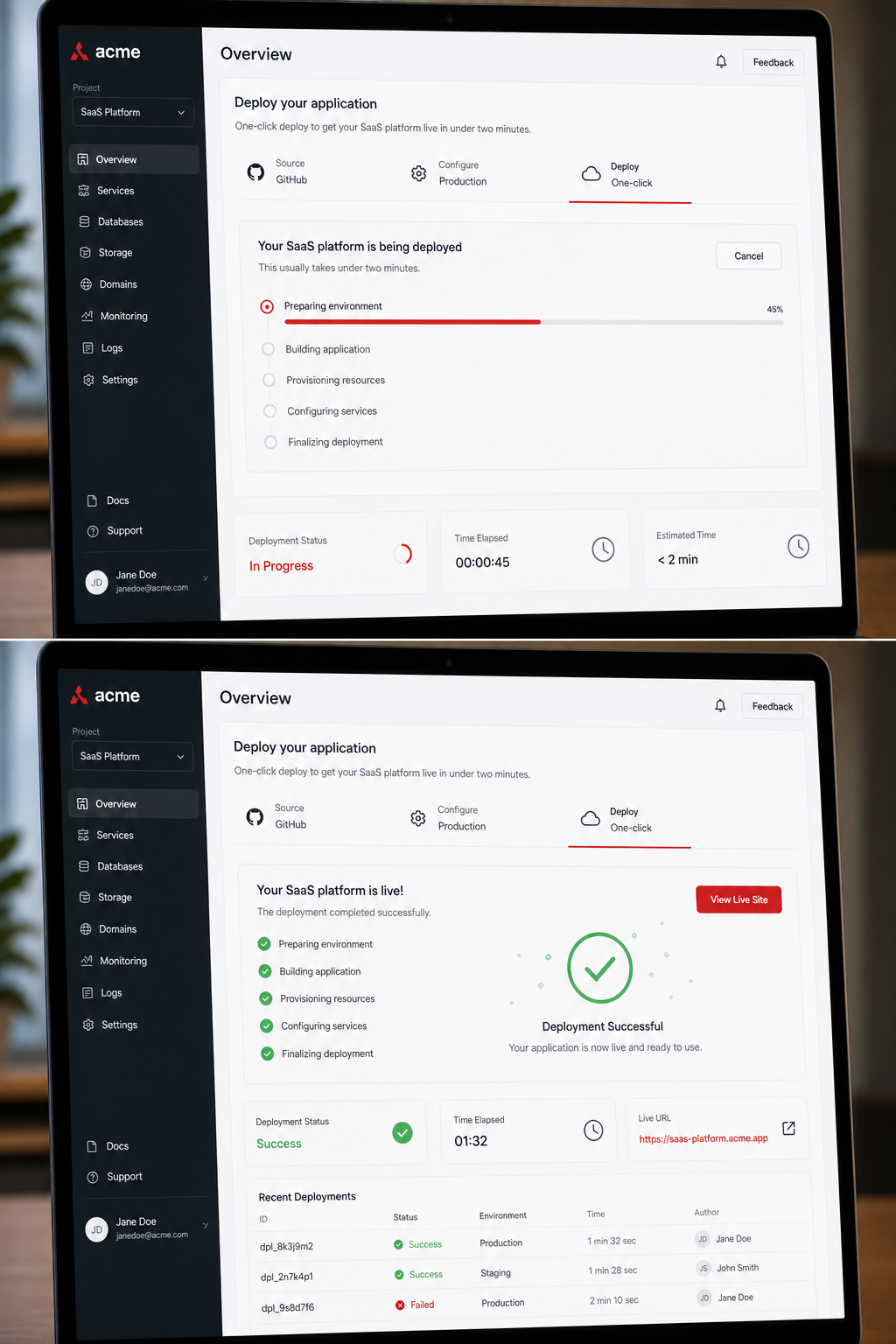
Instant One-Click Launch Platform markets itself as a zero‑code, one‑click launch solution. The claim is simple: sign up, click a button, and your SaaS app is live in under 60 seconds. The service handles Docker containers, SSL certificates, and DNS routing behind the scenes, so you never touch a terminal.
When you start a new project, the platform auto‑generates a secure cloud instance. It picks a region close to your users, sets up a firewall, and connects to the most popular LLM providers. You can then add a webhook for Slack, Telegram, or any HTTP endpoint with a single click.
The dashboard shows CPU, memory, and request latency in real time. If traffic spikes, you push a button and the instance scales vertically without any downtime.
The pricing model is per‑instance hour, with a free tier that includes one active instance. For startups, that means you can test a proof of concept without any credit‑card commitment.
Here’s a quick look at how it works:
- Sign up, no email verification needed.
- Select a template, choose from e‑commerce, CRM, or AI agent starter packs.
- Click Deploy, the platform builds the environment in seconds.
- Monitor, the dashboard gives you live health metrics.
The platform’s biggest advantage is speed. In a head‑to‑head test, the solution spun up a basic Node.js API in 45 seconds, while competitors took 2–3 minutes.
The platform also supports role‑based access control (RBAC). You can give each team member a scoped API key that only lets them view logs or trigger deployments.
For developers who want to stay out of the infra layer, this platform is a solid choice.
2. Zero-Config Deploy
The platform focuses on a no‑config experience. You upload a zip file with your code, and the service reads a simple manifest to provision everything.
Behind the scenes, the service uses a serverless runtime that automatically creates API gateways, databases, and IAM roles. The result is a fully managed app that scales on demand.
One of the strengths of the service is its integration catalog. Over 300 SaaS tools are pre‑wired, and you can add more via a visual connector. The platform also includes audit logs that record every action an AI agent takes.
The service’s claim of “under two minutes” holds up when you use a pre‑built template. A recent benchmark showed a Python Flask app ready in 78 seconds.
According to Wikipedia’s software deployment overview, a one‑click deployment reduces the mean time to recovery by up to 30 %. The platform uses that principle with its automated rollback feature.
Here’s how you would launch a typical CRM connector:
- Upload your code bundle.
- Select the “CRM Connector” template.
- Click “Deploy”, the service builds the API, DB, and OAuth flow.
- Test in the sandbox and go live.
The service also offers a free tier with 1 GB of storage and 5,000 API calls per month. That’s enough for a small prototype.
Security‑focused teams will appreciate the built‑in encryption at rest and in transit, plus the ability to lock down IAM permissions per instance.
Overall, the platform delivers a quick start with a strong ecosystem of connectors.
3. AI‑Powered One‑Click Deployment
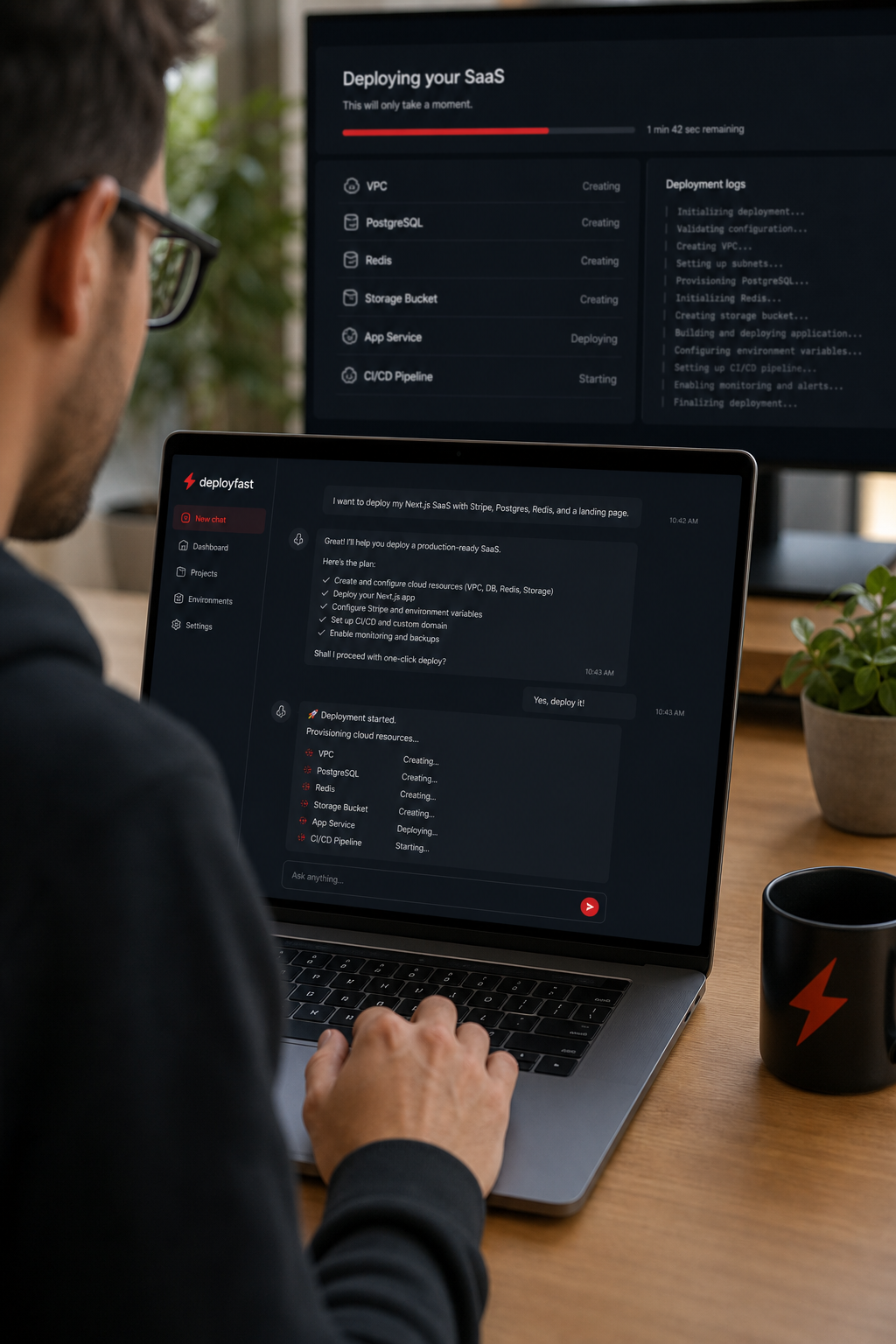
The AI‑powered deployment platform adds an AI layer to the deployment process. When you start a new project, the AI assistant asks you a few questions about your stack, desired region, and compliance needs.
Based on your answers, the platform generates the optimal cloud configuration, writes the infrastructure‑as‑code files, and then runs them. The whole flow finishes in about 90 seconds for a standard web app.
The platform’s AI can also suggest cost‑saving measures, such as moving to spot instances or enabling auto‑pause during off‑hours.
If you need multi‑instance support, the platform lets you clone the base configuration with a single click. Each clone inherits the same security policies, which is useful for agencies managing many client bots.
The platform’s dashboard shows a live console where you can watch the AI’s reasoning steps. This transparency helps teams trust the automated decisions.
The service integrates with major cloud providers, and you can connect to 250+ third‑party APIs without writing code.
The platform’s pricing is usage‑based, with a generous free tier for the first three deployments each month.
Here’s a sample workflow:
- Open the AI‑powered deployment platform and answer the AI’s quick questionnaire.
- Review the auto‑generated Terraform plan.
- Click “Apply”, the AI triggers the deployment.
- Monitor the live logs.
Because the AI writes the IaC, you can export the code and version it in your own repo if you need tighter governance.
The platform shines for teams that want AI‑driven optimization without sacrificing control.
4. Boutique AI Deployment Agencies for SaaS
Small agencies often specialize in building custom AI agents for niche markets. They provide a managed service where you hand over your workflow, and the agency provisions a fully hosted instance.
These firms typically offer a hands‑on onboarding session, then hand you a dashboard that looks like a SaaS product. The main draw is that they handle compliance, data residency, and security audits for you.
Because they focus on a narrow set of industries, they can often deliver a one‑click launch within their own stack in under two minutes. The process usually goes like this:
- You submit a brief describing the AI role.
- The agency maps the workflow to its internal template.
- They spin up a container in a private VPC.
- You receive a single link to start using the agent.
The downside is higher per‑instance cost, as you pay for the agency’s expertise. However, for regulated sectors like finance or health, that added layer can be worth it.
According to the NIST SP 800‑53 security framework, a dedicated VPC with strict IAM roles meets many compliance requirements. Boutique agencies often design their deployments to align with those guidelines.
When evaluating a boutique agency, ask about their audit log retention policy and how they isolate client data.
Key Takeaway: Boutique agencies give you a fast launch and compliance peace of mind, but expect a premium price for the managed experience.
5. Enterprise SaaS Deployment Platforms
Large‑scale platforms target Fortune 500 companies that need to roll out dozens of SaaS apps across multiple clouds. They provide a control plane that orchestrates deployments, monitors health, and enforces security policies.
These platforms often support BYOC (Bring Your Own Cloud) models, letting you keep data inside your own cloud‑provider accounts while the vendor manages the orchestration layer.
Speed is still a priority. Many enterprise solutions promise a “launch wizard” that can spin up a new instance in 90 seconds when you use a pre‑approved template.
The trade‑off is complexity. You need to define role‑based access control, set up cross‑account roles, and configure audit logging before you can hit the launch button.
For teams that already have a strong DevOps practice, the extra steps pay off in governance and auditability.
Enterprise platforms also offer SLA‑backed uptime guarantees, which are essential for mission‑critical workloads.
Here’s a typical flow for an enterprise rollout:
- Upload a YAML template to the control plane.
- Map the template to your internal network via a secure cross‑account role.
- Approve the deployment in the governance portal.
- Click “Deploy”, and the platform provisions the resources in under two minutes.
Because the control plane stays in the vendor’s account, you still get central updates without touching the customer environment.
Enterprise platforms can be pricey, but they reduce the operational burden of managing many independent SaaS instances.
Ready to simplify your enterprise rollout?
6. Self‑Serve No‑Code Builders
No‑code builders, such as Donely’s no‑code AI agent builder, let you design AI agents with drag‑and‑drop blocks. You pick a trigger, add actions, and the platform generates the backend automatically.
Most of these tools promise a one‑click deployment after you finish the visual workflow. The actual spin‑up time is usually under two minutes because the platform pre‑provisions a container pool.
Key features include:
- Visual workflow editor.
- Built‑in connectors for 800+ SaaS apps.
- One‑click publishing to Slack, WhatsApp, or a web widget.
- Audit logs that capture each step the AI takes.
Because the backend is hidden, you lose some low‑level control. However, for marketing teams or small agencies, the speed and ease of use outweigh the trade‑offs.
Most no‑code builders offer a free tier with limited runs per month, which is perfect for testing a new sales bot before you go live.
When you’re ready to move beyond the free tier, the platforms usually let you export the workflow as JSON, which you can version in your own repo.
Overall, no‑code builders are a great entry point for teams that lack engineering resources.
7. Open‑Source One‑Click Deploy Toolkits
If you prefer full control, the open‑source community offers several one‑click deploy kits. These are GitHub repos that bundle Dockerfiles, Terraform scripts, and CI/CD pipelines.
Typical usage: fork the repo, set a few environment variables, and run a single script. The script creates a cloud‑native stack in under two minutes on most major providers.
Advantages:
- No vendor lock‑in.
- Full visibility into the infrastructure code.
- Community‑driven updates and security patches.
Drawbacks include the need to manage your own security hardening and compliance checks. If you have an internal DevOps team, this can be a cost‑effective way to get ultra‑fast launches.
Popular kits include the “quick‑saas‑starter” for Node.js, and the “fast‑ai‑agent” pack for Python.
To keep the process under two minutes, make sure your cloud account has the necessary IAM permissions pre‑granted.
Open‑source kits also let you audit every line of code, which helps with internal compliance reviews.
8. Hybrid Cloud Deployment Services
Hybrid services bridge on‑premises data centers with public clouds. They let you run the control plane in the vendor’s SaaS layer while the application runs inside your own private network.
These platforms are useful for companies with strict data residency rules. The launch wizard often asks where you want the data plane to live, then provisions the necessary network links.
Because the heavy lifting is done by the service, the actual spin‑up of the app still fits the under‑two‑minute promise, as long as you’ve pre‑configured the VPC peering.
Key benefits include:
Watch out for hidden latency between the control plane and your on‑prem resources. Test with a simple health check after each deployment.
Hybrid services often charge per‑hour for the data‑plane resources, but the SaaS control plane is usually free or low‑cost.
Internal link example: Hosting for AI Agents: Manage Multiple Instances shows how a hybrid model can keep AI workloads inside your own cloud while using a SaaS control layer.
When you need a mix of speed and strict data control, a hybrid service can give you the best of both worlds.
9. What to Look for in a One‑Click SaaS Deploy Solution
Choosing the right platform isn’t just about the fastest spin‑up time. You also need to weigh security, scalability, and integration depth.
First, check how the service handles role‑based access control (RBAC). You should be able to give each team member or AI agent only the permissions it needs.
Second, look for built‑in audit logs. These logs let you trace every action the AI takes, which is essential for compliance and debugging.
Third, examine the integration catalog. A platform that supports 800+ third‑party tools lets you connect your CRM, ticketing system, and marketing stack without writing code.
Fourth, verify the deployment model. If you need to keep data inside a specific cloud, make sure the platform offers a BYOC or customer VPC option.
Fifth, consider the pricing model. Some services charge per‑instance hour, while others offer generous free tiers. Align the cost structure with your expected usage.
Finally, test the platform’s reliability. Look for SLA guarantees and a health‑monitoring dashboard that alerts you before a failure impacts users.
By scoring each of these criteria, you can create a simple matrix to compare options side by side.
Conclusion
Speed, security, and scale are the three pillars of a good one‑click SaaS deploy under two minutes. A leading high‑speed provider excels in pure speed, a platform with the deepest integration catalog delivers extensive connectivity, and an AI‑driven optimization solution enhances performance. Boutique agencies give you managed compliance, while enterprise platforms bring governance at scale. No‑code builders are perfect for non‑technical teams, open‑source kits give full control, and hybrid services balance data residency with fast launches.
Pick the solution that matches your team’s skill set, compliance needs, and budget. If you need a platform that blends instant launch with multi‑instance management and strong RBAC, Donely remains the top pick.
Ready to try it yourself?
FAQ
How fast can I really get a SaaS app live?
Most platforms claim under two minutes for a basic template. In practice, you’ll see launch times between 45 and 90 seconds if you use a pre‑built starter. The speed comes from pre‑provisioned containers, automated DNS, and built‑in SSL handling. Complex apps with custom code may take a bit longer, but the core infrastructure still spins up quickly.
Do I need to write any code?
Not for the core deployment. Various self‑serve deployment services let you launch a working instance with a single click. If you add custom business logic, you’ll still need to upload your code or use a visual builder, but the infrastructure side stays code‑free.
Can I keep my data in my own cloud?
Yes. Hybrid cloud deployment services and many enterprise platforms support BYOC or customer VPC patterns. You keep databases and storage inside your own public cloud account while the control plane stays in the vendor’s SaaS layer. This meets most regulatory requirements for data residency.
How does RBAC work on these platforms?
Role‑based access control lets you assign permissions per user or per AI agent. You can limit who can view logs, trigger deployments, or change environment variables. Platforms that expose RBAC in the dashboard make it easy to enforce the principle of least privilege across teams.
What kind of audit logging is available?
All of the solutions listed provide audit logs that capture who did what and when. The logs typically include API calls, deployment actions, and data access events. You can export them to SIEM tools or view them directly in the platform’s console for compliance reporting.
Are there free tiers I can test with?
Many services offer a limited free tier. Some providers both let you run a single instance at no cost. No‑code builders often provide a handful of runs per month. Open‑source kits are free but require you to host the infrastructure yourself, which may incur cloud charges.
How do I choose between a boutique agency and a self‑serve platform?
Pick a boutique agency if you need hands‑on compliance work, custom architecture, or a managed service for regulated industries. Choose a self‑serve platform when you have an internal team that can handle the basic security setup and you want to keep costs low.
What should I look for in a pricing model?
Compare per‑instance hourly rates versus flat‑fee subscriptions. Some platforms charge only for the compute you use, while others bundle unlimited deployments for a monthly price. Factor in hidden costs like data transfer, storage, and additional connector fees to get a true total cost of ownership.
- Compliance with regulations that require data to stay on‑prem.
- Centralized management of multiple hybrid workloads.
- Reduced operational overhead compared to building your own bridge.