
Finding the right bridge between your CRM, chat apps, and data dashboards feels like hunting for a missing puzzle piece. You’ve got a stack of tools, but they don’t talk to each other. In this article we line up the most popular SaaS integration platforms, break down what they actually do, and show you how to pick the one that fits your workflow. By the end you’ll know which service lets you pull a lead from your CRM, fire an alert to your messaging app, and push a report into your analytics platform without writing a line of code.
1. No-Code Automation Leader for Simple Integrations
This no-code automation platform is the go‑to for teams that need quick, point‑and‑click connections. It supports over 8,000 apps, so you can link almost any CRM, messaging service, or analytics platform you already use. The interface reads like a checklist: pick a trigger, choose an action, and the platform handles the rest.
The platform’s strength is its library of pre‑built automations. Want every new CRM contact to appear in a spreadsheet? One click. Need a messaging app notification when a payment fails? Another click. Because the work is done on their cloud, you don’t have to worry about hosting or scaling.
Pricing starts free with limited tasks per month, then moves to tiered plans that unlock more automations, faster polling, and premium app support. Small startups often stay on the free tier, while growing teams upgrade to the Professional plan for multi‑step workflows.
The platform also offers built‑in filters and formatters, so you can shape data before it lands in the next app. For example, you can trim whitespace from an email address, convert timestamps, or split a full name into first and last fields, all without a developer.
One drawback is that complex logic (loops, branching, or conditional branching beyond basic filters) can become clunky. If you need true workflow orchestration, you may outgrow this visual editor.
The platform’s public documentation explains how triggers and actions work in detail. According to Wikipedia’s definition of CRM, integrating contact data across systems improves sales efficiency. This platform makes that promise easy to keep.
Overall, it is best for quick wins and teams that lack engineering resources. It shines when the goal is to automate routine data moves without building custom code.
Pro Tip: Start with a single‑step automation to validate the data flow, then add filters and formatters before expanding to multi‑step workflows. This keeps errors from propagating early.
Integrations you can explore on Donely’s platform often overlap with such platforms’ catalogs, giving you a backup if you need deeper AI‑driven actions.
2. Visual Automation Platform for Complex Workflows
This visual automation platform takes the drag‑and‑drop concept a step further with a visual canvas that shows each module as a node. You can watch data travel from a CRM node, through a filter node, into a messaging node, and finally into an analytics node, all on a single screen.
The platform supports advanced features like iterators, routers, and error handling branches. This means you can split a single webhook into multiple paths, retry failed calls, or pause a flow until a condition is met.
The platform also lets you write custom JavaScript inside a module, giving you the flexibility of a low‑code environment without abandoning the visual workflow.
Pricing is consumption‑based, so you pay for the number of operations you run each month. The free tier includes 1,000 operations, enough for small pilots.
Because of its visual nature, this platform is popular with marketers who need to stitch together campaigns across email, social, and analytics tools. A typical use case: capture a new lead in an email marketing service, enrich the record via an external API, post a notification to a messaging channel, and update an analytics dashboard.
The platform’s documentation highlights how to use built‑in functions for date math, text parsing, and JSON manipulation, which can replace many separate utility services.
When you need to connect a tool that isn’t in the public library, the platform lets you call any REST API directly. That opens the door to custom CRM fields, private messaging bots, or proprietary analytics endpoints.
AI Agent for Data Analysis shows how Donely’s AI agents can be wired into the platform’s HTTP module for on‑the‑fly insights.

3. Enterprise‑Grade Integration Platform, AI‑Powered
This enterprise‑grade integration platform targets large teams that need reliability, governance, and AI‑enhanced decision making. It blends a low‑code canvas with a library of pre‑built recipes that cover common CRM‑to‑messaging‑to‑analytics scenarios.What sets this platform apart is its AI assistant that suggests next steps based on historical data. For example, after you sync a new CRM opportunity, the AI can propose a team chat reminder to follow up in three days, or automatically generate a BI dashboard report with the latest pipeline metrics.
The platform also includes role‑based access control (RBAC) and audit logs, which are important for regulated industries. You can assign who can create or edit recipes, and every change is logged for compliance.
The platform supports batch processing, so you can move thousands of records in a single job without hitting API rate limits. This is handy for nightly data warehouse loads.
Pricing is quote‑based, reflecting its focus on enterprise customers. The cost includes dedicated support, SLA guarantees, and a managed environment that scales with your usage.
The platform’s public API documentation explains how to invoke recipes via HTTP calls, enabling you to trigger automations from custom code or other SaaS platforms.
Here’s a quick recipe example: a new CRM deal triggers a platform job that pulls the contact’s recent activity from an analytics tool, enriches the record with a sentiment score via an AI model, and posts a summary to a team collaboration channel.
Because the platform is built for complex logic, you’ll find built‑in error handling, retry policies, and conditional branching that go beyond simple “if‑then” flows.
Watch this short video for a walk‑through of the platform’s AI‑assisted recipe builder:
After the video, you’ll see why enterprises favor this platform for mission‑critical integrations.
Ready to cut integration friction? Try Donely free →
Wikipedia’s overview of web analytics notes that connecting analytics tools to CRM data boosts revenue attribution accuracy. This platform makes that connection smooth.
4. Low-Code Integration Platform, Low‑Code Integration for Power Users
This platform is built for engineers and power users who want a low‑code environment without sacrificing control. Its visual editor resembles a flowchart, but each node can be expanded into JavaScript code, giving you fine‑grained manipulation of payloads.
This platform shines when you need to orchestrate many steps across a heterogeneous stack. A typical workflow might pull a contact from a CRM, call an AI model to generate a sentiment score, write the result to a data warehouse table, and finally send a personalized email via an email service.
The platform offers a “Universal Connector” that lets you map any REST endpoint, complete with OAuth, pagination, and rate‑limit handling. This means you can connect to a private CRM or a niche analytics service without waiting for a pre‑built integration.
Pricing is based on the number of tasks and the level of support you need. The free tier gives you 5,000 tasks per month, which is generous for early‑stage testing.
It also includes a strong testing sandbox, so you can simulate data flows before going live. This reduces the risk of breaking production pipelines.
Security features include encrypted secrets storage and IP allow‑listing, which helps meet compliance standards for finance and healthcare.
Because this platform focuses on flexibility, it’s a good fit for agencies that build custom solutions for multiple clients, each with its own set of tools.
Key Takeaway: If your team has dev chops and needs to stitch together a dozen different APIs, it gives you the power of code with a visual safety net.
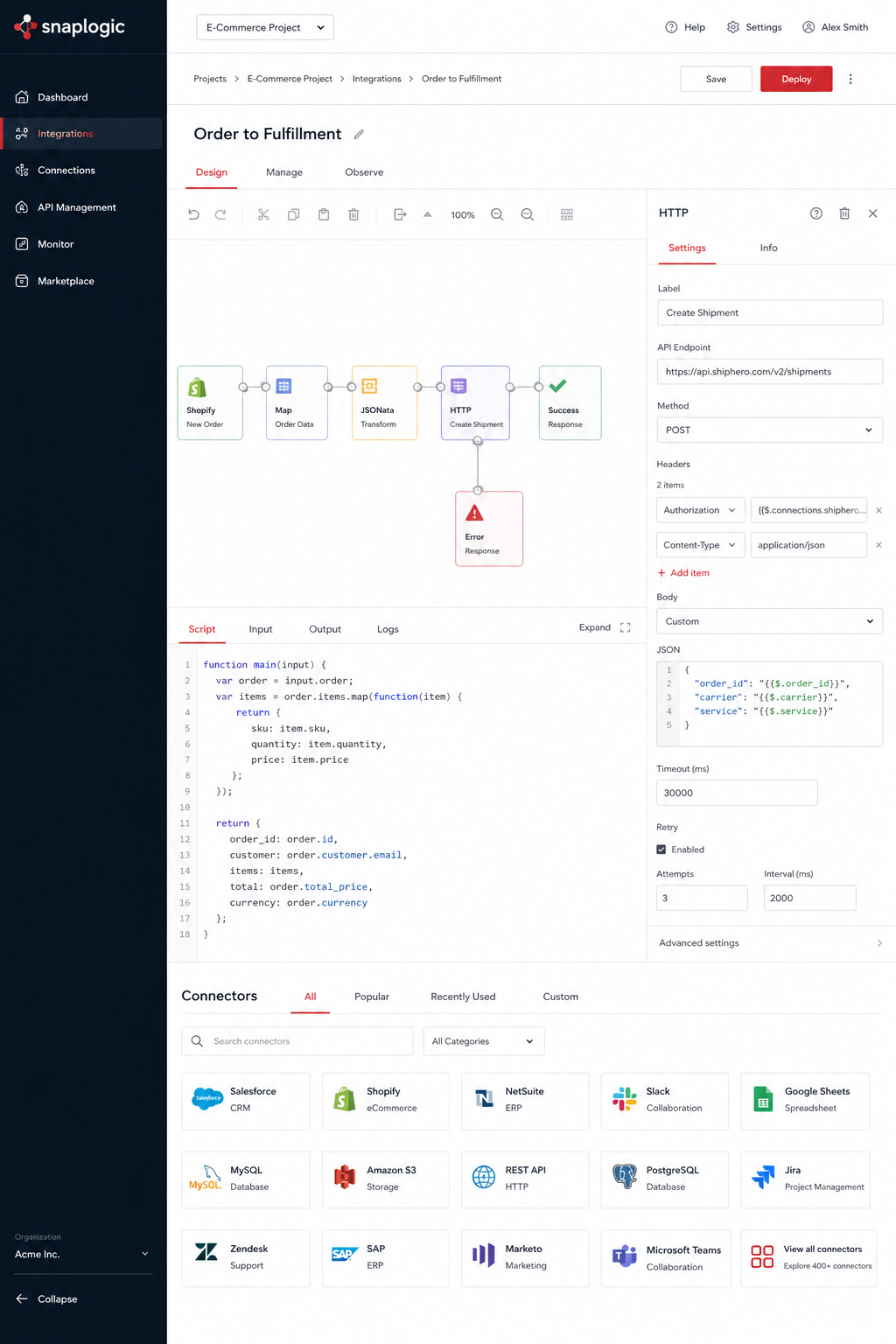
[TOOL_SCREENSHOT | Alt: Low-code integration platform homepage screenshot]
5. Built‑in Integrations from Major CRM Providers
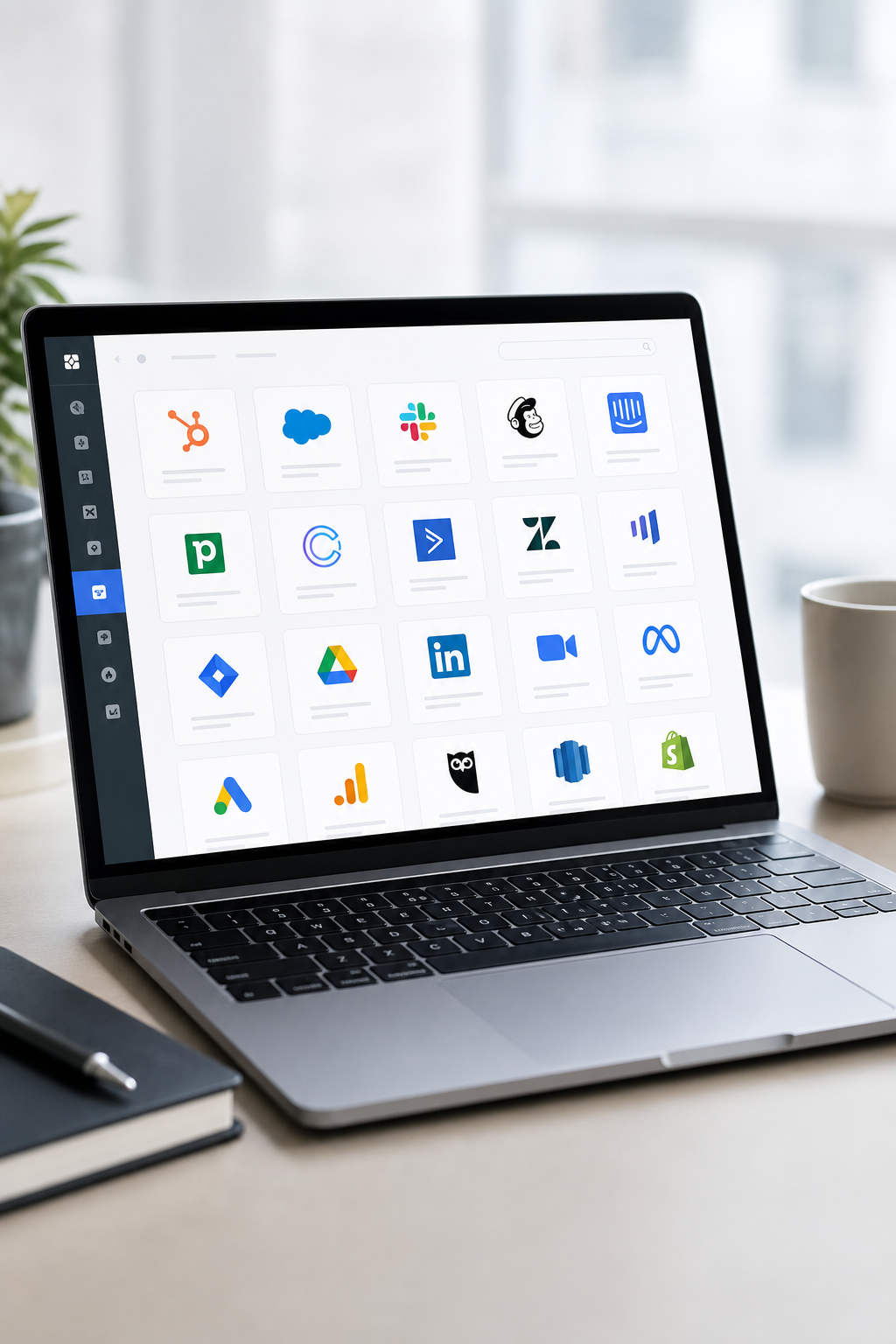
Many CRMs offer their own integration marketplaces, letting you add connectors with a single click. Major CRM providers’ marketplaces host hundreds of pre‑built integrations for messaging, analytics, and other SaaS tools.
Because the integrations live inside the CRM, they inherit the platform’s security model. You get single‑sign‑on, native data permissions, and audit logs without extra configuration.
Typical use cases include syncing CRM contacts to a messaging channel, pushing sales opportunities into a BI dataset, or linking a marketing automation tool to a custom analytics dashboard.
These built‑in options are great for teams that already live inside the CRM ecosystem and want a frictionless setup. However, they can be limiting if you need cross‑CRM orchestration or want to combine data from multiple sources in one flow.
Both marketplaces publish clear documentation for each connector, including API limits and data mapping guides. That transparency helps you estimate costs and performance.
When you compare native connectors to third‑party platforms, remember that the former often lack advanced error handling and conditional logic. If your workflow needs retries or branching, you’ll likely need a dedicated integration platform.
For a deeper look at how native connectors stack up against low‑code platforms, see the comparison chart in Donely’s Best Integrations for Customer Support and CRM Workflows guide.
“Native CRM connectors give you speed, but dedicated platforms give you control.”
6. How to Choose the Right Integration Tool for Your Stack
Picking a platform isn’t just about the number of connectors. Start by mapping the data flows you need: which CRM fields must sync to which messaging channel, and what analytics queries should run on a schedule.
Next, evaluate governance. If you handle sensitive customer data, look for RBAC and audit logs. Donely and other enterprise-grade platforms both expose these features out of the box.
Consider scale. A startup may be fine with a simpler free tier, but a growing SaaS that processes thousands of events per day will need a platform that supports batch jobs and high‑throughput webhooks. Several dedicated automation platforms fit that bill.
Don’t forget cost. Some tools charge per task, others charge per user or per connector. Build a simple spreadsheet: estimate monthly tasks, multiply by each platform’s rate, then add any hidden costs like extra support or data egress fees.
Finally, test the learning curve. Give a junior engineer a week to build a simple workflow in each candidate. The tool that yields a working prototype fastest wins for most teams.
Remember to check the vendor’s security certifications (SOC 2, ISO 27001) if compliance matters.
By following this checklist you’ll land on a solution that balances speed, control, and cost.
AI‑Powered Desktop Assistant for macOS illustrates how Donely bundles 800+ integrations with AI agents, giving you a single dashboard for all the tools above.
FAQ
What’s the difference between a low‑code platform and a no‑code platform?
A low‑code platform like certain low‑code platforms lets you add custom code snippets when the visual builder isn’t enough. No‑code tools such as some no‑code tools keep everything drag‑and‑drop, which is great for simple automations but can hit limits when you need complex transformations or conditional branching.
Can I use multiple integration platforms together?
Yes. Some teams start with entry‑level platforms for quick wins, then add more advanced platforms for routing, and finally bring in enterprise‑grade platforms for governance. Just be sure to avoid duplicate data writes that could cause conflicts.
How do I ensure data security when connecting SaaS apps?
Pick a platform that offers encrypted secret storage, role‑based access control, and detailed audit logs. Some enterprise‑grade platforms and Donely both provide these out of the box. Also, use OAuth where possible instead of static API keys.
Do built‑in CRM connectors support custom objects?
Most native marketplaces let you map custom fields, but the depth varies. One popular CRM’s marketplace generally offers the most flexibility for custom objects, while another major CRM’s marketplace may require additional API calls for very bespoke data structures.
What’s the typical latency for webhook‑based integrations?
Webhook latency depends on the platform’s processing queue and the target API’s response time. Most providers aim for sub‑second delivery, but during peak loads you might see a few seconds of delay. Some advanced platforms’ “Instant” trigger option reduces this window by keeping a persistent connection.
How does AI enhance integration workflows?
AI can suggest next steps, auto‑populate fields, or even generate integration code on the fly. Donely’s AI agents, for instance, can read a new email, pull the related CRM record, and draft a response, all without you writing a single line of integration code.
Is there a free tier I can try before committing?
Several integration platforms all offer free tiers with limited task counts. Some enterprise platforms’ free trial is invitation‑only, but you can request a sandbox environment to evaluate its features.
How do I monitor integration health?
Look for built‑in dashboards that show success rates, error logs, and retry counts. Some enterprise platforms and Donely provide real‑time monitoring panels, while some entry‑level platforms’ task history gives you a chronological view of each automation’s outcome.
Conclusion
Choosing the right integration platform is a balance of speed, control, and cost. Some integration platforms give you instant, no‑code connections for everyday tasks. Others add visual complexity for multi‑step flows. Others bring enterprise governance and AI‑driven suggestions. Yet others offer low‑code flexibility for power users, while native CRM marketplaces provide one‑click convenience for teams already deep in a single ecosystem.
Donely sits at the intersection of these worlds. It pairs AI agents with 800+ pre‑built connectors, plus multi‑instance dashboards, RBAC, and audit logs. That makes it a strong contender for businesses that need both rapid automation and enterprise‑grade security.
If you’re ready to stop juggling API keys and start focusing on value‑adding work, give Donely a spin. Start your free trial today, explore the integration catalog, and see how AI can tighten the loop between your CRM, messaging, and analytics tools.