
Salesforce integration is the data layer that connects Salesforce with other systems so customer information becomes one usable dataset. That definition is only the starting point, because the core decision is whether you need data integration, process integration, or virtual integration to make the system work in practice.
A rep opens Salesforce, then jumps to email, the ERP, the quoting tool, and a spreadsheet just to answer one customer question. That's the moment many teams start asking what Salesforce integration is, because the problem isn't the CRM itself, it's the broken handoffs around it.
Table of Contents
- A Working Definition of Salesforce Integration
- The Three Integration Patterns Salesforce Architects Use
- Batch, Real-Time, and Event-Driven Styles Compared
- Real-World Use Cases That Pay for the Integration
- Layered Architecture and Why Point-to-Point Breaks
- Security, Compliance, and Performance Trade-offs
- Common Pitfalls and the Best Practices That Prevent Them
- How Donely Accelerates and Secures Salesforce Integration
A Working Definition of Salesforce Integration
A sales rep can spend half a morning chasing one account update because the answer is split across CRM notes, a billing system, and a shared spreadsheet. Ops feels the same pain from the other side, because every manual lookup creates a delay, and every delay invites a mistake. The cleanest way to explain what is Salesforce integration is this, it's the data integration layer that connects Salesforce with other systems so information flows into a single, usable dataset for operations and analysis.
That definition sounds simple, but it misses the issue of how the systems should work together. Salesforce's own connectivity guidance treats integration as more than a cable between apps; it's part of a broader data and AI workflow where integrated data can drive action, not just storage. Salesforce's ecosystem shows why that matters, with FY2026 revenue of $41.5 billion, up 10% year over year, and $72 billion in total RPO, alongside $399 million in Informatica revenue inside FY26 results, all signs that connected customer data sits at the center of the platform's enterprise business. A published market summary also puts Salesforce's Integration and Analytics segment at about $5.78 billion in 2025, which shows this is a serious category, not a side feature. Salesforce's data integration overview makes that broader context visible.
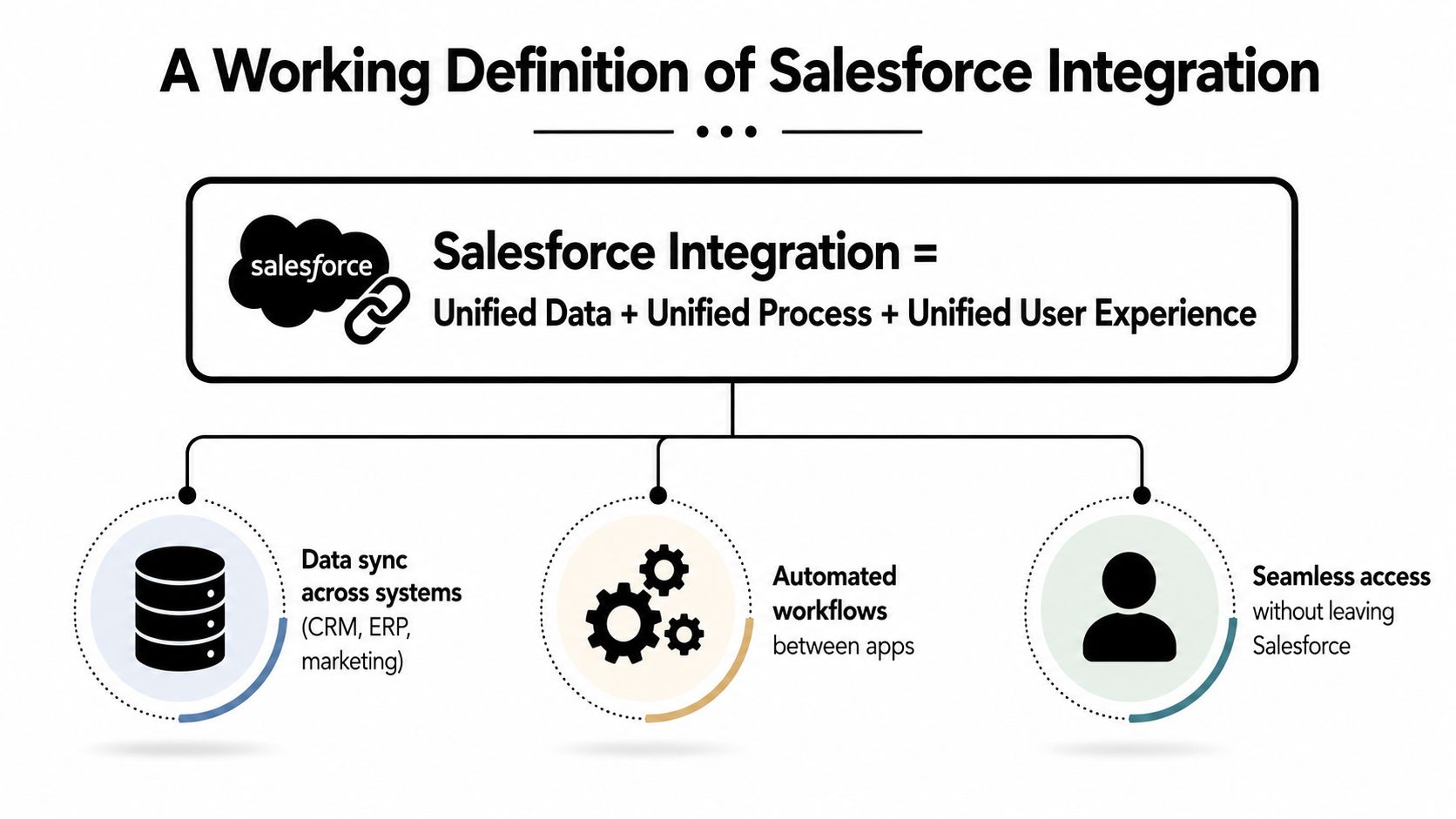
Think of Salesforce as the front of house for customer work, while integration is the kitchen plumbing that moves orders, updates, and receipts between systems. If the plumbing is thin, every request has to be carried by hand, and that's when teams start relying on memory, copy-paste, and luck. If you're mapping data pipeline ownership across tools, a practical place to start is track data pipeline integrations, especially when multiple systems feed the same account record.
When teams invest deliberately, integration stops being a tactical fix and becomes a shared operating layer. That's the shift from “we synced two apps” to “we built a reliable path for customer data to move, stay governed, and support the business.”
The Three Integration Patterns Salesforce Architects Use
Salesforce architects separate integration into data, process, and virtual patterns because each one answers a different question. The question is not “can these systems connect,” it's “what should happen to the information, and when?” That distinction matters, because the wrong pattern can create duplication, latency, or brittle transaction handling.
Use the library test before you choose
A useful analogy is a library with multiple branches. Data integration is like copying a book into a new branch, because the content is now locally available but you've created another version to manage. Process integration is like a librarian coordinating checkout, holds, and returns across branches, because the workflow spans multiple systems and needs orchestration. Virtual integration is like asking a librarian to fetch the book from another branch on demand, because you see the information without copying it into local shelves.
Salesforce's architect guidance frames these as distinct design choices, not interchangeable labels. Process integrations are more complex because they involve transactionality and rollback, while virtual integrations let Salesforce work with external data in real time without replicating it. That means the first question in a new request should be whether the team needs to move data, orchestrate work, or read external records as needed. Salesforce's integration patterns guidance is the clearest place to see that distinction.
Practical rule: if the downstream system must keep its own version of the record, start with data integration. If a business event has to trigger several actions across systems, start with process integration. If the user only needs current external data in the moment, consider virtual integration first.
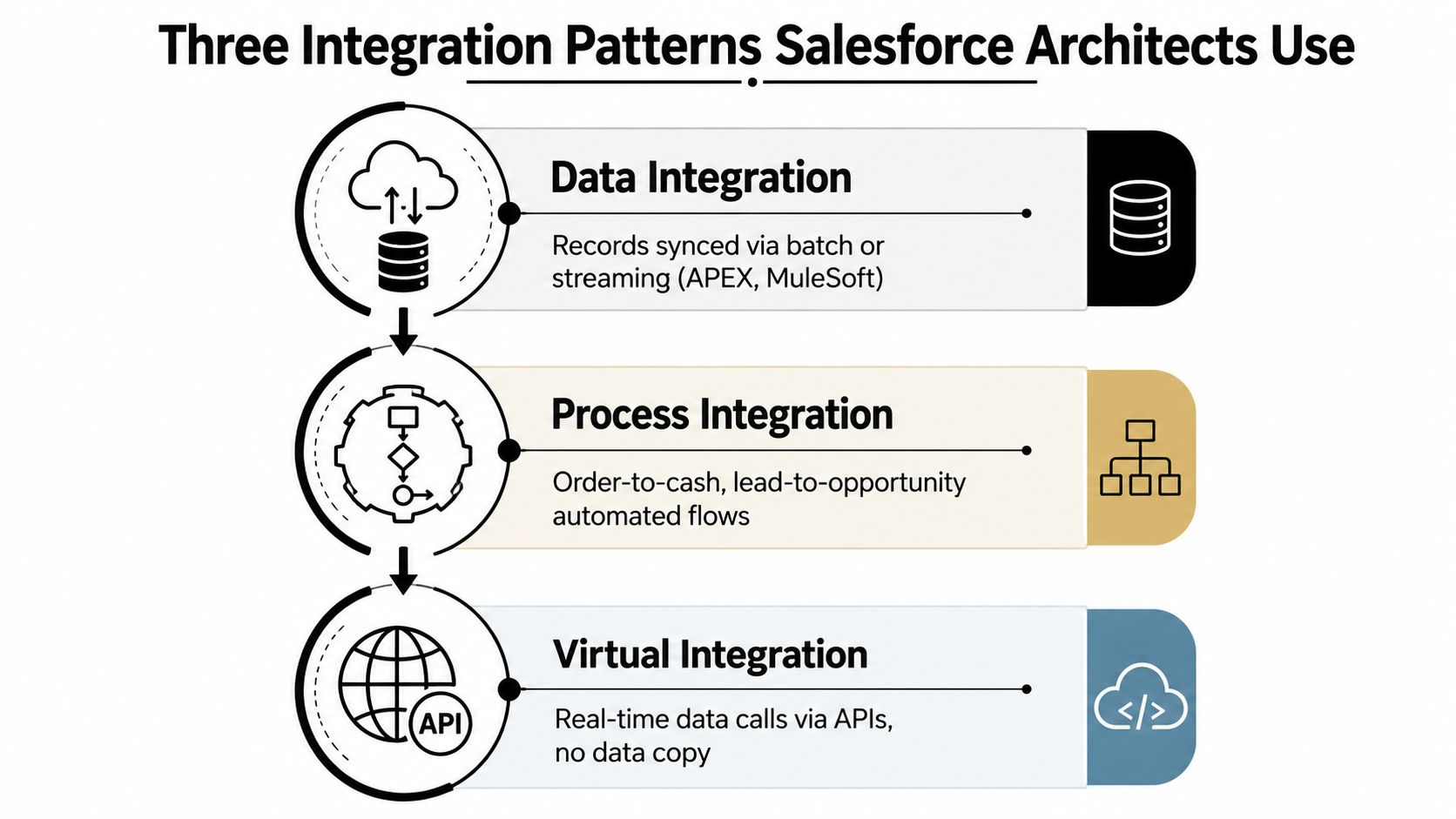
The trade-offs follow naturally. Data integration favors persistence and reuse, but you have to manage duplication. Process integration gives you end-to-end coordination, but rollback and failure handling become part of the design. Virtual integration avoids copying, but latency and source-system availability matter more. This video walkthrough can help anchor the pattern differences visually.
Teams often ask which connector to buy first. The better question is which pattern matches the business problem, because a connector can't fix the wrong architecture.
Batch, Real-Time, and Event-Driven Styles Compared
Patterns describe the design intent. Execution style describes how the work moves. In Salesforce integration, that usually means choosing between batch, real-time, and event-driven handling, or using a mix of all three.
Choosing the Right Integration Execution Style
| Style | Best For | Latency | Cost | Trade-Off |
|---|---|---|---|---|
| Batch | Large data loads, nightly syncs, historical updates | Higher | Lower | Freshness is delayed, but the system can absorb more volume |
| Real-Time | User-facing lookups, immediate record updates, live validation | Low | Higher | Data is current, but availability and latency become critical |
| Event-Driven | Reactions to business changes, automated handoffs, cross-system triggers | Low to medium | Medium | Flexible and responsive, but governance and retry logic matter |
Batch is the quiet workhorse. It fits when a sales operations team can tolerate data arriving later, and when the main goal is to keep large systems aligned without overwhelming them. Real-time is different, because a rep or service agent expects the answer right now, which means the integration has to respond quickly and consistently. Event-driven flows sit between the two, reacting when something changes and pushing downstream actions without waiting for a human to notice.
Design rule: use batch for movement, real-time for moments that block a user, and event-driven for reactions that should happen as soon as the business event occurs.
The reason teams mix these styles is simple, one mechanism rarely fits every flow. A nightly batch may refresh account hierarchies, a synchronous service may validate credit before a quote is sent, and an event may notify support when a deal closes. Salesforce's architecture guidance also supports this blended approach, because forcing every flow into a single pattern usually creates either bottlenecks or excess complexity. Salesforce integration architecture guidance emphasizes layered reuse for exactly that reason.
If you're deciding between styles, start with the question the user is asking. If they need certainty before they can continue, real-time matters. If they need a system of record to stay in step, batch often wins. If the business needs to react as soon as something happens, event-driven logic usually belongs in the design.
Real-World Use Cases That Pay for the Integration
The best Salesforce integrations usually pay for themselves in workflows people feel every day. The right setup removes retyping, shortens handoffs, and lets each team see the same customer story without chasing it in five places.
Where the business impact shows up
Sales automation is the clearest example. A quote can live in one system, a contract in another, and billing in a third, yet the account team still needs one version of the truth before they can move forward. That's why sales teams often connect Salesforce with quoting, contract lifecycle, or finance tools, so the account record and commercial status stay aligned as the deal progresses.
Lead routing is another obvious win. A form submission can create a Salesforce lead, score it, route it by territory or product interest, and alert the right rep in Slack or email. The rep doesn't need to hunt for the lead, because the system has already handed it off with the right context.
Support workflows are where integration becomes visible to customers. When an opportunity closes, Salesforce can trigger the creation of a support case with account details, order context, and ownership already filled in, so the service agent doesn't start from zero. That reduces the “hello, can you repeat your issue” moment that customers hate.
If you're connecting CLM and CRM, a focused example is linking CLM to Salesforce, because contract status often needs to move with the deal instead of sitting in a separate system.
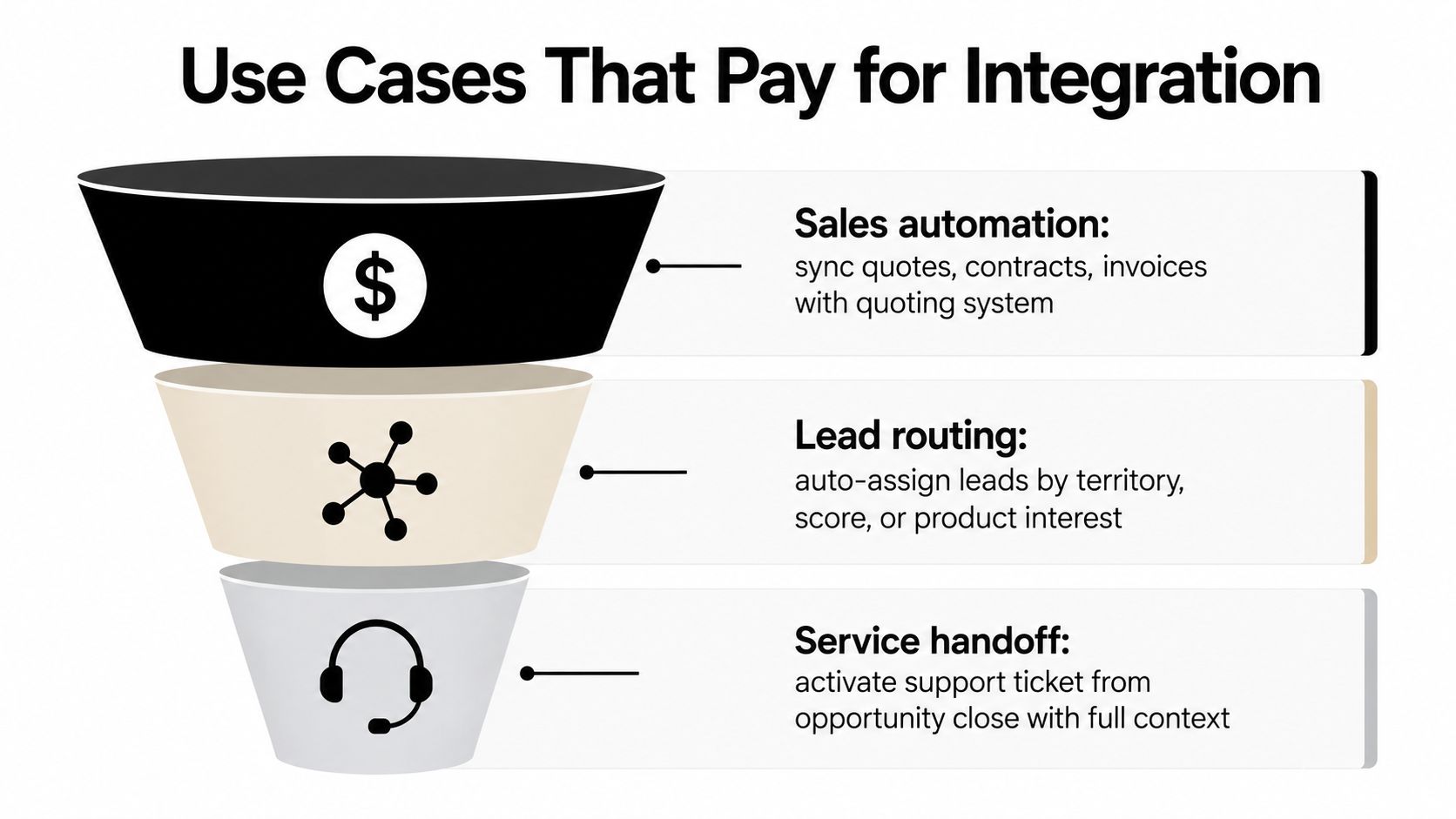
The strongest use cases usually share one trait, they remove a handoff that used to depend on a person remembering to act. When a workflow crosses teams, integration doesn't just save time, it keeps the customer from feeling the gap between departments.
Layered Architecture and Why Point-to-Point Breaks
Point-to-point integration feels fast at first because two systems only need one connection. The trouble starts when the next team asks for the same data, because each new link creates another private route, another dependency, and another failure mode.
Build reuse above the source systems
Salesforce-aligned architects often describe a layered API model with system APIs at the bottom, process APIs in the middle, and experience APIs at the top. The hotel concierge analogy fits well here. Guests don't call housekeeping, maintenance, and catering directly, they ask the concierge, who routes the request to the right back-of-house team and returns one answer. The layers work the same way, because they isolate complexity and let each layer do one job.
System APIs wrap the source system. Process APIs combine and orchestrate business logic. Experience APIs shape the response for a specific channel or app. That separation matters because it keeps Salesforce from being stuck in a maze of one-off connections that are hard to test, hard to reuse, and hard to replace later. The architecture guidance from Salesforce's developer community recommends this layered thinking specifically so high-volume movement can run asynchronously while user-facing flows stay responsive. Salesforce integration architecture guidance explains the reuse angle well.
A mature integration program also cares about contracts and idempotency. A contract defines the payload, the expectations, and the failure behavior before the first message is sent. Idempotent operations keep retries from creating duplicate side effects when a network call fails halfway through.
Operational habit: design the contract first, then decide where middleware belongs. If the connection shape is unclear, the platform choice won't save you.
Point-to-point breaks because every team optimizes for its own deadline. Layered architecture breaks that pattern by creating a shared path for data and processes, which becomes easier to govern as more systems join the ecosystem. That's why architecture earns attention before implementation starts.
Security, Compliance, and Performance Trade-offs
Integration projects often fail not because the data model is wrong, but because the operating assumptions were too loose. Teams want the sync to “just work,” then discover that identity, compliance, and performance each introduce constraints that can't be patched in later.
Ask the hard questions early
Authentication and identity come first. A connected app, OAuth flow, named credential, or service account needs an owner, a purpose, and a review path. If nobody can answer who controls the credential or how access is revoked, the integration is already fragile.
Compliance comes next. Data residency, sovereignty, and regulated-data handling shape the entire route that information can take. If a workflow touches sensitive records, the team has to decide where the data is stored, who can see it, and whether the integration pattern supports the organization's obligations. Independent security guidance around integration consistently stresses least privilege, encrypted transport, and careful monitoring, because convenience disappears fast once auditors ask for evidence.
Performance is the third pressure point. Salesforce's own benchmark data shows how dependent enterprise systems have become on one another, with the average enterprise using 897 apps, 46% using 1,000 applications or more, and 74% saying their IT systems are overly dependent on one another. In that kind of environment, rate limits, retries, pagination, and back-end availability become everyday design constraints, not edge cases. Salesforce's integration maturity research also found that more than 90% of respondents had at least one cloud endpoint, but less than 20% had reached advanced integration maturity, with smaller companies dropping to less than 7%. Salesforce's 2025 Connectivity Benchmark Report makes the operational pressure easy to see.
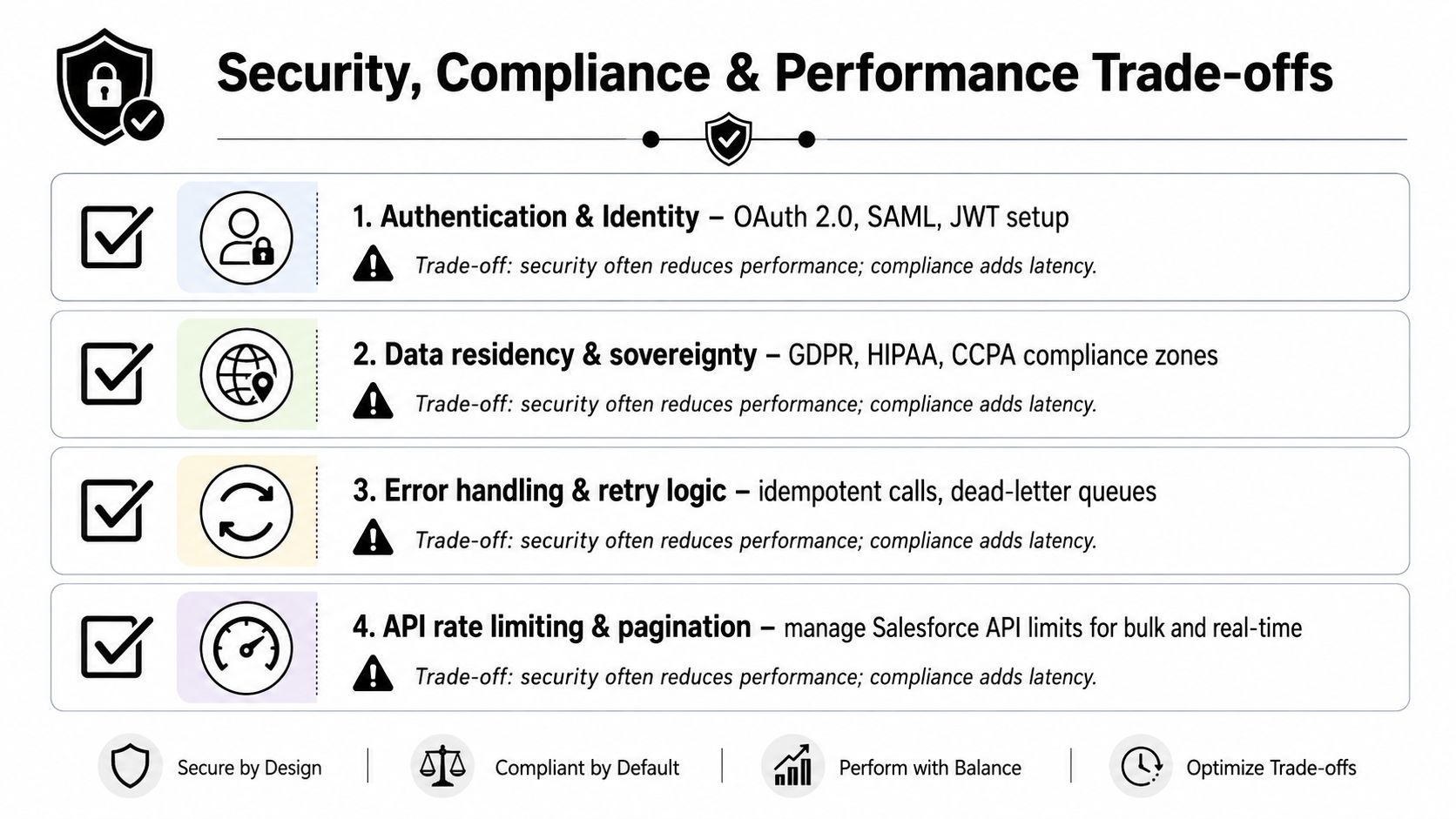
A practical security checklist belongs in the project plan, not the launch checklist. The same is true for observability, because if the source system goes down for six hours, the team needs to know whether to retry, queue, or stop. This security policy reference is a useful reminder that governance is part of integration design, not an afterthought.
Non-negotiable rule: if you can't explain who owns the credential, how failures are logged, and what happens when the source system is unavailable, the integration isn't ready.
Common Pitfalls and the Best Practices That Prevent Them
Most integration failures are predictable. They start when teams treat Salesforce integration as a one-time IT project instead of an operating capability that needs ownership, logging, and change control.
The mistakes that show up in production
The first mistake is syncing everything because it's easy. That creates noisy records, more conflicts, and extra support work when users don't know which field to trust. A better approach is to define the integration around a business outcome, then choose only the data that supports that outcome.
The second mistake is skipping idempotency and observability. If retries can create duplicates, or if errors only appear in a technician's inbox, the team will spend more time cleaning up than benefiting from the integration. Log every request, track retries, and alert on failure patterns, not just raw error counts.
The third mistake is choosing middleware before the contract is clear. That usually happens when the team wants to move fast, but the result is brittle plumbing that reflects the tool's shape instead of the business's shape.
Rule to keep: if the business cannot describe the handoff in one sentence, the integration contract is probably too vague.
Rule to keep: credentials belong in a centralized, governed place. Scattered secrets turn one integration issue into many.
A final pitfall is treating manual integration as “temporary” for too long. Salesforce's maturity research shows how common that trap is, with almost half of respondents still relying on manual integration and more than half lacking a defined integration strategy or not knowing whether one exists. That's a sign the technical work and the governance work have to move together, or the project will drift back into spreadsheets and emails. Salesforce's connectivity benchmark captures that reality clearly.
How Donely Accelerates and Secures Salesforce Integration
In 2026, integration isn't just about syncing records. AI agents need to read, act, and coordinate across systems, which raises the bar for every connector, every permission, and every audit trail. Donely fits into that conversation as one platform option for hosting and managing AI agents with built-in Salesforce connectivity, so the integration work starts closer to deployment and less like a custom plumbing project. Donely's Hermes agent page shows how the platform frames that agent workflow.
Donely lists 850+ built-in integrations, including Salesforce, and its architecture is built around per-instance RBAC, isolated containers, scoped data access, and unified audit logs. That combination matters when a team wants separate workloads for personal, business, or client use without merging identities or losing visibility. It also matters when integration has to satisfy security reviewers who want to know where data lives and who can touch it.
The practical appeal is speed. Donely says production-ready agents can be launched in under two minutes, which shortens the path from “we need Salesforce connected” to “the workflow is live.” For teams comparing approaches, that creates a useful checklist.
- Connector coverage: does the platform support the systems you use, including Salesforce?
- Access control: can you isolate data and permissions per instance or per workload?
- Auditability: can reviewers trace what an agent did and when it did it?
- Deployment speed: how long does it take to go from design to a working workflow?
- Governance fit: can the platform support the security and ownership model your team already uses?
Donely is one way to evaluate the shift toward agentic automation, especially if you want a managed environment instead of building every connector from scratch. The larger point stays the same, good Salesforce integration now has to support both system data movement and AI action across systems, without losing control of either.
If you're mapping Salesforce into a broader automation stack, visit Donely to see how its agent platform handles integrations, isolated workspaces, and audit trails in one place. It's a practical next step if you're comparing connector-heavy builds with a managed path for AI-enabled workflows.