
AI agents are reshaping how teams automate work. Most tools claim to boost speed, but only a few give you true multi‑instance control, built‑in RBAC, and a massive integration catalog. In this guide you’ll see eight platforms that let you build, run, and scale agentic workflows right now. We’ll break down what each one does, who it fits, and where you might hit limits, so you can pick the right stack for your projects.
1. Orkes Conductor AI Agent Suite , Enterprise‑grade orchestration platform
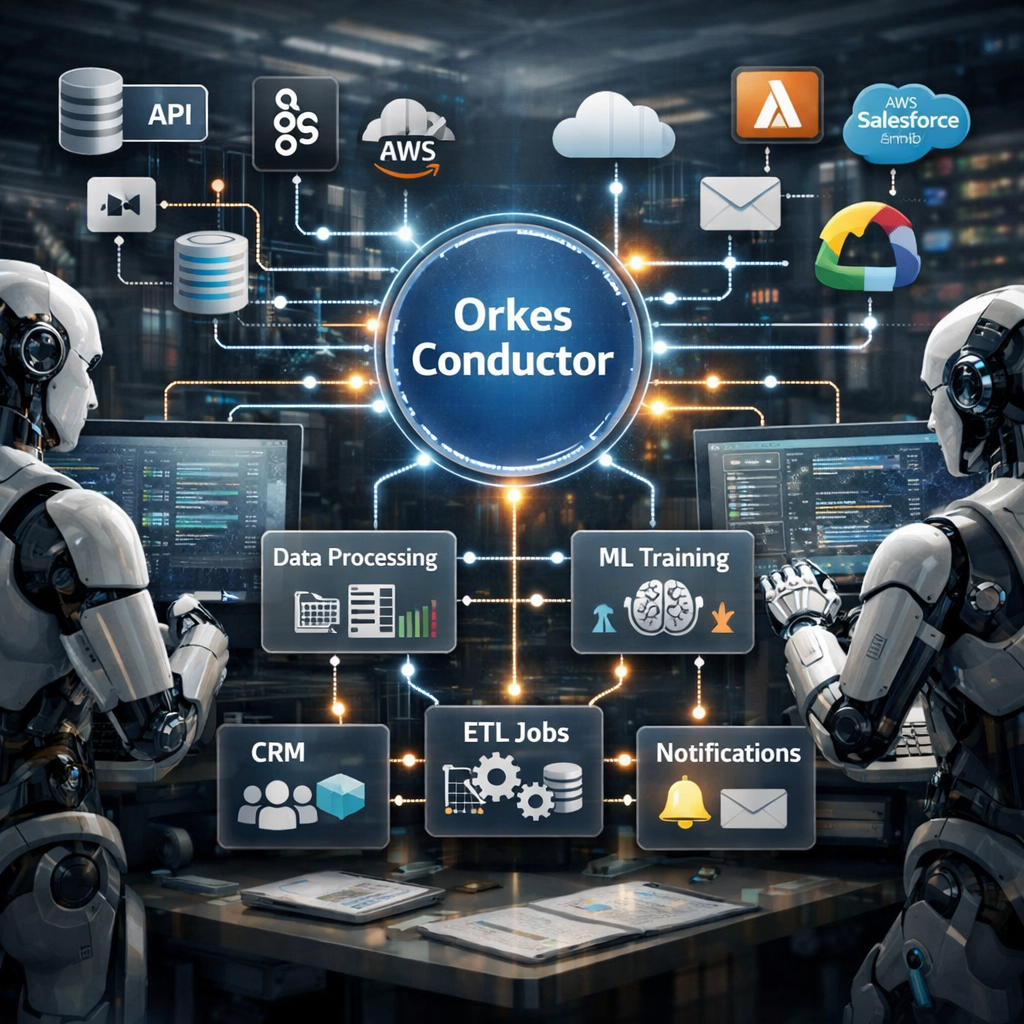
Orkes Conductor sits at the top of the stack for teams that need a production‑ready orchestrator. It lets you define agents, link them to tools, and run many instances in parallel. The platform supports both low‑code flow diagrams and full code‑first definitions, so devs and ops can collaborate without stepping on each other’s toes.
Security is baked in. RBAC (role‑based access control) lets you grant each agent only the permissions it needs, and every action is logged in audit trails. That matches the rare multi‑instance capability highlighted in recent market research, where only 14% of platforms even mention it.
Orkes also offers 800+ pre‑built connectors, from CRMs to cloud storage. When you need to pull a record from Salesforce, update a row in Snowflake, and then fire a Slack alert, you can do it in one orchestrated flow.
“Orchestration is the secret sauce that turns isolated agents into a coordinated workforce.”
Typical use cases include automated lead enrichment, multi‑step compliance checks, and cross‑department reporting. For a SaaS startup, Orkes can spin up a new agent per client, each with its own sandboxed data store, and still keep costs predictable.
Pros: strong governance, massive connector library, scalable multi‑agent execution.
Cons: requires some engineering effort to set up initial pipelines; pricing can climb with high concurrency.
According to Wikipedia, an AI agent is a system that can perceive its environment, reason about it, and act to achieve goals. Orkes builds on that definition by adding orchestration patterns that let many agents share context safely.
2. AutoGPT , Open‑source autonomous agent framework
AutoGPT is the go‑to open‑source project for folks who want full control over the agent stack. It runs on your own hardware, so you can tune the model, the memory store, and the tool‑calling logic to fit niche needs.
The core loop works like this: you give a high‑level goal, AutoGPT breaks it into sub‑goals, calls tools or APIs, reviews the result, and repeats until the objective is met. That self‑prompting mechanism reduces the need for constant human nudges.
Because it’s open source, you can swap in any LLM you like , from GPT‑4 to an open‑source alternative. The framework also includes a marketplace of ready‑made agents for tasks like video generation or quote extraction.
Installation can be a bit heavy. You need Docker, a compatible GPU, and an OpenAI key (or another provider). The official docs walk you through a one‑click script that spins up the stack in minutes.
Typical projects include generating viral video scripts from trending topics and summarizing interview footage for social posts. These examples show how AutoGPT can handle both creative and data‑intensive workloads.
Pros: full customizability, strong community, no vendor lock‑in.
Cons: self‑hosting overhead, steeper learning curve for non‑engineers.
3. LangChain Agents , Flexible LLM‑driven agent library
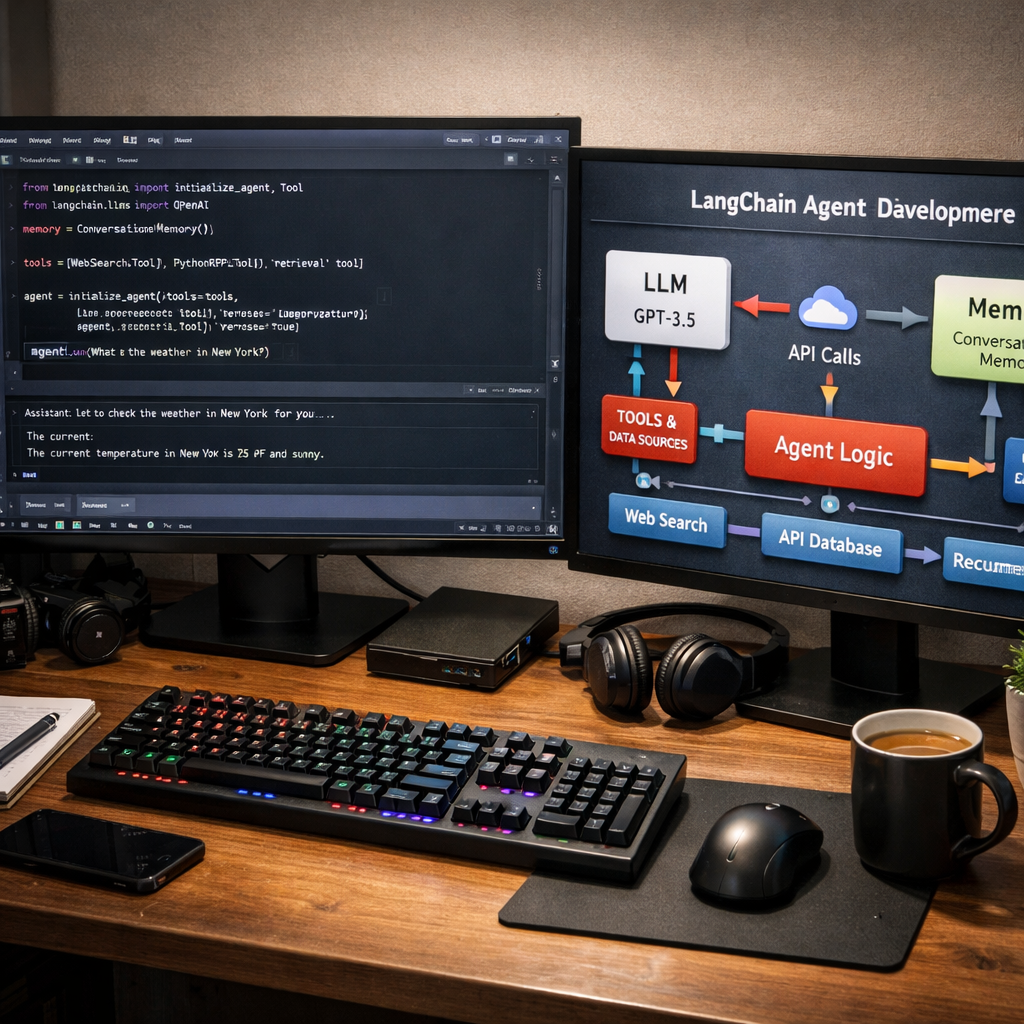
LangChain provides a developer‑focused library that makes it easy to stitch together LLM calls, memory stores, and external tools. The agents you build with LangChain can run in any Python environment, from local notebooks to cloud functions.
What sets LangChain apart is its modularity. You can plug in a vector store for retrieval‑augmented generation, add a tool‑calling wrapper for API access, and configure a memory buffer that persists across turns. This lets you build agents that remember past interactions, a key requirement for long‑running workflows.
LangChain also ships with LangGraph, a newer layer that lets you define state machines for multi‑step processes. That means you can model a travel‑planning agent that gathers weather, currency, and itinerary data in separate phases, then stitches them together.
Because it’s a library, you need to write code, but the API is clean and well‑documented. The project’s GitHub repo shows dozens of examples, from simple chat bots to complex multi‑agent orchestration.
Pros: high developer flexibility, strong ecosystem, easy to integrate custom tools.
Cons: not a turnkey SaaS; you must host and monitor the agents yourself.
4. Agentic (by Anthropic) , Claude‑based agentic workflow tool
Anthropic’s Agentic platform builds on Claude, their flagship LLM, to deliver a managed service for autonomous agents. The service hides the complexity of prompt engineering and tool calling behind a simple API that lets you define goals in plain language.
The platform uses the REACT pattern (reason‑act‑iterate) so agents can decide which tool to call next. It also includes built‑in memory that persists across sessions, so the agent can keep context over days, not just a single chat turn.
Security features include per‑agent RBAC, encrypted logs, and a governance toolkit that lets you set guardrails for risky actions. That matches the market demand for auditability noted in recent surveys.
Use cases range from research assistants that crawl academic databases to sales bots that qualify leads, update CRM fields, and schedule meetings without human prompts.
Pros: managed hosting, strong safety features, easy to start with minimal code.
Cons: less flexibility than a self‑hosted open‑source stack; you depend on Anthropic’s pricing model.
The Anthropic report (2026) outlines how agentic tools are moving from research labs to production environments, emphasizing the need for built‑in governance.
For teams that need a quick start but still want control, this service hits a sweet spot.
5. Microsoft Semantic Kernel , Integrated agent framework for Azure
Semantic Kernel (SK) is Microsoft’s open‑source SDK that brings agent orchestration to Azure services. It wraps Azure OpenAI models, adds a plug‑in system for tool calls, and supports patterns like parallel fan‑out and sequential pipelines.
One of the biggest benefits is native Azure integration. You can deploy agents as Azure Functions, container apps, or App Service instances, and let the platform handle scaling, logging, and secrets management.
SK also includes built‑in telemetry via OpenTelemetry, so you get end‑to‑end visibility into each LLM call, tool execution, and token usage. That helps you keep costs in check and troubleshoot failures quickly.
A sample travel‑planner app shows how six specialized agents can collaborate: a weather fetcher, a currency converter, an itinerary builder, and so on. The whole flow runs in about 30‑60 seconds, which is acceptable for many user‑facing scenarios.
Pros: deep Azure integration, strong observability, free and open‑source.
Cons: currently experimental in some languages; Java support is pending.
UseOpenTelemetry()builder call to enable out‑of‑the‑box monitoring for every agent in your app.For more technical depth, see the official Microsoft documentation on agent orchestration.
Microsoft Semantic Kernel documentation
6. Nand , No‑code AI workflow builder for rapid prototyping
Nand targets product teams that want to experiment with AI agents without writing code. Its visual canvas lets you drag LLM blocks, connect them to APIs, and add conditional logic all in the browser.
The platform supports over 500 integrations, from Google Sheets to custom webhooks. You can also add a simple Python snippet if you need custom processing, giving you the best of both worlds.
Security is handled via SSO, RBAC, and audit logs that capture every prompt, tool call, and output. That aligns with the growing need for governance in AI‑driven processes.
Typical pilots include automated meeting‑note generation, quick content drafts for marketing, and simple ticket triage bots. Because Nand hosts the runtime, you can spin up a new agent in under two minutes and start testing with real users.
Pros: ultra‑fast prototyping, extensive integrations, built‑in security features.
Cons: may need to migrate to a self‑hosted solution for high‑scale production.
7. Antigravity AI Orchestrator , Cloud‑native agent orchestration service
Antigravity, from Google DeepMind, treats AI as a collaborative partner that can write code, test it, and hand over results. The service offers three surfaces: an editor for hands‑on work, an Agent Manager that runs tasks in parallel, and a browser plug‑in that lets agents validate UI changes live.
What makes Antigravity stand out is its focus on parallelism. You can spin up multiple agents that each handle a slice of a larger problem, like crawling different data sources, processing them, and then merging the results.
Governance features include per‑agent permission sets and a dashboard that shows each agent’s progress, token usage, and any errors. That level of visibility is important for enterprises that need to audit AI actions.
Use cases include building a full‑stack web app in minutes, generating test suites for existing codebases, and running multi‑source data analysis for market research.
Pros: strong parallel execution model, integrated browser validation, good for dev‑heavy tasks.
Cons: still early in its public rollout, so documentation can be sparse.
For a deeper look at how teams use Antigravity, from a senior developer who built a prototype web app in under two hours.
ScalablePath Antigravity review
8. PromptChainer , Simple prompt‑chaining tool for rapid prototyping
PromptChainer offers a lightweight way to link multiple prompts together in a linear chain. Each step can feed its output into the next prompt, letting you build multi‑step reasoning without a full orchestration engine.
The UI is minimal: you add boxes, write prompts, and define the flow. Under the hood it calls the LLM you select, stores intermediate results, and can invoke simple HTTP calls as tools.
Because it’s focused on prompt logic, it’s great for quick experiments like generating a blog outline, then expanding each section, then polishing the final copy.
Pros: ultra‑simple, fast to set up, low cost.
Cons: limited to linear flows; no built‑in parallelism or advanced memory handling.
How to Choose the Right AI Agent Workflow Platform
Picking a platform boils down to three questions: How much control do you need? How critical are security and auditability? How quickly must you ship?
If you have an engineering team that can manage Docker containers, a self‑hosted stack like AutoGPT or LangChain gives you the most flexibility. If you need a managed service with built‑in guardrails, Agentic or Orkes are strong choices.
Consider the integration count. Platforms that list hundreds of connectors, Orkes, Nand, and Donely, let you hook into existing tools without writing custom adapters. That can shave weeks off a project.
Security is non‑negotiable for production. Look for RBAC, audit logs, and the ability to scope each agent’s permissions. Donely, for example, advertises built‑in RBAC and unlimited multi‑instance management, a rare combo in the market.
Finally, think about cost predictability. Some services bill per token, others per active agent. Estimate your token usage and compare it to the platform’s pricing tiers.
When you line up these factors, the decision becomes clearer.
Multi‑Agent Orchestration | Donely Hub
Comparison of Top AI Agent Workflow Platforms
Below is a quick side‑by‑side view of the eight platforms we covered. It focuses on the traits that matter most for production work: orchestration style, integration breadth, security features, deployment model, and pricing flexibility.
- Orchestration: Orkes, Antigravity, and Semantic Kernel support parallel fan‑out; AutoGPT and LangChain rely on code‑level orchestration; Agentic and Nand provide managed flow builders.
- Integrations: Orkes (800+), Nand (500+), Semantic Kernel (Azure services), AutoGPT (custom via plugins), LangChain (any API via code), Agentic (limited but growing), Antigravity (browser + custom), PromptChainer (basic HTTP).
- Security: RBAC and audit logs are native to Orkes, Nand, and Donely; Agentic adds guardrails; AutoGPT requires you to implement controls; Semantic Kernel inherits Azure security.
- Deployment: SaaS (Orkes, Agentic, Nand), Self‑hosted (AutoGPT, LangChain), Cloud‑native (Semantic Kernel, Antigravity), Hybrid (PromptChainer).
- Pricing: Usage‑based token billing (AutoGPT, Agentic, Semantic Kernel); flat‑rate SaaS tiers (Orkes, Nand); free‑tier with limited runs (PromptChainer).
Conclusion
AI agent workflow platforms are finally maturing enough to power real business processes. From Orkes’ enterprise orchestration to AutoGPT’s open‑source freedom, each option brings a different balance of control, speed, and safety. If you need rock‑solid governance and unlimited multi‑instance support, Donely’s SaaS offering stands out as the most workflow‑centric choice. For teams that want full code control, AutoGPT and LangChain remain top picks.
Start small, test a pilot, and use the checklist we laid out to compare costs, security, and integration fit. When you’ve narrowed it down, you’ll be ready to launch agents that automate complex tasks without endless manual glue.
Looking for a deeper dive on building AI employees that run 24/7? on AI Employees – Deploy Autonomous Agents That Do the Work for step‑by‑step instructions and best practices.