
Most advice on how to deploy ai agents starts too late. It starts with the framework, the prompt, the model, or a sample app running on localhost. That's the easy part.
Production failures usually come from everything around the agent. Weak isolation. Missing rollback paths. Shared credentials. No audit trail. Tool calls that pile up latency until the user thinks the system is broken. The model may be fine while the deployment is still unsafe, expensive, and impossible to govern.
Teams that get agents into production reliably treat them like software systems with release discipline, scoped permissions, observability, and fallback behavior. They don't launch a broad “AI assistant for everything.” They start with a narrow workflow, define what success means, and expand only after the operating model holds up under real traffic. That shift from demo thinking to operations thinking is what separates an interesting prototype from a business asset.
Table of Contents
- The Blueprint Planning Your Agent's Architecture
- Building a Production-Ready Agent Artifact
- Implementing Enterprise-Grade Security and Access Control
- Deploying with Confidence Using Staged Rollouts
- Monitoring Scaling and Governance in Production
- The Ultimate AI Agent Deployment Checklist
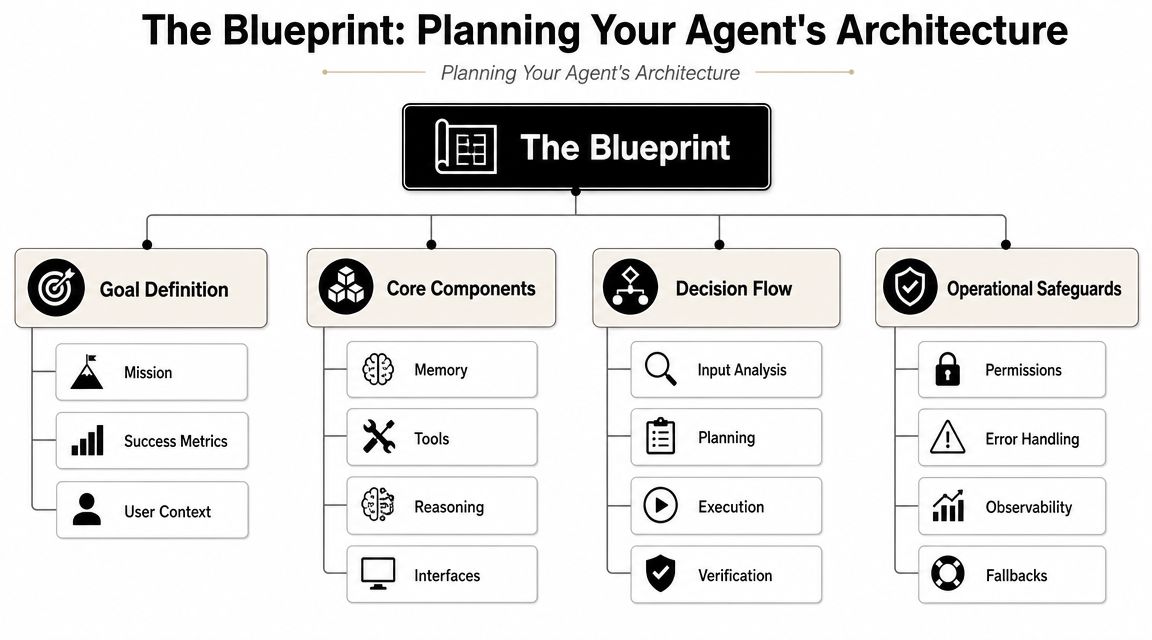
The Blueprint Planning Your Agent's Architecture
The worst architecture decision is the one you postpone. Teams often build the agent first and discover later that they needed tenant isolation, persistent session handling, approval gates, and separate audit trails. By then, the refactor is painful because the assumptions are already baked into the code and the deployment path.
A practical way to avoid that trap is to pick a tightly scoped beachhead workflow with a measurable before-and-after outcome, then run a 1–2 week proof of concept against real data before expanding, as recommended in Spiral Scout's deployment guidance. That approach sounds conservative, but it's what keeps a useful agent from getting buried inside an oversized rollout that nobody can evaluate clearly.
Start with one workflow that can prove value
A good first deployment has hard edges. It handles one business process, uses a limited tool set, and has a visible owner.
Examples of good beachhead workflows include:
- Inbox triage with human approval: The agent classifies, drafts, and routes messages, but a human approves outbound replies.
- CRM enrichment for inbound leads: The agent gathers context from approved systems and writes a structured summary.
- Internal knowledge retrieval for support teams: The agent answers from trusted sources and escalates when confidence is low or the request needs an action.
Broad goals such as “customer support agent” or “operations copilot” usually fail because they hide too many different tasks under one label. The tool permissions get too wide, the success criteria stay fuzzy, and the rollback plan becomes unclear.
Practical rule: If you can't describe the first version in one sentence with a clear owner, it's still too broad.
For smaller companies trying to connect deployment decisions to business outcomes, this piece on AI-driven productivity for Calgary SMBs is useful because it grounds AI adoption in operational workflows rather than novelty.
Choose the isolation model before you choose the hosting
Single-tenant and multi-tenant architectures are not cosmetic choices. They shape security boundaries, billing, debugging, and how painful client onboarding becomes later.
Here's the trade-off in plain terms:
| Architecture | Works well for | Main benefit | Main risk |
|---|---|---|---|
| Single-tenant | Sensitive workloads, regulated teams, high-trust client environments | Stronger separation of data, config, and logs | More operational overhead |
| Multi-tenant | Internal experimentation, lower-risk shared services, centralized operations | Better utilization and simpler shared management | More care needed around isolation, noisy neighbors, and access boundaries |
Agencies and consultancies usually underestimate this early. If you'll run multiple client agents, treat tenant boundaries as a first-order design problem. Separate data access, separate secrets, and clear ownership per instance matter more than whether you used CrewAI, LangGraph, or a custom stack.
If you're still thinking of an agent as a dressed-up chatbot, this comparison of AI agents vs chatbots is a useful reset. The deployment model changes once the system can act through tools, maintain state, and affect business systems.
Decide how state will live
Stateful agents enable continuity, but they also create operational debt. Once an agent remembers prior steps, pending actions, or user context, you need to answer uncomfortable questions early.
- What is persisted: Session history, tool outputs, task state, approvals, or memory summaries.
- Where it lives: In-app store, external database, queue-backed workflow store, or managed platform memory.
- Who can access it: Only the agent runtime, support staff, tenant admins, or downstream analytics systems.
- When it expires: Fast expiry for transient sessions, longer retention for auditable business workflows.
Stateless agents are simpler to operate. Stateful agents are more capable. The right choice depends on whether the workflow benefits from continuity. Don't add memory because the framework supports it. Add memory because the task fails without it.
Building a Production-Ready Agent Artifact
A deployable agent isn't just source code in a repo. It's a reproducible artifact with pinned dependencies, predictable startup behavior, health checks, and enough telemetry to tell you what happened after the first bad run in production.
That's where many teams slip. They containerize the app at the end, after the code path is already tangled with local assumptions and missing operational hooks. For production deployment, guidance repeatedly recommends instrumenting agents from day one with observability, latency controls, and human escalation paths, and warns that over-automating too early leads complex agents to fail in ambiguous states without clear orchestration, recovery paths, or traceability, as noted by Product School's deployment guide.
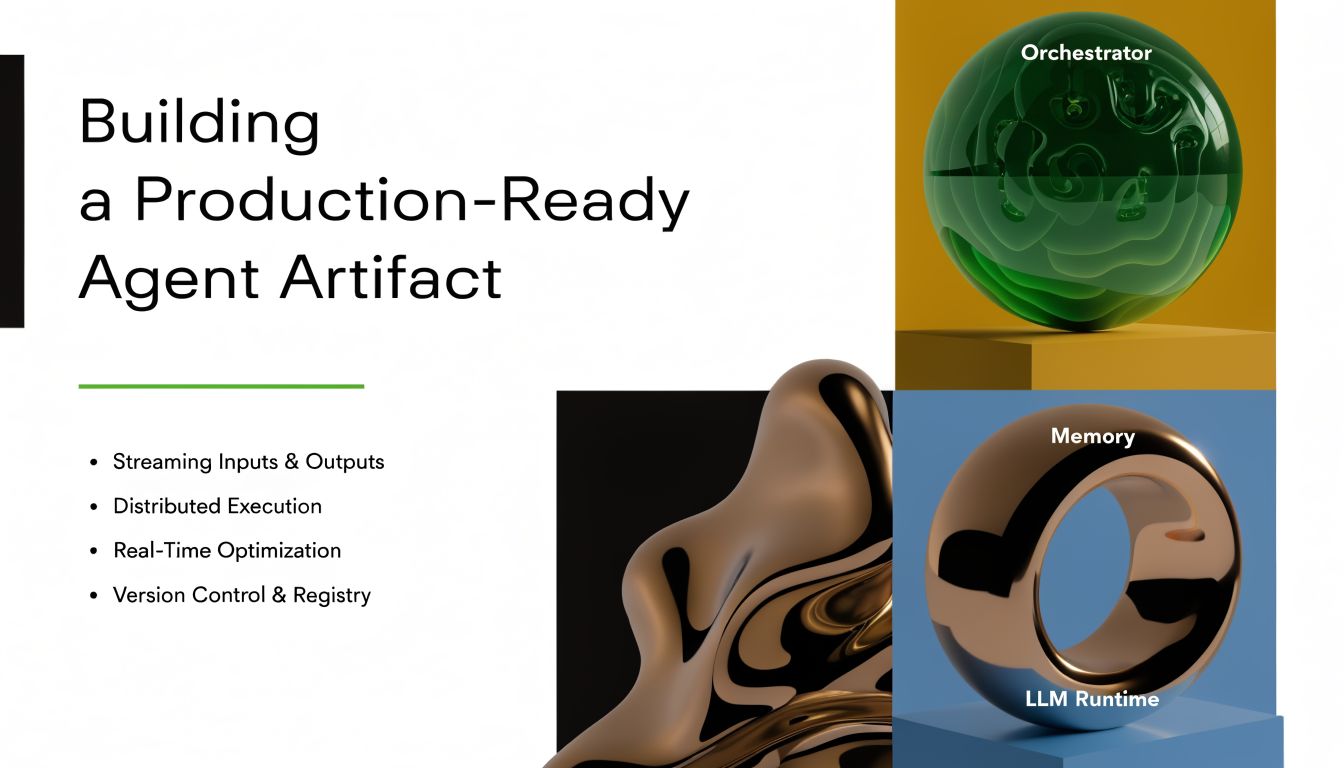
Package the agent so it behaves the same everywhere
Your artifact should answer one question cleanly. Can this exact build run the same way on a laptop, in CI, and in production?
A basic Python layout is enough if it's disciplined:
requirements.txt
- pinned framework packages
- pinned tool SDKs
- structured logging library
- retry library where needed
- web framework for health and readiness endpoints
Dockerfile
- slim base image
- install dependencies first for layer caching
- copy only required app files
- run as non-root where possible
- expose only the service port
- define a clear entrypoint
A minimal pattern looks like this:
FROM python:3.11-slim

WORKDIR /app
COPY requirements.txt .
RUN pip install --no-cache-dir -r requirements.txt

COPY src ./src

ENV PYTHONUNBUFFERED=1
CMD ["python", "src/main.py"]
That won't make the agent production-ready by itself. It does make it reproducible, which is the first essential step.
Build observability into the artifact
A common practice is to log the final answer and call it a day. That's not observability. For agents, you need visibility into the execution path.
Instrument these events in the code, not as an afterthought:
- Request start and end: Include tenant, workflow, version, and correlation ID.
- Model calls: Log provider, model, latency category, and finish reason when available.
- Tool calls: Capture tool name, invocation start and end, failure type, and retry state.
- Escalation events: Mark when the workflow hands off to a human or falls back to a deterministic path.
A useful health surface usually includes a liveness endpoint, a readiness endpoint, and a lightweight dependency probe. Readiness matters more than many teams think. An agent can be “up” while its tool credentials are broken or its backing store is degraded.
When the trace can't show model call, tool call, failure point, and final outcome in one path, debugging becomes guesswork.
Keep escalation paths in the code path
The fastest way to create a brittle agent is to assume every request should complete autonomously. Production agents need explicit branches for uncertainty, denied permissions, malformed tool responses, and policy-sensitive actions.
Build escalation directly into the workflow:
- Detect uncertainty or policy boundaries
- Return structured state, not vague text
- Route to human review or a deterministic fallback
- Preserve the trace so support can reconstruct the failure
This is also where platform choices matter. Some teams assemble this from containers, queues, secret managers, and custom approval services. Others use managed options. For example, Donely's platform for hosted agent deployment is one model for running isolated OpenClaw-based workloads with centralized monitoring and governance instead of wiring all of that by hand. The important point isn't the vendor. It's that escalation, logging, and isolation must exist before the first real user arrives.
Implementing Enterprise-Grade Security and Access Control
Security controls for AI agents often get framed as enterprise polish. That's the wrong mental model. Once an agent can read tickets, send messages, update records, or trigger actions in external systems, security becomes part of the runtime contract.
IBM's guidance is useful here because it puts the emphasis in the right place. Modern AI agent deployment is increasingly defined by infrastructure, security, and governance requirements rather than model choice alone, with isolated access, auditability, and controlled release management considered baseline for serious adoption, as described in IBM's deployment documentation.
Why least privilege matters more for agents
A normal application usually follows a predictable set of code paths. An agent explores more. It reasons over available tools and can hit edge cases your developers never explicitly enumerated.
That's why RBAC and scoped permissions aren't optional:
- Agent identity should be separate from human identity: Don't let the runtime inherit broad admin privileges.
- Tool scopes should be narrow: Read-only should be the default unless the workflow necessitates writes.
- Write actions need policy checks: Refunds, deletes, outbound sends, and status changes should require explicit approval logic or human confirmation.
A common mistake is giving one service account access to everything the team might need later. That saves time in week one and creates audit pain for the rest of the deployment.
Multi-tenancy changes the risk model
Shared infrastructure is attractive because it lowers operational friction. It also raises the bar for isolation. If you run multiple departments, clients, or business units in one control plane, your boundaries have to be deliberate.
Use hard separation for:
| Boundary | What should be isolated |
|---|---|
| Credentials | API keys, OAuth tokens, database secrets |
| Data access | Per-client stores, tenant-specific indexes, scoped retrieval |
| Logs and traces | Access-controlled telemetry with tenant context |
| Runtime policy | Tool allowlists, approval rules, retention behavior |
Without these boundaries, one bad config change can leak context across tenants. In regulated environments, that's not just a bug. It becomes a trust and compliance event.
The fastest way to lose confidence in an agent program is to make users wonder whether the system can see someone else's data.
Secrets and approvals need hard boundaries
Hardcoding credentials is amateur hour, but secret sprawl is almost as bad. Pulling raw secrets into the application process and reusing them across tools creates a wide blast radius.
A safer pattern looks like this:
- Store secrets in a dedicated secret manager
- Inject them at runtime, not in source
- Rotate credentials on a schedule
- Separate human approval credentials from agent execution credentials
- Log access events without logging the secret material itself
Approvals need similar discipline. If a workflow can send an email, update a CRM record, or approve a payment-related action, the approval state should be explicit and auditable. “The agent decided” is not an audit trail.
Deploying with Confidence Using Staged Rollouts
A big-bang launch is how teams learn the wrong lesson from an incident. They blame the model, when the failure was shipping a new version to everyone without a controlled release path.
A foundational production pattern for agents is staged rollout with explicit reliability metrics. Practical guidance recommends canary or ringed releases, where you deploy the new version beside the current one, route only a small share of traffic to it, and compare error rates and latency to the baseline before expanding exposure, as described in Blaxel's guide to deploying AI agents.
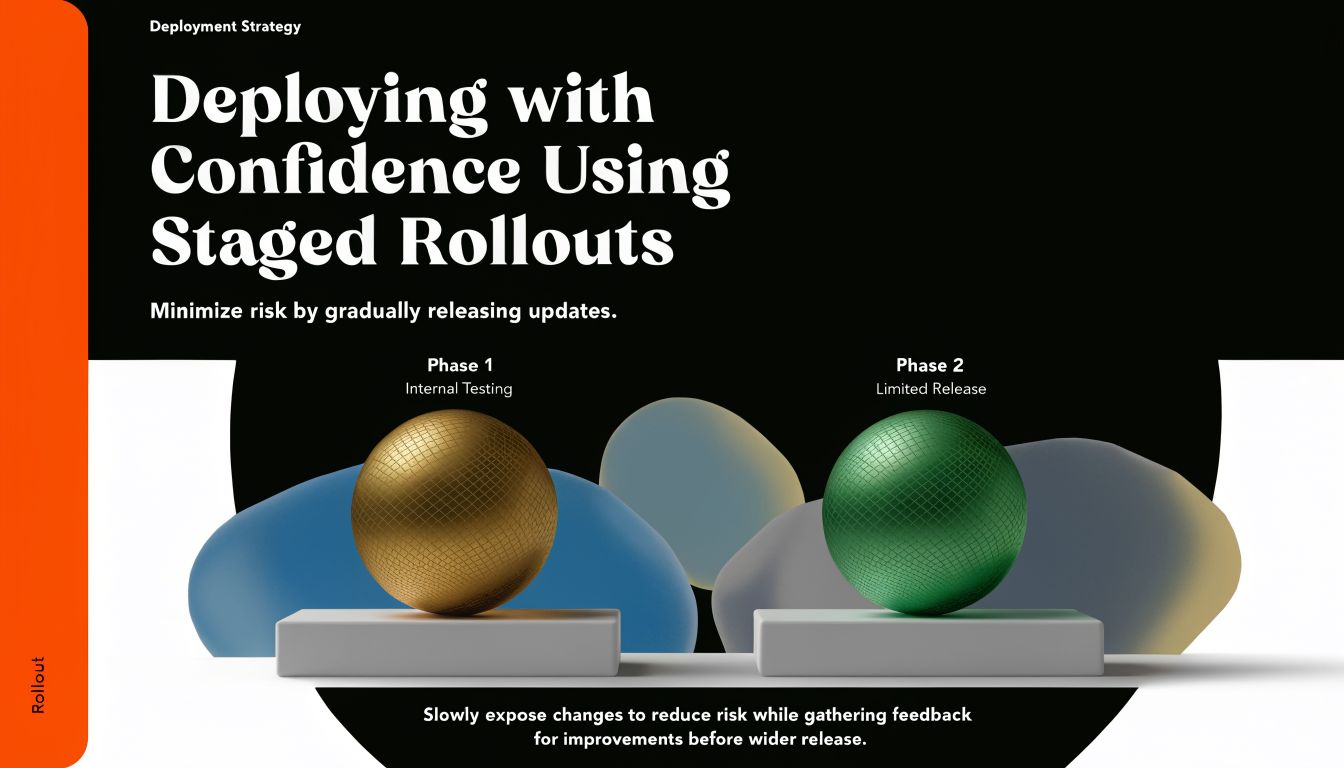
Never replace the old version in one move
The safe pattern is simple even when the plumbing is not:
- Deploy the new version beside the current one
- Send a small portion of traffic to the new version
- Compare behavior against the current baseline
- Expand only if the new version stays within your thresholds
- Rollback automatically when thresholds are exceeded
This is the same release discipline mature mobile and backend teams have used for years. If you want a familiar non-AI analogy, how Google Play staged rollouts work is a helpful reference because the risk logic is identical. Limited exposure first, broad release later.
Blue/green works well when you need a cleaner environment switch. Canary works well when you want live comparison under partial traffic. Either is better than swapping the old version out and hoping the dashboard stays quiet.
What to watch during rollout
For agent deployments, generic uptime checks are not enough. The version can be healthy at the container level and still degrade badly in user-facing behavior.
Watch for signs such as:
- Error rate drift: Tool failures, policy rejections, or malformed outputs that increase on the new version.
- Latency movement: Slowdowns caused by prompt changes, extra reasoning turns, or a more expensive tool chain.
- Execution shape changes: Sudden spikes in tool invocation counts, token usage patterns, or unfinished runs.
One of the more useful rollout habits is to compare the shape of execution, not just whether requests returned a response. Agents can fail softly. They still answer, but with more retries, longer waits, and weaker reliability.
A simple rollout mindset that prevents long nights
Promotion shouldn't be a human gut feeling. It should be the result of predefined thresholds, clear rollback triggers, and enough trace data to explain anomalies fast.
For teams that want a managed shortcut for this style of release process, deploying an AI agent in 60 seconds shows how some platforms package the operational side of launch. Even then, the operational principle stays the same. Keep the old version available until the new one has earned broader traffic.
Monitoring Scaling and Governance in Production
Most articles on how to deploy ai agents stop at launch. That misses the hardest part. Day two is where tool latency, queue behavior, retention policies, and cost attribution start deciding whether the system remains usable.
One of the most underserved topics in deployment guidance is the reality of high-frequency tool use and latency. Google Cloud's guidance frames AI agents as services that orchestrate asynchronous tasks, which matters because many production agents are not single model calls but multi-step workflows with I/O waits, as explained in Google Cloud Run guidance for AI agents.
Latency comes from the workflow not only the model
When a user says the agent is slow, the model is only one suspect. The primary delay often comes from the chain around it.
Typical latency contributors include:
- Sequential tool calls: CRM lookup, document retrieval, classifier pass, then response generation.
- Authentication overhead: Token exchange or permission checks before each downstream action.
- Cold starts and dependency readiness: The service is live, but the supporting path is not warm.
- Retry storms: One flaky tool causes backoff loops that stack into visible delay.
This is why tracing matters more than aggregate uptime. You need to see where the time went across the whole run.
Slow agents usually aren't doing one thing badly. They're doing too many things in sequence without enough control over the path.
Operate async when the job is naturally long-running
Not every request should block a user session. Some tasks are better treated as jobs.
Use a synchronous endpoint when the workflow is brief and the result is needed immediately. Move to an asynchronous pattern when the agent must wait on several tools, perform background work, or run for an extended period. In those cases, queue-backed jobs, polling, or webhooks produce a much cleaner user experience than a long-hanging HTTP request.
A practical production setup often includes:
| Workload type | Better pattern |
|---|---|
| Short question answering | Synchronous request and response |
| Document-heavy enrichment | Async job with status polling |
| Multi-system workflow automation | Async orchestration with callback or webhook |
| Approval-dependent actions | Suspended workflow that resumes after human input |
That pattern also helps with scaling. You can scale stateless request handlers separately from workers that execute longer-lived orchestration jobs.
Governance is part of day-two operations
Governance sounds abstract until your telemetry bill grows, your traces become unreadable, or nobody can tell which team owns a runaway workflow.
Operational governance means deciding:
- What telemetry to keep
- How long to retain it
- How to attribute runtime and model cost per agent
- Which teams can inspect traces and audit logs
- When an agent version must be retired
If you're hosting OpenClaw-based agents and want an example of a platform approach to these day-two concerns, OpenClaw hosting options are relevant because they frame hosting as an operations problem, not just an app deployment task. That mindset is the important part. Agents need ownership, telemetry hygiene, and spend visibility for as long as they're running.
The Ultimate AI Agent Deployment Checklist
Most failed deployments don't collapse because one major concept was unknown. They collapse because several small operational gaps line up at the same time. A shared secret spans tenants. A tool has write access it never needed. A rollout has no rollback trigger. A support team can't reconstruct what happened from logs.
This checklist is useful because it forces the deployment to become concrete. If an item can't be marked done, it probably hasn't been decided well enough to ship.
Production-Ready Agent Deployment Checklist
| Phase | Check Item | Status (Done/NA) |
|---|---|---|
| Architecture | Defined one narrow beachhead workflow with a clear owner | Done/NA |
| Architecture | Chose success criteria that can be measured in production | Done/NA |
| Architecture | Decided whether the agent is stateless or stateful | Done/NA |
| Architecture | Documented tenant boundaries for data, logs, and credentials | Done/NA |
| Architecture | Specified allowed tools and denied tools for the first release | Done/NA |
| Build | Pinned dependencies in a reproducible artifact | Done/NA |
| Build | Containerized the runtime with a clear entrypoint | Done/NA |
| Build | Added liveness and readiness checks | Done/NA |
| Build | Structured logs with correlation IDs and version metadata | Done/NA |
| Build | Captured model calls, tool calls, and failure paths in traces | Done/NA |
| Build | Implemented explicit human escalation paths | Done/NA |
| Security | Assigned a separate runtime identity for the agent | Done/NA |
| Security | Enforced least privilege for every tool integration | Done/NA |
| Security | Moved secrets to a dedicated secret manager | Done/NA |
| Security | Defined approval requirements for sensitive write actions | Done/NA |
| Security | Restricted access to logs, traces, and audit data by role | Done/NA |
| Governance | Set retention rules for telemetry and audit records | Done/NA |
| Governance | Established ownership for each deployed agent | Done/NA |
| Governance | Defined cost attribution per agent or tenant | Done/NA |
| Deployment | Chose canary, ringed, or blue/green rollout strategy | Done/NA |
| Deployment | Kept the prior version available for rollback | Done/NA |
| Deployment | Defined rollback triggers before launch | Done/NA |
| Deployment | Verified baseline comparison during staged exposure | Done/NA |
| Operations | Identified which workflows must run asynchronously | Done/NA |
| Operations | Added queues, webhooks, or polling for long-running jobs | Done/NA |
| Operations | Tested failure behavior for tool outages and malformed outputs | Done/NA |
| Operations | Reviewed support runbooks for incident response | Done/NA |
| Operations | Confirmed auditability of approvals, actions, and version changes | Done/NA |
What this checklist catches early
A useful checklist doesn't just prevent outages. It also catches weak assumptions.
If a team can't explain who owns an agent, what version is live, what data boundary protects one tenant from another, and how a risky action gets approved, the deployment still depends on tribal knowledge. That's exactly what breaks when traffic increases or the original builder goes on vacation.
Teams that deploy agents well don't treat operations as cleanup work after the build. They treat deployment, security, governance, and rollback as part of the product from day one.
If you want to skip a lot of the DevOps plumbing, Donely is one option for running OpenClaw-powered agents with isolated instances, granular RBAC, centralized monitoring, and audit-friendly operations. It's a practical fit for teams that want production controls without stitching together the full hosting and governance stack themselves.