
Your SDRs are buried in inbound. The CRM has stale company data, half the email fields bounce, and the team next door keeps moving faster because they're not doing all of this by hand anymore. That's the moment many teams start asking about AI for lead generation, and it's usually the wrong question.
The better question is how to run AI as a governed workflow, not a stack of disconnected tricks. When AI sits inside discovery, enrichment, qualification, routing, and follow-up, it can help revenue teams work cleaner and faster, but only if the operating model is tight enough to protect pipeline quality. A practical playbook starts there, because the tool is never the hard part, the system around it is.
Table of Contents
- Why AI Lead Generation Is Now an Operating Model
- Building the Discovery, Enrichment, and Monitoring Pipeline
- Designing Your AI Lead Generation Agent
- Inbound Qualification and Multi-Channel Handoff Design
- Security, RBAC, and Multi-Instance Architecture
- KPIs, A/B Testing, and the Quality-vs-Volume Trap
- Deployment, Scaling, and Operational Playbook
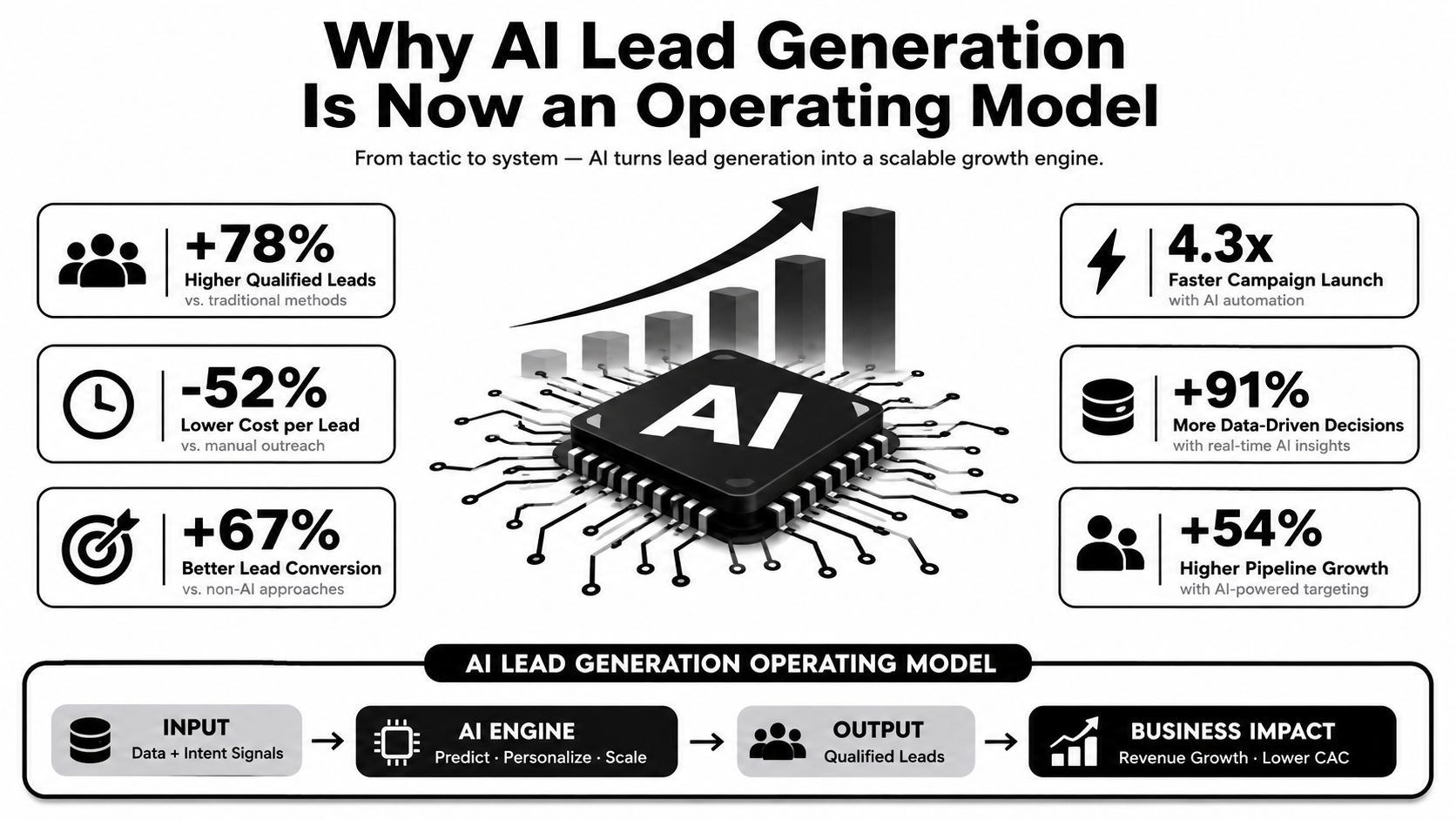
Why AI Lead Generation Is Now an Operating Model
The shift happened because AI stopped being a side experiment and became part of daily sales motion. In 2025, Salesforce's State of Sales data was cited as showing 81% AI adoption among B2B sales teams in the The Starr Conspiracy brief on AI B2B lead generation trends. The same source said 41% of enterprise marketing teams were already running three or more AI agents in a single prospecting workflow, up from 9% in Q3 2024, and 67% of teams running AI prospecting required human review before outreach on accounts above an ACV threshold, typically $50,000 or higher.
That pattern matters more than the raw adoption number. It shows AI isn't being used as a novelty bot or a copy generator, it's being placed inside governed sales processes where data quality, review rules, and account value all change how automation works. Teams that ignore those controls usually create more noise, not more pipeline.
The economic case is already visible
Independent industry benchmarks cited in the same Starr Conspiracy report point to a 73% average increase in qualified leads within six months of AI implementation, a 43% improvement in lead-to-opportunity conversion rates, and a 31% reduction in sales cycle length through AI-enhanced lead prioritization. The same benchmark set also reports a $2.40 average cost-per-lead reduction and a 4.2x average ROI on AI lead generation investments after 18 months in the 2025 AI lead generation benchmarks.
Those numbers are useful because they frame the internal business case. You're not asking leadership to buy a chatbot, you're asking them to back a workflow that can improve qualification, conversion, and cost efficiency at the same time. That's also why rollout targets need to be tied to funnel quality, not just more activity.
What the workflow shift actually means
The old model was simple. A rep searched lists, an SDR enriched contacts, and someone else wrote outreach. The new model is multi-step, with AI handling discovery, enrichment, signal detection, routing, and first-pass personalization while humans step in where judgment matters.
That's why a resource like using AI for lead gen on Twitter is useful as a tactical reference, but it's only one slice of the job. The bigger challenge is turning scattered AI tasks into an auditable system that won't overfill the CRM with low-value leads.
Practical rule: if an AI motion can't explain why a lead was prioritized, who reviewed it, and what signal triggered the next step, it's not ready for production.
The operational takeaway is simple. AI for lead generation is no longer about whether to try it. It's about how to control it so the team gets cleaner routing, faster response, and better qualified pipeline without handing the entire process to an opaque black box.
Building the Discovery, Enrichment, and Monitoring Pipeline
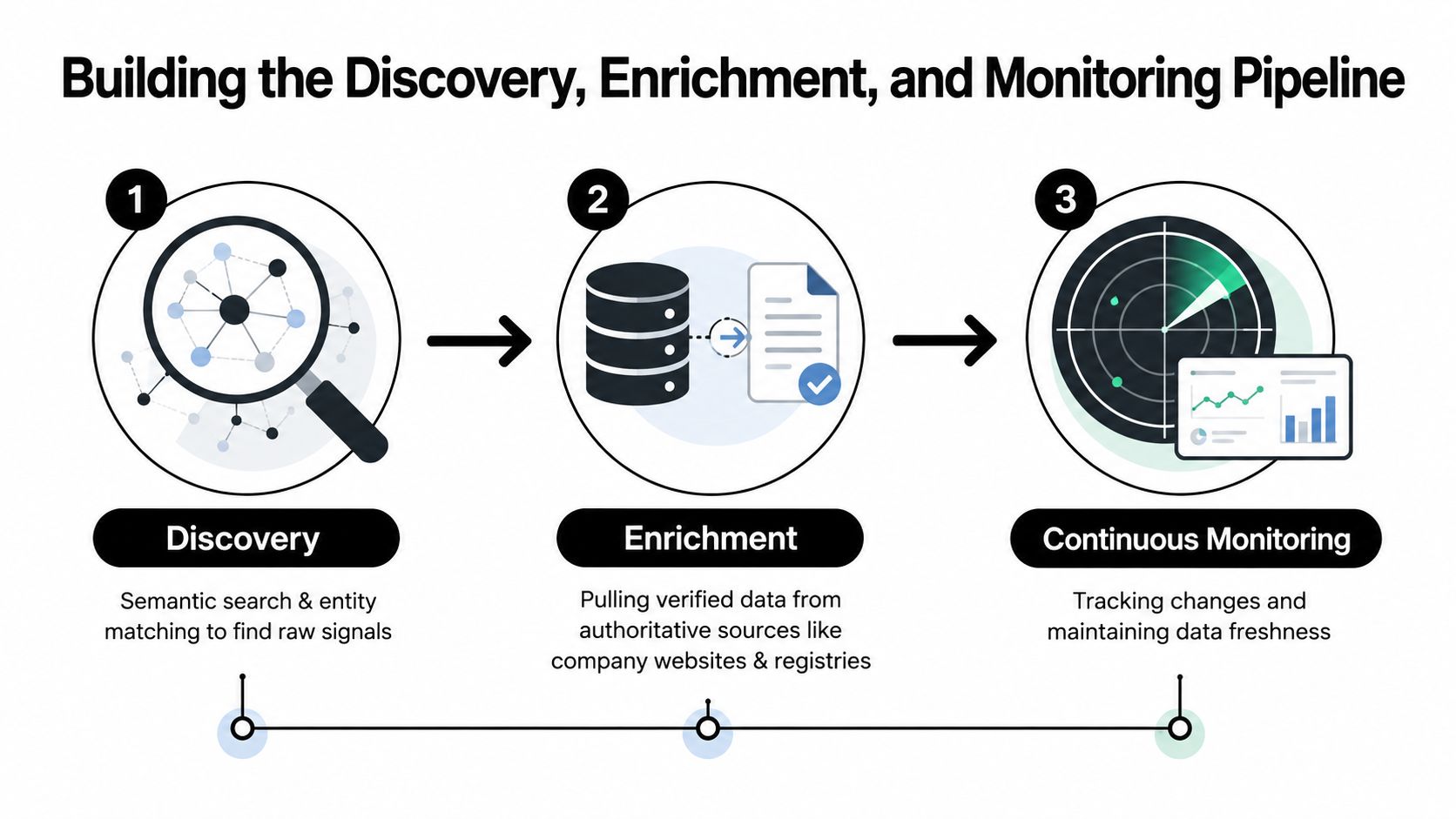
The core pipeline has three jobs. Discovery finds net-new prospects through semantic search and entity matching. Enrichment fills in current data from authoritative sources like company websites, pricing pages, and other live public pages. Monitoring watches for events that should trigger a sales motion, such as funding, leadership changes, hiring spikes, or product launches, as described in Parallel's implementation guide.
Discovery starts with intent, not just lists
Discovery works best when the system isn't limited to a static database. I've seen teams do better when they start from a live query against their ICP, then use entity matching to resolve company names, domains, and known aliases before anything enters the CRM. That keeps the pipeline from filling with duplicates and near-matches that waste rep time.
The mistake I've seen most often is over-indexing on vendor records and treating them like truth. Vendor data is useful, but it ages quickly, so live web validation should sit on top of it. If the website says the product changed, the pricing shifted, or the hiring page doubled in size, that's more relevant than a stale field in a contact database.
Enrichment should pull from live proof
A solid enrichment layer should read current evidence from the company's own site before it trusts any third-party field. Pricing model, product category, hiring activity, and launch language are often visible right there, and that's the kind of data that helps a rep open with something relevant instead of a generic pitch.
If your stack relies on verification, a tool like Email Validation API from BillionVerify is the kind of component that belongs in the plumbing, not the sales script. It helps support better data hygiene before records get scored, routed, or sequenced.
When a trigger is based on a live event, re-enrich the record before the rep sees it. Old enrichment is how routing gets sloppy.
Monitoring is what makes the system feel alive
Monitoring is the layer that turns lead generation from a list-building exercise into a signal-driven workflow. A hiring spike at a target account should trigger a re-enrichment run, update the lead score, and notify the right rep if the account still fits the ICP. The same logic applies to leadership changes, funding announcements, and product launches.
For teams that want a central reference point for account intelligence, Donely's company brain fits naturally into this architecture as a shared place to coordinate live signals and workflow context. The important thing is not the brand name, it's the principle, the system has to stay fresh, or the routing logic starts making bad decisions.
The clean reference architecture is simple. Discovery finds the account, enrichment verifies it, monitoring keeps it current, and routing reacts to the signal. Anything less than that is just automated list building.
Designing Your AI Lead Generation Agent
A useful agent starts with a narrow job description. It needs a persona, a channel it lives on, a short list of tools it can call, and a clear boundary around what it's not allowed to do. If the agent is meant for outbound prospecting, that's a very different design from one that qualifies inbound leads and books meetings.
Scope the job before you pick the stack
For outbound, I'd keep the agent focused on prospect discovery, enrichment, and draft generation. It can call tools like Gmail, Slack, HubSpot, Salesforce, Jira, Notion, Stripe, or Zendesk, but only for the records and workflows it needs. For a multi-agent setup, one agent can qualify, another can enrich, and a third can draft outreach, with each one having separate permissions and handoff rules.
That same logic is why Donely's AI employees matter in practice. The value isn't that an agent exists, it's that the agent can be launched into a bounded role with the right data access and workflow context.
Practical rule: if one agent is doing qualification, enrichment, and sending, the blast radius is too large.
Build the launch checklist around control
The launch checklist should be brutally short. Define the persona, define the channels, connect the tools, set the human-review trigger, and limit the agent to one job at first. If it can't move from template to production quickly, the workflow is probably too tangled to be useful.
I've had the best results when the first release is boring. The agent should know which accounts it can touch, which fields it can read, which messages it can draft, and when it has to stop and ask for human approval. That's especially important on higher-value accounts, where over-automation can hurt more than it helps.
Multi-agent setups work when roles are clean
A single agent is simpler, but multi-agent architecture is better when the work naturally splits into distinct steps. Qualification agents can ask structured questions, enrichment agents can pull fresh context, and outreach agents can turn validated inputs into a draft. The gain isn't just scale, it's accountability.
The common failure mode is role overlap. If two agents can edit the same CRM fields or trigger the same sequence, you'll get duplicate actions and hard-to-debug edge cases. Keep the permissions narrow, keep the outputs discrete, and let the handoff happen through structured data, not loose chat history.
Inbound Qualification and Multi-Channel Handoff Design
Inbound is where speed and judgment collide. A visitor lands on the pricing page, opens chat, and asks about SOC 2. The agent has to answer fast, ask the right questions, capture the right fields, and know when to hand off to a human without making the conversation feel robotic.
The agent needs channel fluency, not channel sprawl
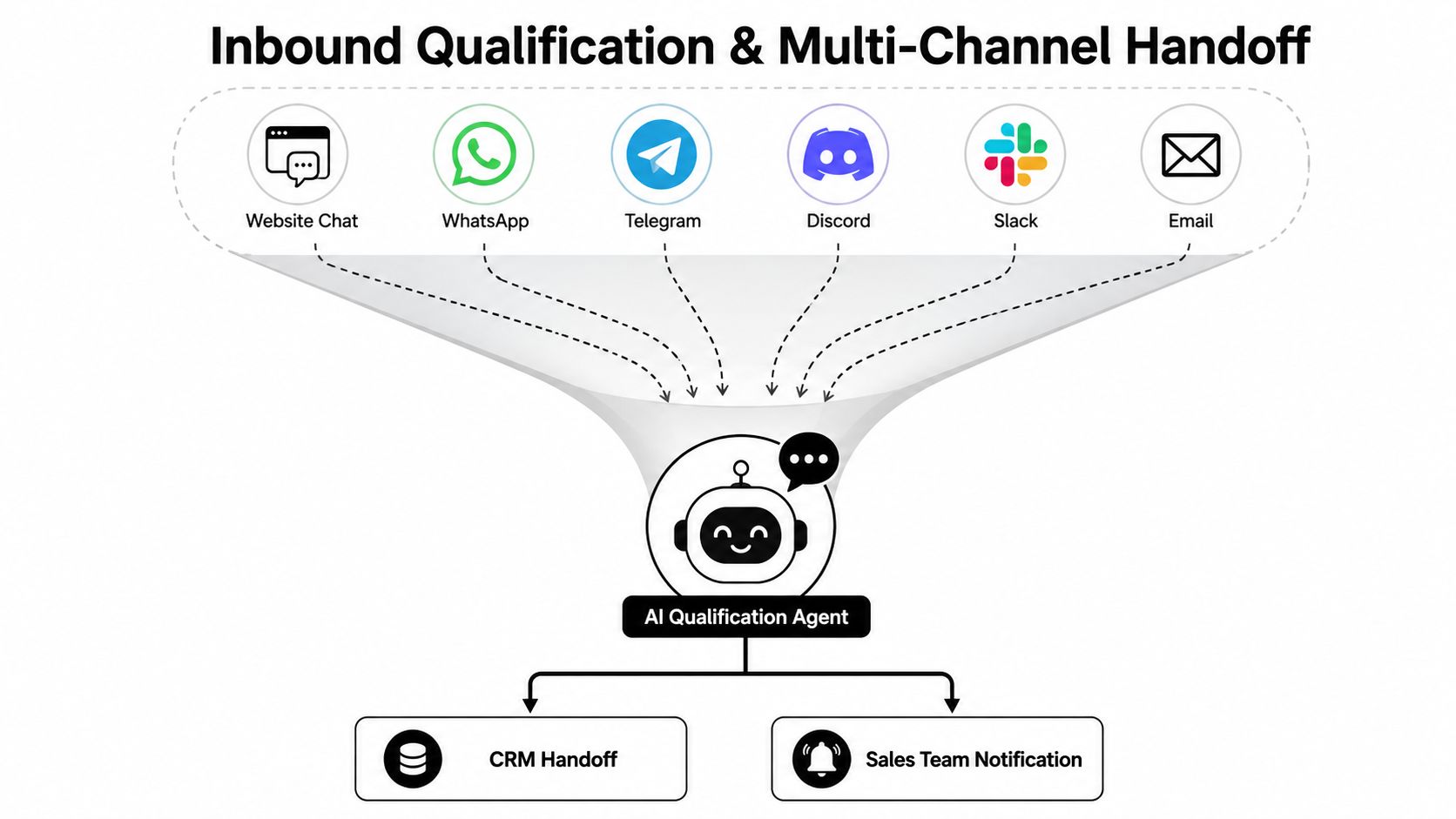
A real inbound agent should be able to handle website chat, WhatsApp, Telegram, Discord, Slack, and email, then normalize the conversation into one lead record. The channel doesn't matter as much as the handoff logic. What matters is whether the agent can ask the same qualifying questions, store the same fields, and route the same way across every surface.
In the pricing-page example, the agent should capture company name, use case, team size, timeline, and any compliance concern like SOC 2. If the answers point to a high-intent buyer, it can call a scheduling tool like Calendly and hand the lead to sales immediately. If the answers are vague, it should drop the lead into nurture instead of forcing a rep conversation.
Latency and escalation rules keep the experience clean
Hot leads should get a response within minutes, not whenever someone has time to check the inbox. That doesn't mean every conversation should be auto-closed. The agent needs a hard human override above any ACV threshold, and it also needs override rules for ambiguous cases like procurement-heavy deals or enterprise security reviews.
A low-intent visitor should be treated differently. If the person is just browsing, the agent can capture interest, answer basic questions, and route the contact into nurture without pretending it's sales-ready. That restraint is what keeps the pipeline from getting inflated with meetings that never progress.
The best handoff is invisible to the buyer. They feel speed, not automation.
Design the handoff around data, not vibes
A good handoff template includes the minimum data set the rep needs before taking over. That usually means the source channel, the questions already answered, the qualification outcome, the next action, and the reason the agent escalated. Without that context, the rep starts from zero and the promised speed advantage disappears.
The video below is a useful visual reference for how the channel-to-agent-to-handoff sequence can work.
Security, RBAC, and Multi-Instance Architecture
The security baseline matters more once agencies and growing teams start running multiple lead-gen agents in parallel. If one client's data can bleed into another client's workflow, the whole model falls apart fast. That's why granular role-based access control, isolated containers, and unified audit logs need to be part of the design from day one.
A client-safe setup needs separation by default
I've seen the cleanest deployments when each client or business unit gets its own instance, its own scoped data access, and its own role definitions. A query in Client A should never surface a lead from Client B, even if both instances are using the same templates or the same underlying workflow logic.
That's where a platform like Donely's security policy becomes relevant as a reference for procurement conversations. The architectural ideas matter more than the brand, per-instance RBAC, auditability, and container isolation are the controls that make AI lead generation credible in enterprise settings.
Audit logs should be the single pane of glass
When AI touches routing, enrichment, and outbound drafting, you need a clear record of what happened and when. Unified audit logs give ops, compliance, and leadership one place to review actions across instances instead of chasing down separate traces in different tools. That's especially useful when a lead is escalated, overridden, or reassigned.
SSO also matters once teams start scaling permissions across departments. It reduces credential sprawl and makes it easier to align access with role changes instead of rebuilding accounts every time someone moves. For procurement teams, SOC 2 and HIPAA-ready architecture can speed the conversation because the security posture is visible early.
Multi-instance architecture removes migration pain
The operational payoff is flexibility. One founder can run personal workflows, a startup can spin up business workflows, and an agency can manage several client workloads without separate accounts or migrations. That cuts down the operational mess that usually shows up when automation starts working well and needs to expand.
Security rule: if governance has to be rebuilt every time you add a client, the platform will eventually slow the business down.
KPIs, A/B Testing, and the Quality-vs-Volume Trap
The hardest part of AI lead generation is not launch, it's measurement. If the system optimizes for lead count alone, it will happily create a pipeline full of shallow inquiries and bad-fit meetings. The KPI stack has to reward quality, not just activity.
| Metric | Volume-Optimized | Quality-Optimized |
|---|---|---|
| Lead scoring basis | Raw form fills and broad fit signals | Historical win patterns and validated account behavior |
| Routing logic | Send as many leads as possible to sales | Route only leads that meet fit and intent thresholds |
| Review process | Minimal human review | Human review for ambiguous accounts and strategic deals |
| Primary success signal | More leads in CRM | Better conversion through the funnel |
| Common failure | Pipeline inflation | Slower top-of-funnel volume, stronger downstream quality |
Measure the whole funnel, not the front door
The KPI stack should include lead-to-MQL conversion, MQL-to-SQL rate, meeting-booked rate, pipeline velocity, and revenue per lead. Those are the numbers that show whether the system is producing actual opportunity, not just more records. For a broader KPI framework, Overvue's sales enablement KPI guide is a useful companion, and the top sales enablement KPIs list helps when you are aligning marketing and sales reporting.
The point of the stack is to catch false positives early. If lead count rises but booked meetings or qualified pipeline do not follow, the agent is probably overfitting to easy signals like title or company size.
Test the inputs, not just the message
A/B testing should cover prompts, enrichment sources, and outreach variants against a holdout group. If you only test email copy, you miss the bigger problem, which is often bad inputs upstream. In practice, the strongest gains usually come from better validation and better routing, not fancier subject lines.
I also keep a separate human-review step for strategic accounts that come in with weak data or unusual buying signals. That does not repeat the basic review rule, it adds a second check where bad context would create the most expensive mistakes. It slows the process a little, but it protects revenue quality.
Warning signs are usually visible early
If sales starts complaining that leads are “interesting” but rarely serious, the system is drifting toward volume bias. If duplicate records rise, if enrichment coverage drops, or if reps keep overriding the same fields, the workflow needs correction. Those are not minor issues, they are signals that the automation layer is optimizing the wrong thing.
The long-term answer is governance. RBAC, audit logs, data isolation, and review thresholds do not just protect security, they protect measurement integrity. Without them, your dashboard will look busy while the pipeline steadily gets worse.
Deployment, Scaling, and Operational Playbook
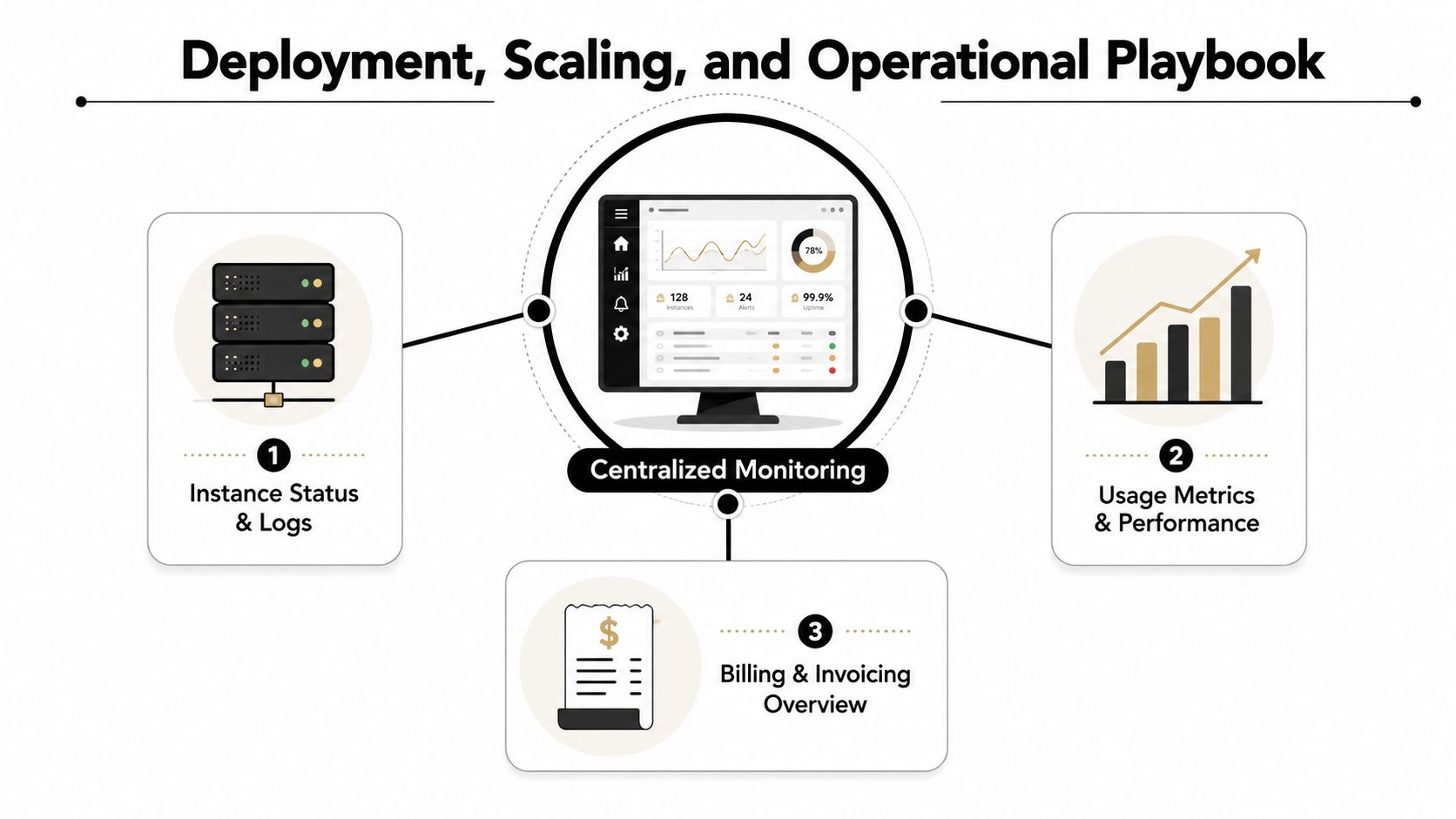
Deployment only works when the team can see what each instance is doing. Centralized monitoring, logs, usage, and billing in one place keep growth teams from losing control as the footprint expands. If you can't tell which instance is healthy, which one is noisy, and what it's costing, scaling will feel chaotic very quickly.
Start small, then widen the footprint
The practical deployment ladder is straightforward. A free tier can support a single agent. Personal sits at $25 per month per instance for solo builders, Team fits small revenue groups, and Enterprise adds SSO, dedicated support, and a 99.9% uptime SLA according to Donely's published product details. Automatic volume discounts become more relevant as the number of instances grows, especially for agencies and multi-brand teams.
A good launch process should let a client instance come online in under two minutes. That speed matters because it removes the excuse to keep everything manual while the team waits on setup. If the setup itself becomes the bottleneck, the automation project loses its edge.
Use the KPI stack as the scaling governor
As instances multiply, the KPI stack should stay consistent across them. If one client's workflow improves meeting-booked rate but another one inflates lead volume without downstream progress, you should see that quickly in centralized reporting. That's where the interaction between monitoring and governance becomes practical, not theoretical.
The safest expansion pattern is to copy a working instance, not reinvent the workflow every time. Keep the permissions scoped, keep the logs unified, and keep the review thresholds visible. That way, operational changes stay deliberate instead of accidental.
A workable rollout rhythm
The first 30 days should focus on one use case, one pipeline, and one clear handoff rule. By 90 days, teams should have a holdout group, a documented scoring model, and a repeatable review process. By 180 days, the goal is to have a stable multi-instance setup where new client or business workspaces can be launched without creating separate account sprawl or governance gaps.
For agencies, that means less time on setup and more time on tuning. For enterprises, it means rolling from one agent to many without losing visibility or violating internal controls. The system starts to pay off only when operations stay as disciplined as the automation itself.
If you're trying to turn AI lead generation into a governed workflow instead of another messy tool stack, Donely is built for that operating model. It gives teams a way to host, deploy, and manage AI employees with isolated instances, RBAC, and centralized monitoring, which is exactly what lead qualification and routing need when they move out of pilot mode. Visit Donely to see how that infrastructure can support your revenue workflow.