
An incident lands in your queue at 8:12 a.m. A client record changed overnight. The wrong workflow fired. A privileged setting was updated, but nobody on the team admits touching it. If an autonomous agent was involved, the problem gets harder fast. Which agent acted, in which instance, with what permissions, against which data, and under whose policy?
That's where audit trail software stops being a back-office checkbox and becomes operational infrastructure. Without a defensible record, you can't investigate cleanly, prove control to an auditor, or separate a bad system design from a bad actor.
The urgency isn't theoretical. The global audit trail management software market was valued at $8.2 billion in 2025 and is projected to reach $16.8 billion by 2034, according to DataIntelo's audit trail management software market report. That growth reflects a practical shift. Companies now need immutable records not only for human activity, but also for system changes and AI-driven actions across finance, healthcare, and technology environments.
Table of Contents
- Why Every Scaling Business Needs an Audit Trail
- Understanding Audit Trail Software Fundamentals
- The Seven Core Features of Modern Audit Trail Platforms
- Use Cases from Enterprise Compliance to AI Agent Governance
- How to Select the Right Audit Trail Software
- Implementation and Operational Best Practices
- Key Questions for Auditing AI Workforces
Why Every Scaling Business Needs an Audit Trail
A small team can get away with tribal knowledge for a while. Someone remembers who changed the billing rule. Someone else knows why access was granted to a contractor. Then the business adds more people, more systems, more customers, and often more automation. Memory stops scaling long before revenue does.
That's when failures turn from annoying to expensive. A support admin exports the wrong dataset. A workflow tool updates the wrong account field. An AI agent with scoped permissions still makes a legitimate but harmful change because the instructions were incomplete. If you can't reconstruct the event sequence, every response becomes guesswork.
The black box for business operations
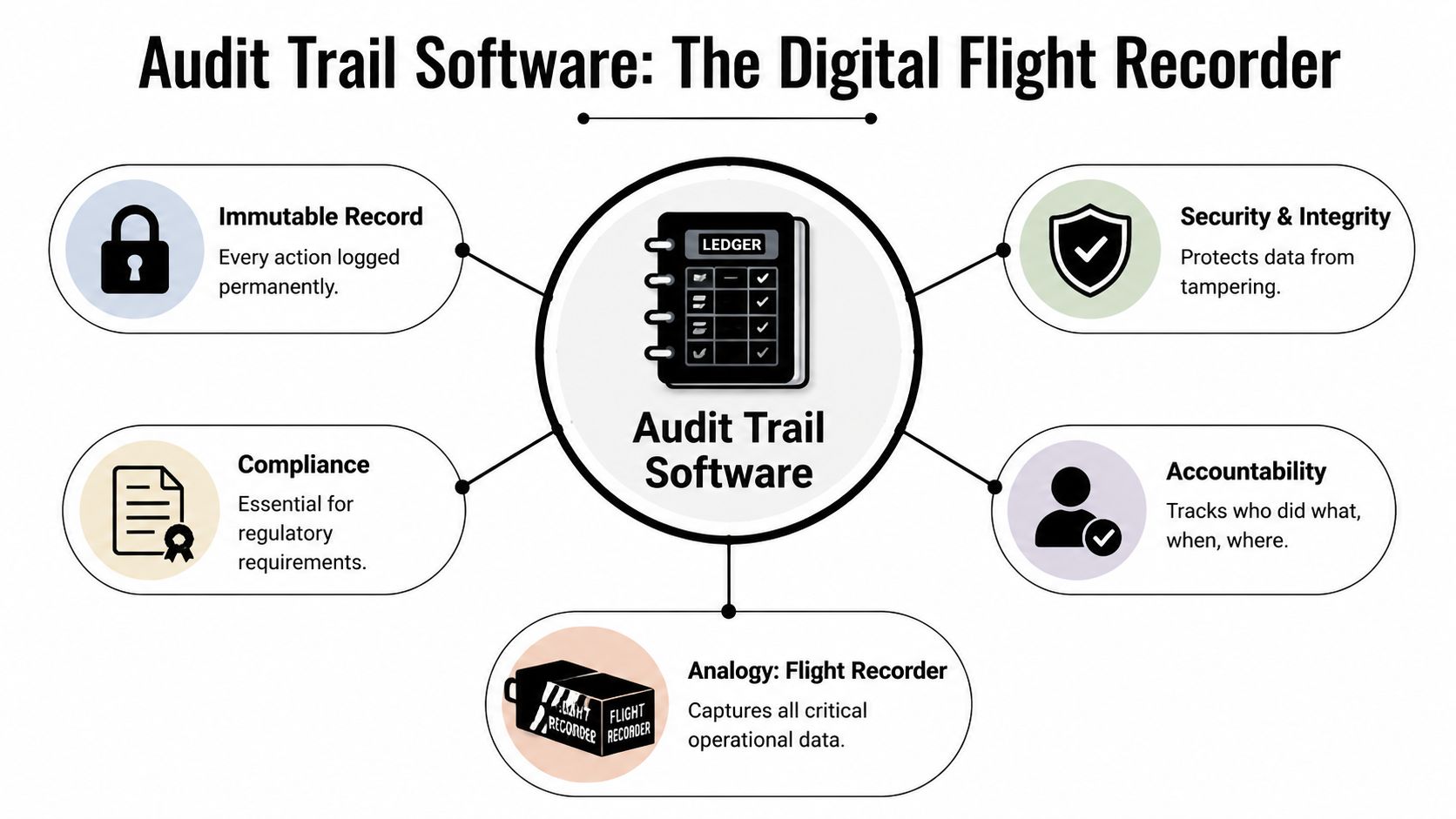
The best way to think about audit trail software is as the black box for your digital operations. It captures who did something, what changed, when it happened, and where it originated. In environments using autonomous systems, that record also needs to show which agent instance acted and under what identity boundary.
When teams lack an irrefutable record, they usually overcorrect. They freeze access, slow operations, and still don't know what actually happened.
This problem often gets mislabeled as a tooling gap when it's really a control-design gap. If your stack has grown in layers, it's worth looking at addressing technical debt in risk control, because weak logging and scattered evidence are often symptoms of deeper architectural shortcuts.
Why the pressure keeps increasing
Audit trails used to be discussed mostly in regulated back-office contexts. That's no longer enough. Teams now run customer support automations, finance workflows, access provisioning, and AI-assisted operations across multiple apps. Each handoff creates a new accountability boundary.
What matters for you is simple. If the business depends on software actions, those actions need evidence. If the business depends on AI actions, that evidence needs to hold up when nobody can point to a single human clicking a button.
Understanding Audit Trail Software Fundamentals
Basic logs tell you something happened. Audit trail software tells you enough to defend, investigate, and prove it.
What an audit trail actually records
A good audit trail is a structured, chronological record of meaningful events. Not noise. Not debug chatter. Not raw console output with half the context missing.
It should record actions such as authentication events, permission changes, approvals, data access, configuration changes, exports, workflow executions, and system-to-system updates. In AI environments, it also needs to record the acting agent identity, the instance boundary, target object, outcome, and source system.
It functions much like a flight data recorder. It doesn't capture every irrelevant vibration. It captures the events investigators need to reconstruct what happened during a critical moment.
Why application logs are not enough
Application logs are useful for engineers. They help diagnose crashes, latency spikes, and service errors. They are usually not designed for evidentiary integrity. They're often unstructured, inconsistently retained, and easy to alter if they live in the same mutable systems as production data.
An audit trail serves a different purpose:
- Forensics: It reconstructs a sequence of actions during an incident.
- Compliance evidence: It shows auditors that controls exist and were followed.
- Accountability: It ties actions to a user, service account, or agent identity.
- Operational review: It reveals whether failures came from policy, process, or execution.
Practical rule: If a record can be edited silently, it is not an audit trail in any serious compliance sense.
That distinction matters more once AI enters the workflow. A standard application log might show that an API call succeeded. A proper audit trail should show who authorized the agent, what role it held, what object it changed, and what state resulted afterward.
The Seven Core Features of Modern Audit Trail Platforms
A platform can call itself audit trail software and still miss the features that make it usable in a real incident or a real audit. The gap usually shows up when someone asks for proof and the system can only produce fragments.
Early in an evaluation, I look for one thing before anything else. Can the platform preserve trust in the record itself?
Integrity comes first
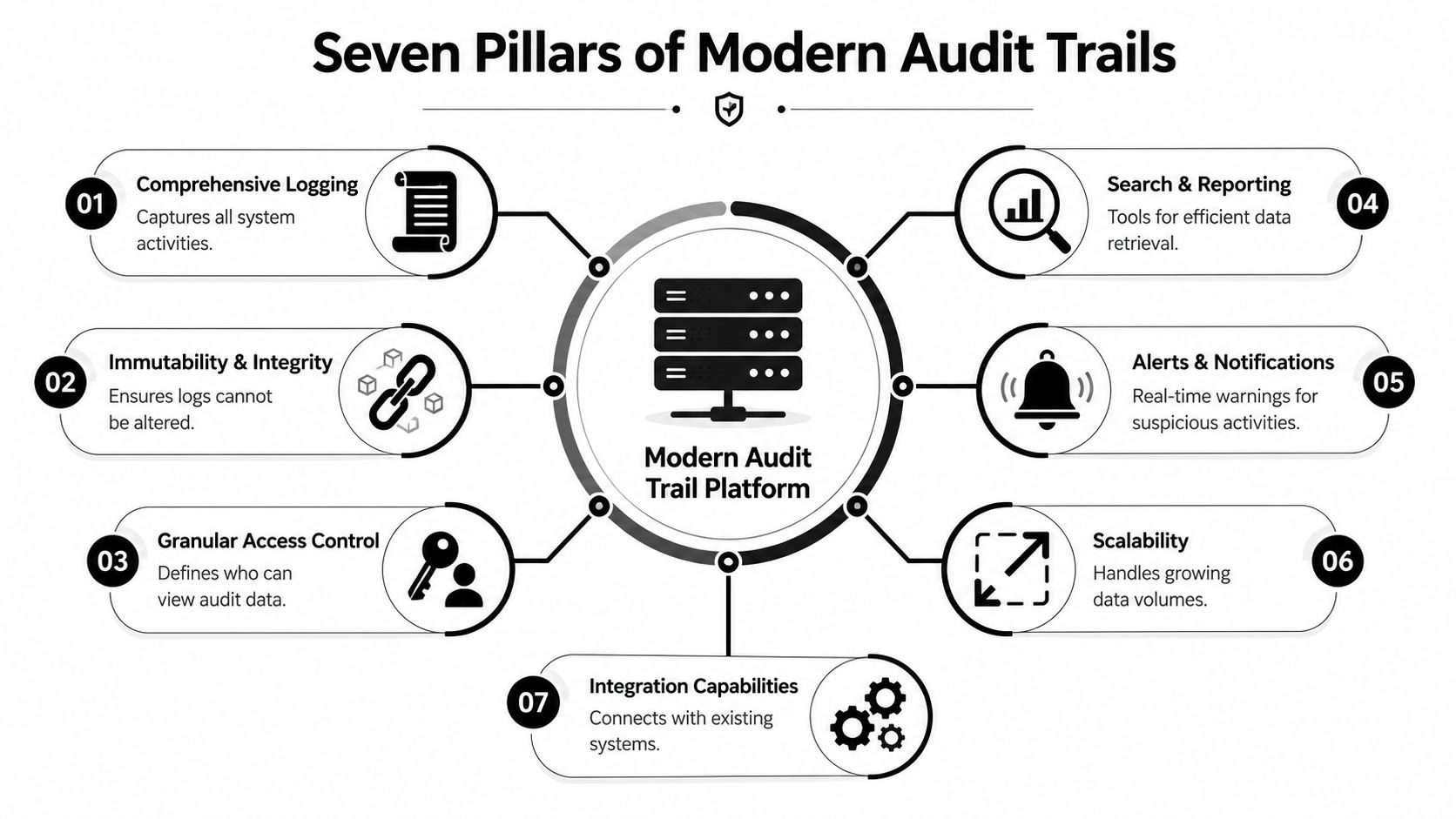
Immutability is non-negotiable. Enterprise-grade audit trail software must implement append-only or WORM storage architectures. Storing audit logs in mutable databases alongside operational data compromises integrity and fails external audit standards, as explained in KYC-Chain's discussion of audit trails for enterprise compliance.
If the record can be overwritten, deleted, or backfilled without evidence, every downstream control is weaker. Search, dashboards, and pretty exports don't fix that.
A short explainer is useful here:
The seven features that matter in practice
Immutable storage
Append-only or WORM design is the foundation. Without it, “audit” is just branding.Tamper evidence
The platform should make unauthorized modification visible. Cryptographic validation and chain-of-custody controls matter because silence is a major risk. A missing log is bad. A changed log that looks normal is worse.Granular access control
Not everyone should be able to read or administer audit records. Security teams may need broad visibility. Application owners may need filtered visibility. Admin rights over the platform itself should be tightly constrained and separately logged.Structured event metadata
Searchable fields matter more than teams expect. You want actor, role, source system, target object, action type, timestamp, result, and context tied to each event. During incident response, structured metadata cuts the time spent guessing which records belong together.Retention automation
Manual retention policies fail subtly. Good platforms enforce retention rules consistently, support legal hold workflows, and let teams keep recent records immediately accessible while moving older records into lower-cost storage tiers.Search and forensic workflows
During a review, nobody wants to grep through scattered files. Investigators need filters, saved queries, event correlation, and export controls that preserve evidentiary quality. The difference between “we log that” and “we can prove that” usually lives here.Integrations and alerting
Audit trails are most useful when they connect to identity systems, business apps, SIEM tooling, and workflow platforms. Real-time alerts for privileged changes, unusual access paths, or policy-sensitive actions can turn the trail from passive evidence into active control.
A platform doesn't need to be flashy. It needs to be trustworthy under stress.
Use Cases from Enterprise Compliance to AI Agent Governance
The easiest way to judge audit trail software is to ask what problem it solves on a bad day. Traditional enterprises and AI-heavy operators ask that question for different reasons, but they end up needing the same thing. A unified, defensible account of action and intent.

Where audit trails prove their value today
In finance, teams need evidence around approvals, journal-related changes, and access to sensitive financial systems. In healthcare, they need records tied to access and changes around protected data. In both cases, the practical use case is the same. Someone asks, “Who touched this, and why should we trust the answer?”
Audit trails also matter in internal disputes that never become formal incidents. A sales operations admin changes territory rules. A contractor is granted broader permissions than expected. A customer success workflow alters records in bulk. The business needs a record that survives finger-pointing.
For teams working through broader governance concerns, this overview of AI Image Detector on compliance frameworks is useful because it shows how policy, evidence, and operational controls have to line up instead of living in separate documents.
What changes when AI agents operate in parallel
This is where most existing guidance falls short. As noted in Censinet's discussion of audit trails and regulatory compliance, current content rarely addresses the gap between static logging and multi-agent AI workforces, even though standards such as the EU AI Act require the equivalent of who, what, when, where, and why for each entry.
That gap becomes obvious when a business runs many isolated agent instances at once. An agency may operate separate AI workers for multiple clients. A company may isolate one set of agents for support, another for sales ops, and another for internal knowledge tasks. If one agent updates a record incorrectly, “the AI did it” is not an answer. You need the exact instance, identity boundary, permission scope, source prompt or trigger, and downstream system action.
That's why platforms built for AI operations need unified logging across instances, not just local logs inside each container or tool. One example is Donely AI employees, which supports multi-instance deployments with unified audit logs and per-instance RBAC. In practice, that setup gives teams a way to trace actions back to a specific AI worker in a specific operational boundary without merging client or department evidence into a single undifferentiated stream.
The audit problem in AI operations isn't only “what happened.” It's “which autonomous worker did it, under which scope, and who owned that scope?”
How to Select the Right Audit Trail Software
Most buyers get stuck because every vendor claims visibility, compliance support, and security controls. The useful comparison starts when you force the conversation away from dashboards and into failure modes.
A strong buying process checks three dimensions at once. Technical fit, compliance fit, and operating fit. If one is weak, the platform will disappoint under pressure.
Audit Trail Software Evaluation Checklist
| Category | Criteria | Why It Matters |
|---|---|---|
| Technical | Append-only or WORM storage | Protects the integrity of the record itself |
| Technical | API access and export controls | Lets you integrate evidence into investigations and other systems |
| Technical | Support for asynchronous logging | Reduces the chance that audit capture slows core transactions |
| Technical | Searchable structured metadata | Makes incident review and root-cause analysis possible |
| Compliance | Retention policy controls | Helps align log handling with legal and regulatory obligations |
| Compliance | Access controls for audit data | Prevents broad or inappropriate access to sensitive evidence |
| Compliance | Support for AI action attribution | Matters when autonomous systems act without direct human clicks |
| Operational | Clean investigation workflow | Security and compliance teams need usable filtering and review |
| Operational | Integration library | Audit value increases when identity, apps, and workflows connect |
| Operational | Multi-tenant or multi-instance support | Critical for agencies, enterprises, and client-separated operations |
If your stack includes AI workflows, it's also worth checking how the platform connects to your surrounding systems. A buyer should review Donely integrations or the equivalent integration catalog from any vendor under consideration to confirm whether the audit trail can observe the tools where meaningful actions occur.
Questions that expose weak platforms
Ask these directly. Vague answers are useful signals.
- How do you guarantee immutability? If the answer is “we restrict admin access,” keep pushing. Access control is not immutability.
- Where are audit records stored relative to production data? Shared mutable storage increases risk.
- How do you attribute actions by service accounts and AI agents? If the vendor can't explain identity mapping, you'll struggle later.
- What metadata is captured for each event? Ask for actor, role, source system, target object, result, and timestamps.
- How do you handle retention and legal holds? Manual workarounds usually break at the worst time.
- What happens at high event volume? You want graceful scaling, not dropped records or blocked transactions.
- Can separate business units or clients remain isolated while security teams retain central visibility? This matters in multi-tenant operations.
A decent platform answers these with architecture, not adjectives.
Implementation and Operational Best Practices
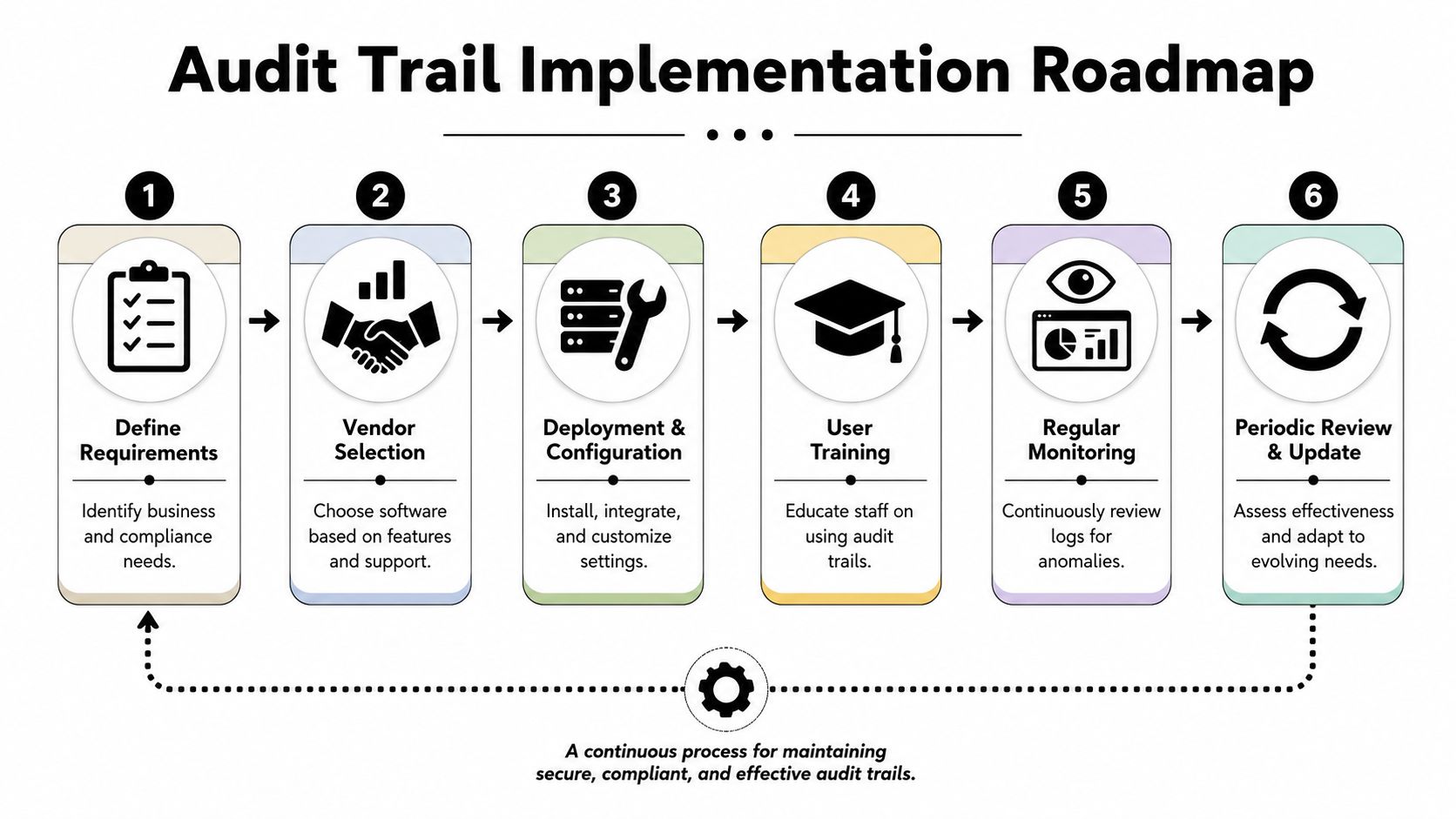
Buying the platform is the easy part. Running it in a way that stands up to auditors, investigators, and internal scrutiny is where discipline matters.
Retention and storage policy
Retention policy should start with your highest applicable obligation, not with your cheapest storage tier. According to DiliTrust's review of audit trail retention requirements, SOX requires 7 years, HIPAA requires 6 years, and EU AI Act Article 12 requires at least 6 months for high-risk AI systems. In practice, organizations usually retain logs for the longest applicable minimum period.
That means your policy should answer four questions clearly:
- What must be logged: Focus on privileged actions, access events, approvals, configuration changes, exports, and AI-initiated actions.
- How long it stays hot: Recent logs should remain quickly searchable for investigations.
- When it tiers down: Older records can move to lower-cost storage if integrity remains intact.
- Who can place a legal hold: This should be formal, limited, and documented.
Performance and operating discipline
A common implementation mistake is trying to log everything synchronously. That looks thorough on paper and performs badly in production. Asynchronous logging is usually the safer pattern because it separates event capture from critical transaction execution. Selective auditing also matters. Teams should prioritize high-risk operations instead of drowning in low-value event noise.
Another point that gets missed is timestamp discipline. Use normalized UTC timestamps across creation, ingestion, approvals, and status changes. When multiple systems and agents are involved, inconsistent time handling can ruin an investigation.
A practical operating model usually includes:
- Quarterly control review: Confirm that event coverage still matches real workflows.
- RBAC review: Recheck who can view, export, and administer audit data.
- Incident drills: Test whether teams can reconstruct a realistic event path.
- AI boundary checks: Verify that agent actions remain attributable to the correct instance and role scope.
For organizations deploying autonomous workers, the platform's own control posture matters too. Reviewing a vendor's published security policy for AI operations helps confirm how isolation, access boundaries, and logging are handled before you rely on the platform as evidence infrastructure.
Good audit operations balance three things at once: defensible retention, affordable storage, and minimal production impact.
Key Questions for Auditing AI Workforces
Executives usually ask the hardest questions last. They should ask them first.
Who is liable when an AI agent changes data without human oversight
The system owner is still accountable for the control environment. Delegating an action to an autonomous agent doesn't eliminate governance responsibility. It increases the need for clear authorization boundaries, scoped permissions, and reliable evidence showing how the action occurred.
How long should AI-generated logs be retained
This is still one of the least clearly answered areas. As noted in Ping Identity's discussion of audit trails, teams regularly ask how long AI-generated logs must be retained and who owns liability when an AI agent modifies data without direct human oversight. Current guidance often cites retention periods generally, but doesn't separate human and AI actions cleanly.
The practical answer is to avoid separate retention logic unless you have a documented legal basis to do so. If an AI action can affect regulated data, customer outcomes, access rights, or financial records, its audit evidence should be governed at least as carefully as human-generated evidence.
What makes AI audit evidence credible
Three things matter most:
- Attribution: The event must tie back to a specific agent identity and instance.
- Chain of custody: The record must remain intact from creation through review and export.
- Context: Investigators need enough metadata to understand the permission scope and downstream effect.
If your platform can't produce that, it can't answer the questions your legal, security, and compliance teams will face once AI workers become part of routine operations.
If you're deploying AI employees and need a practical way to keep accountability intact, Donely provides a unified platform for hosting and managing AI workforces with isolated instances, per-instance RBAC, and unified audit logs. That combination is useful when you need operational speed without losing traceability across agents, teams, and client environments.