
You've probably already done the fun part. You got an OpenClaw agent working, connected a model, sent a few prompts through Telegram or Slack, and watched it complete a real task. That first success is enough to make the whole category feel different.
Then the boring problems show up. Where does the agent run? How do you isolate one client's data from another? What happens when a connector authenticates during setup but fails later in production? How do you control model cost before a background workflow burns through your budget? That's where most OpenClaw tutorials stop being useful.
This openclaw agent tutorial 2026 starts where the usual guides end. It skips localhost demos and focuses on what people need once an agent is supposed to stay online, connect to business systems, and serve a team or customer without constant babysitting.
Table of Contents
- From GitHub Sensation to Production Challenge
- Launch Your First Agent Instance in Minutes
- Connect Your Agent to Business Tools
- Activate Your Agent on Communication Channels
- Scale and Govern Your AI Workforce
- Best Practices for Secure and Cost-Effective Agents
From GitHub Sensation to Production Challenge
A team gets an OpenClaw agent running on Friday afternoon. By Monday, someone wants it connected to Slack, someone else wants Gmail access, and leadership asks whether it can handle customer-facing work. That is the moment the project changes. You are no longer testing an interesting repo. You are taking on uptime, permissions, auditability, and failure handling.
OpenClaw spread fast because it moved beyond chat demos. Teams saw that one agent could monitor inboxes, trigger workflows, call business tools, and keep running without a person babysitting a browser tab. That jump from experiment to operator is exactly why production deployment becomes the hard part so quickly.
Founders want lead follow-up agents that do not miss handoffs. Agencies want isolated client environments instead of one shared setup with messy credentials. Operations teams want scheduled jobs, browser automation, and tool access without building their own control plane first.
A good starting point if you're still mapping the ecosystem is to discover Openclaw for modern tech founders. It's useful context for understanding why so many builders are trying to turn a single working agent into something operational.
The demo is easy. Production is where teams stall
I see the same pattern over and over. The agent answers correctly in a test prompt, everyone gets excited, then the deployment work starts surfacing problems the demo never exposed.
Production OpenClaw setups live or die on a few operational basics:
- Runtime isolation so one agent's memory, files, or failures do not spill into another tenant or workflow
- Persistent execution so restarts, deploys, and provider interruptions do not stop the agent
- Connector monitoring so Gmail, HubSpot, Notion, or Stripe failures are detected before users report them
- Permission boundaries so teammates, clients, and admins only get the access they need
- Cost controls so an always-on agent does not burn tokens, API calls, or browser minutes without guardrails
At that point, prompt quality still matters, but platform design matters more. The issue isn't trust. It's blast radius.
Practical rule: If your OpenClaw agent touches customer data, sends messages, or runs on a schedule, you're already operating a production service.
That is why I usually steer teams away from building their first serious deployment on a hand-managed box. A VPS can work, and I still use one for narrow cases, but it shifts too much operational burden onto the team too early. If you need that route for comparison, Donely has a clear guide on installing OpenClaw on a VPS. For business use, managed deployment closes a lot of the gaps that cause the first outages.
What a production-ready setup changes
Production-ready deployment changes the order of decisions. Teams that start with shell access often postpone isolation, secrets handling, and observability until after the first incident. Teams that start on Donely can define instance boundaries, control access, manage secrets, and standardize rollout before the agent is wired into real work.
That shift is significant because OpenClaw is powerful enough to become part of daily operations. Once it handles inbound requests, CRM updates, support triage, or scheduled browser tasks, downtime stops being a minor inconvenience. Bad configuration turns into missed revenue, confused users, and cleanup work for the humans who thought the agent had it covered.
The local-host hello world is not the challenge. Running OpenClaw safely, repeatedly, and at team scale is the challenge. That is the part this tutorial focuses on.
Launch Your First Agent Instance in Minutes
Monday morning is a bad time to discover your first OpenClaw deploy depends on a half-finished Docker setup and a shell session nobody documented. For a production agent, the first launch should answer one question fast. Can this instance complete a real business task, under the controls your team will use?
Start with an operator's brief
Before deploying on Donely, define the instance the same way you would define any other service in production. Give it a narrow job, a limited toolset, and a clear approval boundary.
Use these three inputs:
Role
Pick one job with an obvious outcome. Sales follow-up agent, support triage agent, internal research assistant, or meeting prep assistant all work. Broad mandates create messy logs and harder debugging.Primary tools
Select only the systems required for the first workflow. A small starting set, such as Gmail and HubSpot or Slack and Notion, keeps permission review manageable.Execution boundary
Decide what the agent can do on its own and what must stop for human review. Drafting a reply is different from sending it. Reading a CRM record is different from updating one.
That framing saves time later. When an agent has one job, a small number of connectors, and a defined approval step, teams can tell whether a failure came from the prompt, the tool config, the model choice, or the access policy.
Follow the shortest stable path
For the first deployment, choose defaults that reduce variables. Donely is useful here because it removes the setup work that usually burns the first few hours. No package drift. No manual process supervision. No rebuilding the same container recipe every time a teammate wants a new instance.
A practical first-pass setup looks like this:
| Deployment choice | Recommended first move | Why it helps |
|---|---|---|
| Agent name | Use a job-based name | Logs, ownership, and audit trails stay readable |
| Base model setup | Start with a balanced default | Stable tool use matters more than early model tuning |
| Workspace scope | One business function per instance | Permissions stay tighter and failures are easier to isolate |
| Initial skills | Add only what the first workflow needs | Fewer moving parts means fewer surprise actions |
Teams still choose self-hosting for specific reasons, usually data residency rules, custom networking, or existing infrastructure standards. If you want to compare the trade-offs, this guide on installing OpenClaw on a VPS is a useful baseline. It makes the operational overhead visible, which is exactly what managed deployment removes.
Validate the task, not the button click
A green deployment status is only the start. The first real checkpoint is whether the agent can complete one meaningful task without guessing, stalling, or writing to the wrong system.
Run a short validation pass:
- Give it a real task instead of a demo prompt
- Inspect tool calls and confirm it used the intended connector
- Check the output destination so drafts, tickets, or records landed in the correct place
- Trigger one failure case such as a missing field, expired token, or revoked permission
I treat that test as the minimum bar for launch. If an agent cannot handle one happy path and one controlled failure, it is not ready for production traffic.
A lot of first deploy issues are still boring infrastructure problems. Runtime mismatches, missing sandbox support for browser or shell actions, and bad fallback model settings all show up early. Managed deployment cuts out much of that work because the runtime, process layer, and baseline configuration are already in place before the agent handles live tasks.
A first agent should complete one real task cleanly. It does not need to demonstrate every OpenClaw feature on day one.
Once that task is reliable, expand carefully. Add memory rules after you confirm the core workflow. Add scheduled jobs after you verify logs and retries. Add more tools only after the first permission set has been exercised under real use.
A quick walkthrough helps if you want to see the flow visually before doing it yourself.
The best first launch is deliberately boring. Short setup, narrow scope, one real task, verified output. That is how OpenClaw moves from demo energy to something a team can rely on.
Connect Your Agent to Business Tools
The difference between a novelty agent and a useful one is tool access. Once OpenClaw can read from one business system and write to another, it starts acting like an operator instead of a chatbot. That's also where many deployments fall apart.
Tutorials love to list integrations. They rarely show what happens when authentication succeeds once, then fails under real traffic or a changed permission scope.
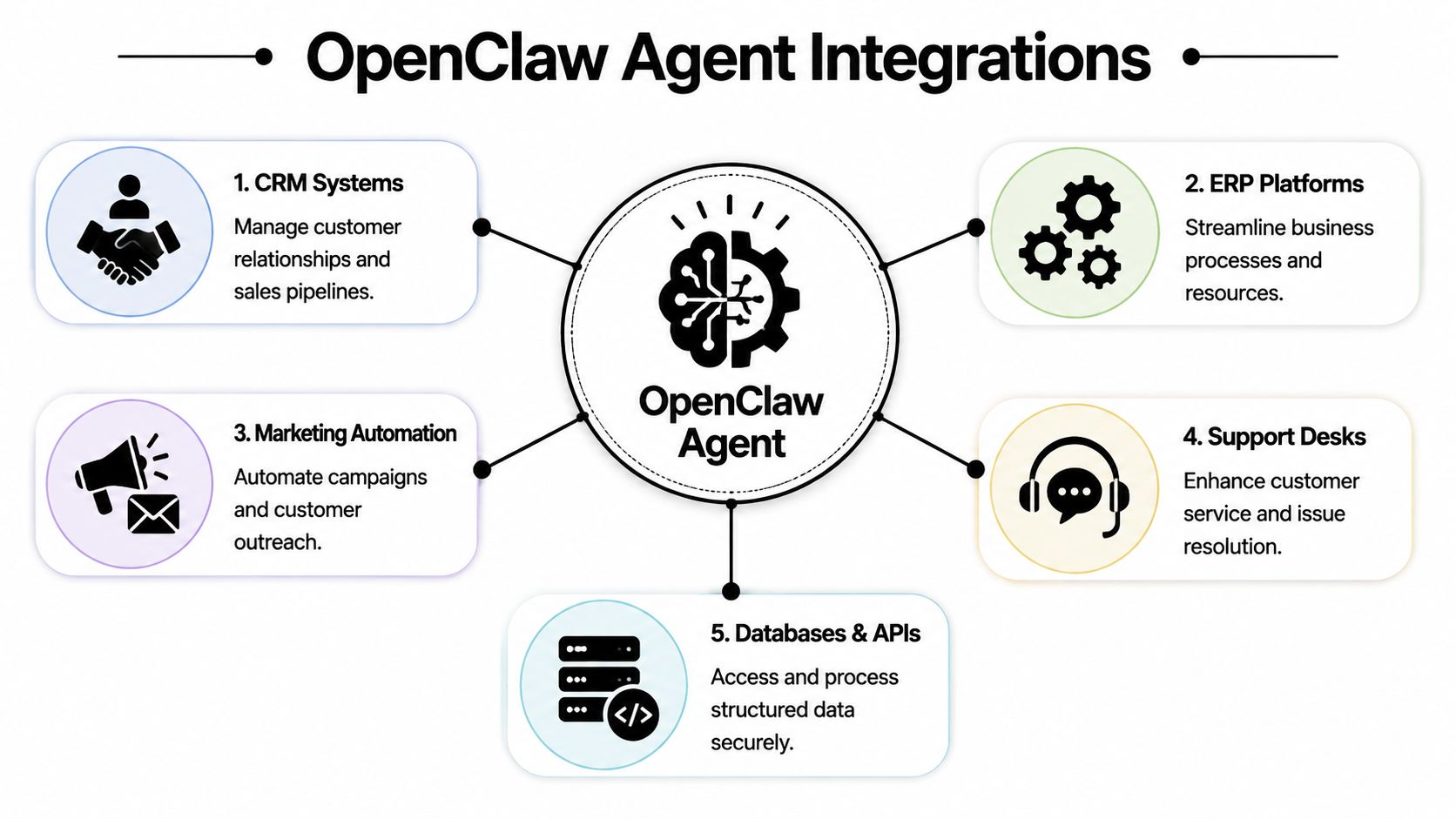
Pick one workflow with a clear boundary
Don't start by connecting ten tools. Start with one workflow where success and failure are obvious.
A reliable example is this:
- New lead appears in HubSpot
- Agent reads lead details
- Agent drafts a follow-up in Gmail
- Human approves or edits before send
That workflow has a clean trigger, limited systems, and a clear final artifact. It also surfaces the right operational questions early. Can the CRM connector read the right records? Can the mail tool create drafts without sending? Can the agent handle missing company fields or partial contact data?
If you need ideas for capabilities worth adding after the base setup, this list of OpenClaw skills worth using is a practical next stop.
How to wire HubSpot and Gmail without creating chaos
The safe way to do this is to scope permissions tightly.
Use the CRM connection for reading lead records and only the fields the workflow needs. Use the Gmail connection for draft creation, not unrestricted inbox operations, unless the agent's role requires that access. Then define the prompt around those exact tool boundaries.
A simple production prompt structure looks like this:
- Read newly assigned leads from HubSpot
- Summarize company and contact context
- Draft an email in Gmail using a fixed tone and approved CTA
- Ask for review if key fields are missing
That setup keeps the agent useful while reducing the chance of side effects.
Operator note: The best connector setup is the one that limits what the agent can do wrong, not the one that exposes every possible action.
What to check when a connector looks healthy but isn't
A common source of wasted time occurs when a tool authenticates during setup but then fails during workflow execution. According to this production OpenClaw guide focused on real-world operations, tool integration is where 80% of agent projects fail in practice, especially when MCP servers appear healthy at setup time but break in production.
Use this troubleshooting sequence:
Permission scope
The account connected successfully, but the token doesn't allow the exact action the agent is attempting.Data shape
The connector returns data, but the fields the prompt expects aren't always present.Silent timeout behavior
The tool responds too slowly, and the agent moves on without a useful retry path.Credential drift
The original auth worked, then expired, rotated, or changed after rollout.Over-broad prompts
The agent has the right tools but no clear instruction on when to use each one.
What works is boring instrumentation. Check logs, inspect the exact tool call, verify the returned payload, and tighten the prompt so the agent isn't improvising connector behavior.
Activate Your Agent on Communication Channels
A channel launch is where an OpenClaw deployment starts feeling real. The first production problem also shows up here. Users stop treating the agent like a demo and start using it the way they use every other business tool. They write vague requests, post partial screenshots, tag the bot in busy threads, and expect an answer in seconds.
That is why channel activation needs production rules, not just a webhook and a bot token. On Donely, the goal is to expose the agent where work already happens while keeping scope, auditability, and escalation paths under control. If you want the broader enterprise pattern behind that approach, see Donely's guide to OpenClaw and NeMoClaw for enterprise AI operations.

A support workflow that teams actually use
A good starting pattern is a client support agent inside a shared Slack channel.
One agent serves one client. The agent handles a narrow slice of work such as answering repeat questions, collecting missing details, and routing edge cases to a human. The client team stays in Slack. The delivery team monitors behavior from Donely, reviews conversations, and adjusts prompts or permissions without asking users to change how they work.
That structure holds up under real usage because the context stays attached to the conversation. The agent can see the thread, the human can step in when needed, and the team does not need a separate dashboard open all day just to get value from the system.
Match the channel to the job
Different channels create different failure modes. Slack threads are good for internal coordination. WhatsApp is better for lightweight customer intake, but it needs clear rules on what the agent can promise. Telegram works well for operator workflows and quick commands, although informal phrasing often causes scope drift. Discord can support community operations, but public channels raise the cost of bad answers immediately.
| Channel | Best fit | Watch out for |
|---|---|---|
| Slack | Internal ops, support, team workflows | Overly broad workspace access |
| Customer communication, lightweight intake | Unclear escalation rules | |
| Telegram | Founder workflows, direct command-and-control | Informal prompts that blur scope |
| Discord | Community support and moderation | Mixed public and private contexts |
Teams get better results when they activate one channel per use case and write the operating rules before launch:
- Single-purpose activation so each channel has a defined job
- Clear response boundaries so the agent knows when to escalate
- Human fallback path for requests involving payments, policy exceptions, or account changes
- Session review habit so early conversations shape better prompts and permissions
Public and semi-public channels need tighter prompts than internal assistants. Small wording mistakes become visible fast.
One more practical point. Channel rollout often exposes gaps in the rest of the stack. If a startup is still deciding which tools belong in front of customers versus behind the scenes, this list of essential AI tools for startups is a useful reference for separating agent-facing systems from internal operator tooling.
Treat channel setup as part of operations design. The channel changes how users ask for help, how much ambiguity the agent receives, and how quickly a mistake spreads. A capable backend agent with loose channel rules becomes expensive to supervise.
Scale and Govern Your AI Workforce
One working agent proves the concept. Multiple agents force you to decide whether you're building a repeatable system or a pile of exceptions.
Much OpenClaw enthusiasm encounters operations reality. The architecture is flexible enough for serious workloads, but flexible doesn't mean governed.
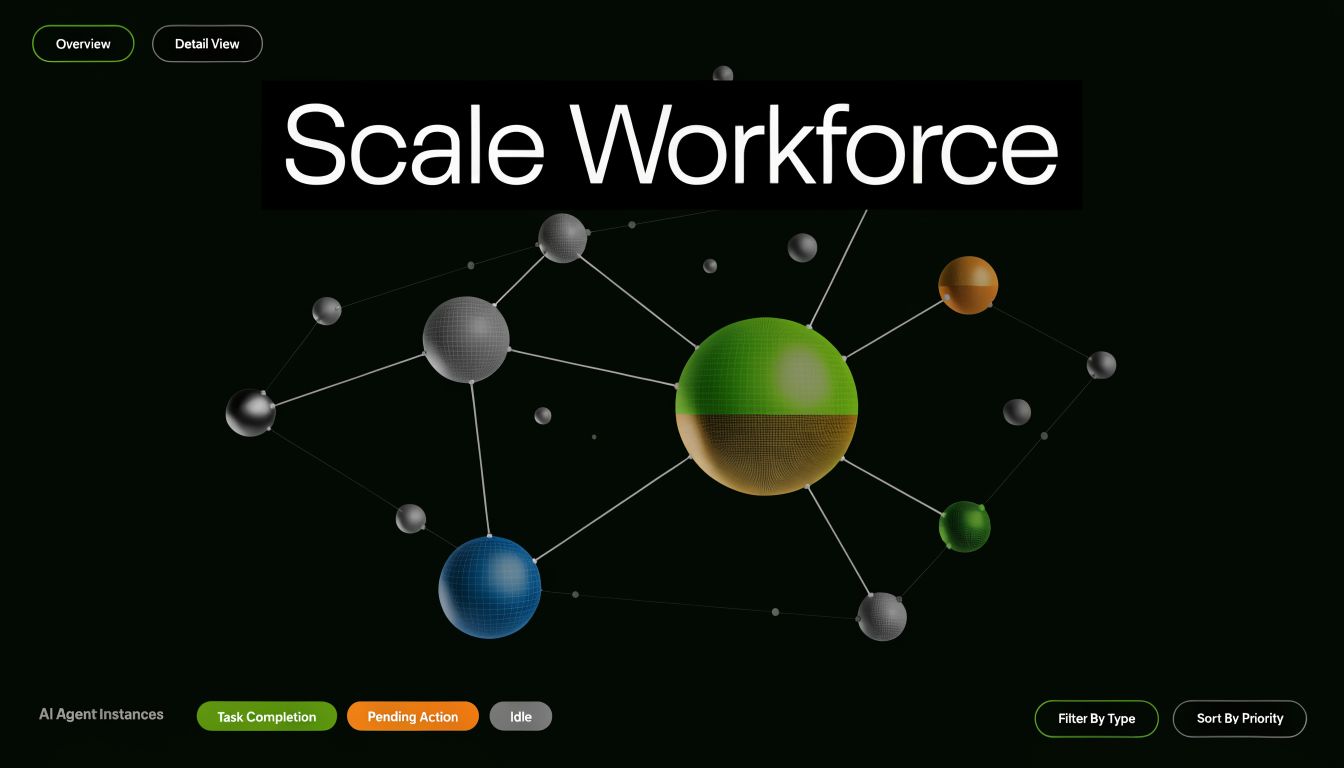
One agent is a build. Many agents are an operating model
The biggest shift comes when you stop thinking in terms of “my OpenClaw setup” and start thinking in terms of instances, roles, permissions, auditability, and billing.
That shift matters because existing OpenClaw tutorials still leave a major gap around multi-instance operations. As documented in this analysis of the production deployment gap, they often stop before covering multi-instance orchestration, isolated data boundaries, or RBAC enforcement, even though those are critical for agencies managing 5 to 50 client agents. The same analysis describes the resulting cliff clearly. Teams either build custom DevOps around OpenClaw or move to something easier to govern.
That's the right framing. Once you run several agents, you need an operating model.
What good governance looks like in practice
A healthy multi-agent environment usually has these traits:
Separate instances per client or business function
Sales shouldn't share runtime and context with support. Client A shouldn't share anything with Client B.Per-instance access control
A client might need visibility into their own logs or agent behavior, but not access to admin settings or other deployments.Centralized monitoring
Operators need one place to review health, usage, and failures across agents.Unified billing
Finance wants one bill. Operators want workload-level visibility. You need both.Rollback discipline
Changes to prompts, tools, and automations should be reversible without surgery.
For teams comparing deployment stacks and adjacent platforms, this roundup of essential AI tools for startups is a solid supplementary read because it helps place agent infrastructure inside a broader startup toolchain.
Where most teams break their deployment
They reuse one instance for too much. It starts as convenience. Then one workspace contains mixed credentials, overlapping prompts, unclear ownership, and impossible debugging.
A better model is to think in lanes:
| Instance type | Typical owner | Example use |
|---|---|---|
| Founder lane | Founder or operator | Personal inbox triage, calendar prep |
| Team lane | Functional team | Shared sales or support workflows |
| Client lane | Agency plus client stakeholders | Isolated delivery for one account |
| Enterprise lane | Ops and compliance teams | Controlled business-unit deployments |
If you're evaluating enterprise-grade OpenClaw patterns in more depth, this write-up on NVIDIA NeMoClaw and OpenClaw enterprise deployment adds useful context around governance expectations.
The reason governance matters now is simple. OpenClaw adoption moved fast, and many teams are crossing from experimentation into operations. A system that can't isolate workloads, restrict access, and consolidate oversight will become fragile before it becomes valuable.
Best Practices for Secure and Cost-Effective Agents
A production agent fails in predictable ways. It gets broader permissions than its job requires, starts calling the wrong tools after a prompt change, or burns budget on work nobody reviews. Teams usually notice only after a customer sees the mistake or finance asks why usage spiked.
The fix is operational discipline from day one. OpenClaw agents need the same controls you would apply to any service account with write access, external integrations, and background execution.
Security rules worth keeping even for small teams
Start with runtime isolation and scoped access. An agent that can browse, call internal APIs, or act inside a business system should run in a contained environment with only the credentials for that role. Keep internal operations agents separate from customer-facing agents. Keep personal automations out of shared business environments.
Then make actions traceable. Logs should show which tool ran, what input triggered it, what changed, and what failed. That shortens debugging time, and it matters just as much for approvals, audits, and incident review.
Use these controls as your baseline:
- Scoped credentials so each agent can reach only the tools and data it needs
- Isolated workloads so a failure in one workflow does not affect another
- Reviewable logs so operators can trace behavior changes and failed runs
- Human approval for irreversible actions such as sensitive outbound messages, record deletion, or permission changes
Small teams often treat governance as overhead. In practice, it is how you keep one bad prompt, expired token, or connector mistake from becoming a company-wide problem.
On Donely, these controls are much easier to maintain because isolation, access boundaries, monitoring, and instance-level management are already part of the deployment model. That removes a lot of the glue code and policy drift that shows up in self-managed setups.
Cost control has to be designed in
OpenClaw costs usually drift because nobody defines routing rules early. The expensive model becomes the default. Scheduled jobs keep running after the workflow changes. Prompts expand, tool calls multiply, and no one notices until usage reviews get uncomfortable.
The common failure patterns are straightforward:
- High-end models used for every task, including low-value classification or formatting
- Background runs scheduled more frequently than the business process requires
- No fallback path to a cheaper model when the task is simple
- Overly broad prompts that trigger longer reasoning and more tool use than necessary
A better setup uses tiers. Reserve stronger models for planning, exception handling, and multi-step orchestration. Use lower-cost models for extraction, tagging, summarization, and routine decisions with clear constraints. Put runtime limits on jobs that can loop or retry. Review scheduled workflows on a fixed cadence, because forgotten automations are a common source of waste.
This is one of the main advantages of deploying on a managed platform instead of following a local-host tutorial into production. Cost control is not just a prompt problem. It is a platform problem involving job schedules, model routing, visibility, and guardrails across every running instance.
A good OpenClaw deployment stays understandable, bounded, and affordable after the launch week. If it cannot do that, it is still an experiment.
If you want to run OpenClaw agents without building the surrounding infrastructure yourself, Donely gives you a managed path from first deployment to multi-instance operations. You can launch production-ready agents quickly, connect business tools and channels from one dashboard, and keep security, isolation, monitoring, and billing under control as your AI workforce grows.