
You're probably dealing with one of two situations right now. Either your team has proven that AI can draft content, but the workflow keeps collapsing around handoffs, review, and publishing. Or you've already built a basic OpenClaw agent, and it works just well enough to be dangerous.
That gap is where most “openclaw content machine pipeline” guides stop being useful. They show a single agent pulling ideas and spitting out drafts. They rarely deal with the parts that break first in production: client isolation, role-based access, webhook failures, auditability, deployment discipline, and the uncomfortable question of whether more output is producing better business results.
A production pipeline is not one prompt with a cron job attached. It's an operational system. It needs deterministic steps, traceable outputs, controlled permissions, and clean integration with the tools your team already uses. If you're an agency, it also needs hard boundaries between clients. If you're in a regulated environment, it needs logs and scoped access from day one.
Table of Contents
- The Promise of the AI Content Machine
- Architecting Your Pipeline with Multi-Agent Design
- End-to-End Implementation on the Donely Platform
- Integrating Your Pipeline with Business Tools
- Governance and Scaling Your AI Workforce
- Optimizing for Performance, Cost, and ROI
- Frequently Asked Questions
The Promise of the AI Content Machine
Monday starts with a familiar problem. The marketing lead has a webinar recording, three product updates, a sales push for one client, and two compliance reviews still open from last week. Nothing is blocked by creativity. Everything is blocked by handoffs.
That is the promise of an openclaw content machine pipeline. It turns scattered content work into a repeatable operating system with defined inputs, checkpoints, and outputs. In Opus's breakdown of the OpenClaw content machine, the reported gain is not just faster drafting. The workflow increases how much approved content one operator can push across channels, while reducing the amount of manual repackaging required for YouTube, TikTok, and Instagram in Opus's breakdown of the OpenClaw content machine.
For enterprise teams, the interesting part is not the demo. The interesting part is whether the system still holds up when five client accounts run at once, billing must stay centralized, and one business unit cannot see another unit's prompts, logs, or source files. That is where a managed deployment model matters more than another prompt tweak. Teams that need isolated, production-ready AI employees for multi-team operations usually care less about novelty and more about control, traceability, and repeatable delivery.
What the machine should own
A production pipeline should take over the work that is repetitive, structured, and easy to verify:
- Research intake: collecting raw inputs from feeds, communities, transcripts, and competitor channels
- Draft assembly: creating outlines, first drafts, metadata, repurposing variants, and packaging for each channel
- Queue movement: routing assets through review, revision, approval, and publishing steps without relying on memory
- Operational logging: recording what ran, what failed, who approved it, and which model or prompt version produced the output
That saves time. It also reduces hidden operational risk.
The machine should not make final calls on brand positioning, legal edge cases, regulated claims, or sensitive client messaging. Those decisions belong to a person with context and authority. In practice, the fastest path to trust is narrow automation first, then gradual expansion after the team can review output quality and failure patterns.
A lot of teams choose tooling before they define control boundaries. That creates rework later. If you are evaluating stack options, this guide on choosing the right generative AI platform is useful because platform choice affects tenant isolation, deployment discipline, and how painful audits become once the pipeline is live.
What serious teams decide before launch
Before prompt tuning or agent orchestration, set the operating rules.
| Concern | What to decide early |
|---|---|
| Ownership | Who can approve topics, drafts, and publishing actions |
| Isolation | Whether each client, region, or business unit gets its own runtime and storage boundary |
| Audit trail | Where prompts, outputs, logs, and approval history are retained |
| Failure handling | How reruns work, how duplicates are prevented, and who gets alerted |
| Billing | Whether usage is tracked per client, per team, or under one centralized budget |
This is the part lightweight tutorials skip. A content machine creates value when it removes production drag without creating new security, compliance, or governance problems. The upside is real, but only if the pipeline is designed like a system that has to survive growth.
Architecting Your Pipeline with Multi-Agent Design
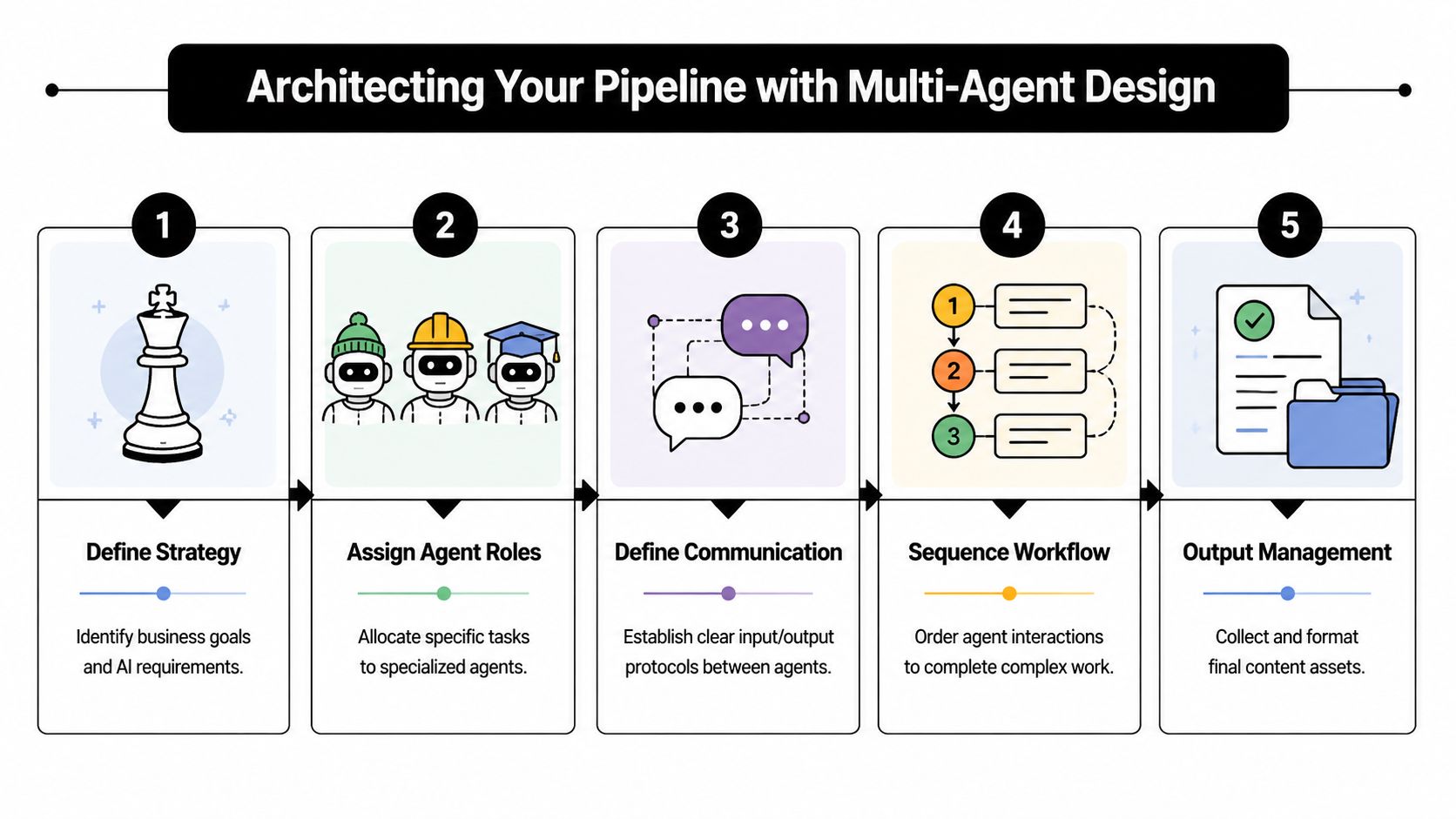
A single-agent demo usually looks convincing for about fifteen minutes. The model finds a topic, writes a draft, adds keywords, and pushes something that resembles a finished article. Then the first enterprise constraint shows up. One client needs isolated retrieval data, another needs legal review before publishing, finance wants usage rolled up under one invoice, and operations needs to know which step failed at 2:13 a.m.
That is why production pipelines split responsibilities across agents and across instances.
Why single-agent setups fail in production
A content pipeline needs predictable handoffs, clear ownership, and outputs that another system can validate. One generalist agent can produce text, but it is a poor fit for environments where different teams approve topics, drafts, compliance language, and publication.
The common failure modes are operational, not theoretical:
- Responsibility drift: one agent handles research, selection, outlining, and logging, so root cause analysis gets muddy
- Output ambiguity: downstream steps receive mixed artifacts instead of one defined payload
- Review bottlenecks: editors cannot tell whether they should fix the topic choice, the structure, or the source quality
- Tenant risk: if the same runtime serves multiple clients, prompts and retrieval context are easier to mis-scope
- Cost opacity: token spend gets buried inside one oversized step instead of being attributed by stage or client
A deterministic multi-agent pattern inside OpenClaw addresses that by assigning specialized roles, structured outputs, and persistent state, as described in this multi-agent OpenClaw implementation.
For teams earlier in the maturity curve, this explainer on automated task management for creators helps frame the difference between generic workflow automation and agent systems with strict contracts.
A handoff model that survives real operations
The first production design should be boring on purpose. Keep each agent narrow enough that a human operator can inspect its output in seconds and rerun only the failed step.
| Agent | Job | Expected output |
|---|---|---|
| Scout | Monitor sources and collect candidate topics | Ranked shortlist |
| Select | Choose one angle and justify it | Single approved title with rationale |
| Outline | Build the content structure | Markdown outline |
| Track | Log run state and metadata | Tracker update and audit record |
This model works because each agent produces one artifact for the next stage. Scout gathers candidates. Select makes a constrained decision. Outline turns that decision into a usable structure. Track records the run outside the model so operators can audit what happened without reading prompt history.
The contract between agents matters as much as the roles themselves. Pass a small schema, not a paragraph of freeform text. If Select chooses a topic, the payload should include the title, source references, audience, brand constraints, and approval state. If that output cannot be validated automatically, the stage is still a prototype.
Teams expanding beyond content drafting often use the same role-based pattern in managed AI employee orchestration for business workflows. The point is not novelty. The point is controlled scope.
Design for multi-instance reality, not one shared workspace
This is the part simple OpenClaw tutorials usually skip.
An agency, media group, or internal enterprise team rarely runs one pipeline for one audience. They run many pipelines across clients, regions, brands, or departments. That changes the architecture. Instead of one chain of agents inside one shared environment, build the pipeline so the same agent pattern can be deployed across separate instances with isolated storage, permissions, and billing tags.
That design creates trade-offs. Separate instances increase operational overhead, but they reduce blast radius. Shared infrastructure is cheaper, but it complicates RBAC and raises the chance of cross-client retrieval mistakes. Centralized billing makes finance happy, but only if usage is tagged at the instance or workflow level from day one.
A practical rule is simple. Share templates, code, and deployment automation. Isolate runtime data, secrets, logs, and retrieval corpora anywhere client boundaries matter.
Where retrieval and memory actually help
Retrieval improves output when it is scoped tightly to the task. Dumping every brief, style guide, transcript, and product page into context usually raises token cost faster than it raises quality.
Use retrieval where precision changes the business outcome:
- Topic research, where Scout needs current sources from an approved corpus
- Brand and compliance checks, where Review needs the right policy files
- Client-specific drafting, where Outline or Draft needs access to one tenant's voice and source material
- Post-run audit, where operators need the exact inputs and outputs for that instance
Persistent storage matters for a different reason. It gives each run continuity and leaves a durable record outside the model. In production, that record is often more useful than squeezing a slightly better answer out of a larger context window.
Keep the operating pattern tight:
- Store inputs and outputs for every stage
- Persist approvals outside the model
- Scope retrieval indexes to the client, team, or content line
- Version prompts, role files, and schemas in Git
- Tag every run with instance, owner, and billing metadata
That last point saves pain later. Once multiple clients, reviewers, and pipelines share the same platform, prompt files are part of the application, not scratch notes in someone's local folder.
End-to-End Implementation on the Donely Platform
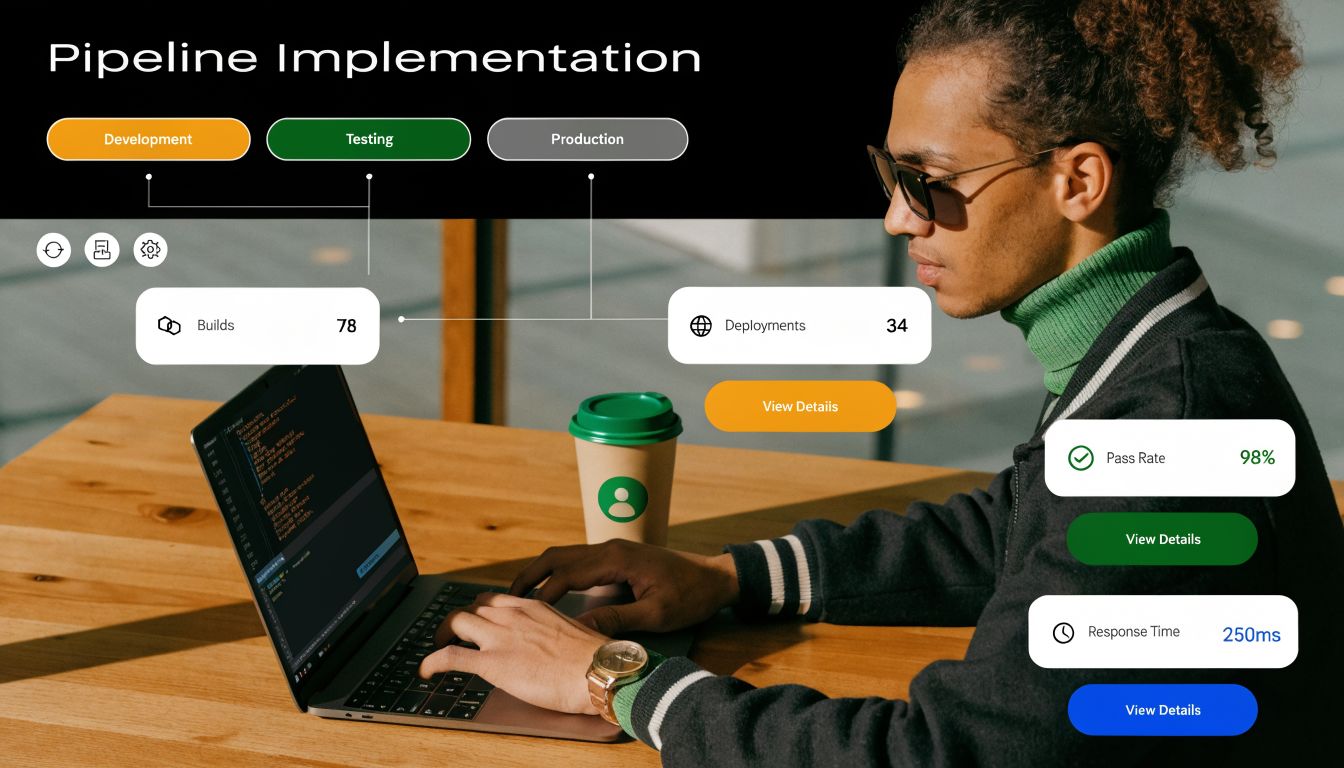
The first mistake teams make during implementation is starting with prompts. Start with boundaries instead. Decide where the pipeline will live, who can touch it, and how changes will move from code to runtime.
Start with the instance boundary
Create a separate instance for each operational boundary that matters. For a solo operator, that might mean one personal workspace and one business workspace. For an agency, it usually means one instance per client. For an internal enterprise team, it often means one instance per department or workflow family.
That separation solves several problems at once:
- Data hygiene: prompts, retrieval files, and logs stay scoped
- Safer permissions: users only access the workloads they own
- Cleaner troubleshooting: a broken publishing hook for one pipeline doesn't pollute another
The OpenClaw deployment itself should be attached to a dedicated runtime rather than dropped into a shared sandbox. If you're using a managed route, start from a clean OpenClaw deployment workspace rather than retrofitting a generic container later.
Connect code and deployment early
The second decision is where agent logic lives. Put it in a Git repository from the start. That repo should include:
- Agent role files: definitions for Scout, Select, Outline, Track, Review
- SKILL.md files: tool connection instructions and constraints
- Workflow configuration: event triggers, output schemas, and stage contracts
- Environment expectations: non-secret config references and required variables
In this context, CI/CD stops being a developer luxury and becomes a content operations requirement. If someone changes a role definition, modifies a structured output schema, or updates a webhook payload, the deployment path should be repeatable.
A healthy first deployment flow looks like this:
- Create the instance
- Connect the Git repository
- Map environment variables
- Run a staging deployment
- Validate trigger execution
- Promote to production after log review
If you skip the staging pass, you won't notice small but expensive issues. The most common ones are malformed output objects, missing environment keys, and approval steps that never return control to the next agent.
Build your content pipeline the way you'd build an internal service. Content is the output. Reliability is the product.
Set triggers and secrets before prompt tuning
A production content machine usually starts with one of three triggers: time-based schedules, human messages, or external webhooks. Those same trigger families appear in production OpenClaw orchestration, where event queues are driven by cron jobs, messaging inputs, and webhook events in a deterministic flow.
For a first build, use one trigger only. Weekly content research is a good starting point because it is easy to verify and cheap to debug. Let the system produce an idea, a structured outline, and a tracker update before you ask it to generate drafts or push anything downstream.
Your setup checklist should include these controls:
| Area | What to configure |
|---|---|
| Secrets | API keys, CMS tokens, messaging credentials |
| Schedules | Cron trigger for a predictable low-risk run window |
| Outputs | JSON or markdown contracts for each agent stage |
| Approvals | Human checkpoints before publishing or client-facing delivery |
Avoid storing secrets in prompts or markdown role files. Keep them in environment variables or the platform's secret manager. Also avoid overloading the first version with every integration you think you'll need. Teams usually get faster results by proving the topic-to-outline loop first, then adding review, then adding publishing.
The implementation target is not “fully autonomous on day one.” It's stable enough to trust under change.
Integrating Your Pipeline with Business Tools
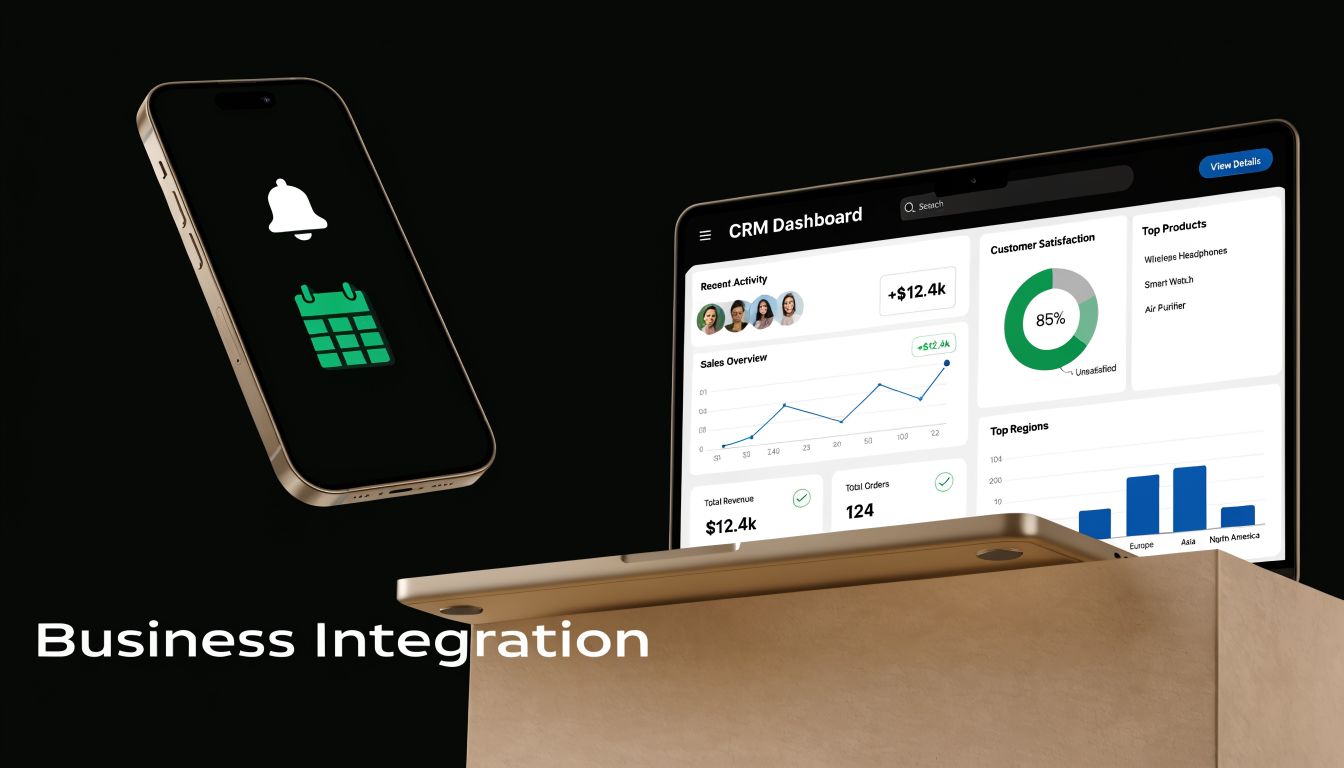
A content pipeline starts paying for itself when it writes into the systems your team already uses. If an outline, draft, or approval request stays inside OpenClaw, someone still has to copy it into the CMS, alert reviewers, update the CRM, and log status by hand. That manual gap is where production pipelines stall.
A content-to-operations workflow
A good first integration path is outline review, not direct publishing.
For example, a scheduled research run can produce a scored topic list for one client instance. The Selector chooses a topic, the Outliner builds a brief, and the pipeline writes that output into the editorial system your team already governs. In Notion, that might be a new database record with fields for audience, target keyword, source set, and approval state. In Slack or Teams, it might be a review message with the brief attached and a link back to the tracker.
That handoff needs structure. Use explicit fields, stable IDs, and a clear status model such as draft, in_review, approved, and rejected. Without that contract, the pipeline can generate decent content and still fail operationally because downstream tools cannot tell whether a piece is ready for edit, legal review, or campaign use.
The business requirement is not just delivery. It is controlled delivery.
In production, the hard part is usually not posting a page to WordPress or creating a record in HubSpot. The hard part is preserving approval rules, client boundaries, and auditability across several tools. A multi-instance setup on Donely helps here because each client or internal team can keep its own credentials, destinations, and workflow rules while finance still manages billing centrally.
Where webhooks beat native actions
Native actions are fine for simple writes. Create a page, post a message, update a field.
Use webhooks when the workflow needs validation, branching, or a custom payload your connector does not support. That is common in enterprise environments where one approved draft has to update the CMS, create a campaign task, notify an account team, and store an audit event before anything is published.
A practical flow looks like this:
- OpenClaw produces an approved draft package with metadata
- A webhook sends that package to middleware or an internal API
- The middleware validates client ID, approval status, and destination rules
- The CMS creates a draft and returns an object ID
- The pipeline writes that ID back to the tracker and optionally opens CRM follow-up tasks
This pattern adds one more component, but it gives you control. You can reject malformed payloads, block publishing outside approved windows, redact fields before they reach external systems, and log every step for support and compliance.
Native actions and webhooks usually belong in the same pipeline. Use native actions for low-risk, repeatable operations. Use webhooks where your team needs policy checks, fan-out logic, or stronger observability. If you are mapping which systems can stay native and which need custom handling, Donely's integrations catalog for business systems and agent workflows is a practical starting point.
A common failure mode is connecting publish actions before review operations are stable. Get the review loop working first. Then add CMS and CRM writes, with approvals and rollback paths in place.
Governance and Scaling Your AI Workforce
A pipeline usually looks stable right before governance problems surface. The first client asks for separate approval rules. Security asks who can see prompt history. Finance wants one bill across ten workspaces. Then a prompt change meant for one account affects another, and the team realizes the system was built for speed, not control.
Isolation is the first scaling feature
In production, scale starts with boundaries.
For agencies, that usually means one isolated instance per client. For larger companies, it often means separate instances for marketing, support, sales enablement, and documentation. Putting all of that into one shared OpenClaw setup looks efficient early on, but it creates hard problems later: shared credentials, mixed logs, cross-client retrieval data, and change risk that spreads farther than it should.
On Donely, the operational goal is straightforward. Keep each workload isolated enough that a bad prompt, an expired token, or a publishing mistake stays contained to one client or one business unit. That is the difference between a localized support ticket and a cross-account incident.
The governance baseline is usually simple:
| Requirement | What good governance looks like |
|---|---|
| Client separation | One isolated instance per client or business unit |
| Credential control | Tokens and connectors scoped per instance |
| Operational clarity | Logs and usage visible without exposing unrelated workloads |
| Change safety | Updates promoted intentionally, not copied manually |
Teams often push back on instance-level isolation because they see duplicate infrastructure and higher monthly spend. In practice, shared environments create hidden costs that are harder to forecast: cleanup after misrouted content, manual permission reviews, slower incident response, and long approval cycles for every connector change.
Centralized billing matters here too. Enterprise teams want isolated runtimes without creating a procurement problem for every client or department. A managed platform should let operations keep one billing relationship while still enforcing technical separation at the instance level.
RBAC should match real responsibilities
RBAC fails when it mirrors org charts instead of actual work.
A production content pipeline usually needs at least four permission layers:
- Developers can change agent logic, deployment settings, and integration configuration
- Content strategists can edit prompts, review outputs, and manage approval rules
- Client stakeholders can review drafts and status, but cannot alter infrastructure or credentials
- Operations and compliance owners can inspect logs, audit records, and connector health
That model is less about process and more about blast radius. Prompt editing should not grant publish access. Draft approval should not grant secret management. Connector troubleshooting should not require full administrative control over every client instance.
I have seen teams hand out admin rights because they needed to move fast during setup. They usually pay for it later in one of three ways: accidental workflow edits, weak audit trails, or long security reviews after someone notices that too many people can access production connectors.
As noted earlier, OpenClaw supports per-instance controls and isolated execution patterns. That architecture is the right starting point. The practical question is whether your team uses those controls to separate editorial work, engineering changes, and operational oversight.
Auditability matters before an incident
The first serious governance test is rarely a model failure. It is a question.
Who approved this draft? Why did it publish at that time? What changed between last week's clean run and today's bad output? If the answer lives in Slack, someone's memory, or an unversioned prompt doc, the pipeline is not ready for enterprise use.
A usable audit trail should capture the trigger, the workflow version, the agent steps that executed, the approval state, the final action taken, and the identity of the person or service that made a change. That level of detail does two jobs at once. It speeds up root-cause analysis for operators, and it gives compliance teams evidence that controls were followed.
This is also where CI/CD discipline starts to matter. Once you run multiple client instances, copying prompts and workflow settings by hand becomes an operational risk. Versioned changes, staged rollouts, and rollback paths are part of governance, not just engineering hygiene. Without them, one well-intentioned update can create inconsistent behavior across accounts, and nobody can explain why two clients on the "same" pipeline are getting different results.
Strong governance makes scaling less dramatic. New clients, new business units, and new approval rules become provisioning work instead of custom fire drills. That is the standard to aim for if the content machine is going to run as shared infrastructure, not as a side project.
Optimizing for Performance, Cost, and ROI
A pipeline can publish more drafts and still lose money.
That usually happens after the demo phase, once the system is running across multiple teams or client instances. Content volume goes up, but the business cannot explain which runs produced revenue, which failures stalled distribution, or which client account consumed the spend. In a production OpenClaw setup on Donely, optimization starts with traceability per instance, per workflow, and per downstream action.
Output is not the same as value
A higher draft count is a weak success metric for enterprise teams. What matters is whether a completed run reached publication, passed the right approval path, stayed inside budget, and triggered the next business action without manual cleanup.
As noted earlier in the practitioner postmortem, some teams reported large gains in content output with much smaller gains in revenue because failure tracking and operational controls were weak. That pattern shows up often in multi-agent systems. Research completes, outlining completes, drafting completes, and the pipeline still misses value because the CMS write fails, the approval queue has no owner, or the client-specific metadata never gets attached.
For production reviews, use questions that expose those gaps:
- Did the workflow start on the expected trigger?
- Did each agent finish within its contract and timeout window?
- Did the approved asset reach the CMS, email platform, or CRM?
- Did the run stay inside the expected token and tool budget?
- Can the operator identify who approved, retried, or changed the workflow version?
Those checks matter more in a managed multi-instance environment. A single missed mapping in one client workspace can look like a model problem when it is really a tenancy, RBAC, or integration issue.
What to monitor every week
Weekly optimization works better than occasional prompt tweaking. It gives operators a stable cadence for spotting drift, cost creep, and account-level issues before they spread across clients.
Track four categories:
| Category | What to inspect |
|---|---|
| Execution health | Failed runs, stalled stages, timeout rates, repeated retries |
| Usage | Token-heavy agents, long-running jobs, expensive retrieval patterns |
| Handoffs | Missing approvals, malformed structured outputs, duplicate external events |
| Business linkage | Assets published, campaigns launched, CRM updates completed, client-level attribution |
In practice, retries, approvals, and external writes drive more wasted spend than small differences in model quality. A cheaper model with poor retry control can cost more than a stronger model behind clear stage gates.
This is also where managed-platform design changes the ROI math. On Donely, isolated instances, centralized billing, and per-client usage visibility make it easier to see which accounts are efficient and which ones need workflow changes. Without that separation, one noisy client can hide inside aggregate usage and distort the economics of the whole pipeline.
How to improve ROI without slowing the pipeline
The highest-return changes are usually architectural, not cosmetic.
Start with workflow scope. Keep agents narrow, with one responsibility and one output schema. Put approvals before expensive generation steps, not after them. Restrict retrieval to client-approved sources so the system is not burning tokens on irrelevant context or crossing data boundaries between accounts.
A few patterns consistently improve returns:
- Shorten agent scopes: one role, one output, one contract
- Gate expensive steps: generate full drafts only after topic or brief approval
- Reduce retrieval noise: use smaller, client-specific knowledge sets
- Separate safe and risky retries: replay research and scoring, but protect CMS writes, notifications, and CRM actions
- Measure end outcomes: tie runs to published assets, pipeline influence, or customer actions
A failed run at half the model cost is still wasted spend. The optimization target is successful completion tied to a business result.
I also recommend reviewing the queue of content that was created but never used. That is where teams usually find the expensive mistakes. Sometimes the topic selection is off. Sometimes the output format does not match the channel. Sometimes editorial review is the bottleneck, and the fix is staffing or routing, not another prompt revision.
Strong ROI comes from treating the openclaw content machine pipeline as shared production infrastructure. Teams that do this well constrain each stage, watch costs at the instance level, and connect pipeline events to revenue systems instead of stopping at draft generation.
Frequently Asked Questions
How do you handle agent failures without creating duplicate content
Use idempotent design wherever a step can be retried. Each run should carry a unique identifier, and each stage should write a status record before passing control onward. Publishing steps should check whether the target asset already exists before creating a new draft.
For practical operations, split failures into two buckets. Safe retries include research collection, ranking, or outline generation. Risky retries include CMS draft creation, Slack notifications that trigger human action, and CRM writes.
A simple pattern works well:
- Write stage output to persistent storage
- Mark the stage complete
- Only then trigger the next external action
- On retry, check completion state before replay
That pattern prevents the most common production mess, which is a half-failed run generating duplicate drafts and duplicate alerts.
Why is a deterministic pipeline better than a single prompt
Because it gives you control over behavior, review points, and error recovery.
A single prompt can produce impressive demos. It usually breaks down under repeatability. You can't reliably inspect which part failed, and you can't easily improve one stage without disturbing the others.
A deterministic pipeline is stronger for four reasons:
- Clear responsibilities: each agent owns one job
- Structured outputs: downstream systems know what to expect
- Auditable runs: operators can see where the workflow changed
- Safer intervention: a human can review or override one stage without scrapping the entire run
If content has any client, compliance, or revenue consequence, determinism wins.
How do you test quality before anything gets published
Treat quality assurance as a pipeline stage, not an afterthought. The review agent can validate structure, required claims, forbidden claims, and publishing readiness. Human reviewers should still approve anything customer-facing until the workflow has a strong track record.
The most effective QA setup usually includes a mix of automated checks and human review:
| Check type | What it catches |
|---|---|
| Schema validation | Missing fields, malformed outputs, broken handoffs |
| Policy checks | Disallowed claims, missing disclaimers, format violations |
| Editorial review | Tone, argument quality, brand fit |
| Pre-publish verification | Correct destination, metadata, and approval state |
Keep the tests close to the output contract. If the Outliner is supposed to produce markdown with specific fields, validate those fields before anything downstream runs.
What should stay human even in a mature pipeline
Three areas usually stay human longer than teams expect.
- Strategic topic choice: the system can surface candidates, but people still need to decide what supports the business
- Risk judgment: regulated claims, legal exposure, and sensitive customer messaging need human ownership
- Final taste: whether a piece is persuasive, on-brand, or worth publishing is still a human decision for the majority of organizations
This isn't a limitation of the tooling so much as a division of labor. The pipeline should remove repetitive production work. It should not blur accountability.
When teams get this right, the machine does the coordination, drafting, formatting, and routing. Humans do approval, prioritization, and exception handling.
If you want to run OpenClaw in production without building the surrounding infrastructure yourself, Donely gives teams a clean way to deploy isolated AI employees, manage RBAC, centralize billing and logs, and scale from one instance to many without rebuilding the operating model each time.