
You’re probably in one of two situations right now. Either you’ve built a useful local agent on your laptop and want it running all day without burning cloud GPU spend, or you’ve already discovered that a single working demo doesn’t look anything like a reliable production setup.
That’s why the mac mini ai server conversation has shifted from hobbyist curiosity to real infrastructure planning. The Mac Mini is small, quiet, power-efficient, and unusually capable for local inference. It’s also easy to underestimate. A single machine can feel refreshingly simple when you’re running one OpenClaw agent. It gets much less simple when you need separate workloads, team access, logs, and security boundaries.
This guide treats the Mac Mini like what it becomes once you rely on it for actual business work. Not a novelty box under a monitor, but an AI server with hardware choices, storage constraints, container decisions, model limits, and operational trade-offs.
Table of Contents
- Why Your Next AI Server Might Be a Mac Mini
- Choosing the Right Mac Mini for Your AI Workload
- Installing the Core AI and Container Stack
- Deploying Your First OpenClaw AI Employee
- The Hidden Complexities of Scaling Your AI Workforce
- Analyzing the True Cost of a DIY Mac Mini Server
Why Your Next AI Server Might Be a Mac Mini
A lot of founders hit the same wall. The model works. The workflow is promising. Then the monthly infrastructure bill starts to look like a penalty for iterating.
That’s where the Mac Mini has become unusually relevant. For local AI, it sits in a sweet spot between laptop convenience and server-like reliability. It’s quiet enough to leave running, small enough to put anywhere, and familiar enough that most Apple users can get productive fast.
The demand spike wasn’t theoretical. In early 2026, Mac Mini demand for local AI servers surged hard enough to trigger stockouts and shipping delays of up to 1.5 months, especially on configurations with 24GB or more unified memory needed for OpenClaw-style workloads, according to reporting on the 2026 Mac Mini shortage tied to local AI demand.
Why this machine became the default choice
The appeal isn’t just price. It’s friction reduction.
A Mac Mini already fits the way many builders work. It runs macOS, works well with Apple services, and can stay online as a headless box without demanding a rack, loud cooling, or a GPU-heavy Linux setup. For someone trying to stand up an AI employee that can answer messages, process internal docs, or act on a defined workflow, that matters more than benchmark bragging rights.
Three reasons keep coming up in practice:
- Privacy stays local: You can keep prompts, internal context, and retrieval data on your own hardware.
- The machine is always available: A headless Mac Mini can sit on a shelf and act like a private inference node.
- It lowers setup resistance: For Apple-heavy teams, it’s often the fastest path from “I want a local agent” to “I have one running.”
Practical rule: If your first priority is fast local deployment with minimal hardware fuss, the Mac Mini is often the cleanest starting point.
Where it fits best
The Mac Mini is strongest when you want single-node local inference and don’t want to build around traditional GPU infrastructure. That’s a very different problem from large distributed training or serving a high-volume public API.
It shines for internal agents, retrieval-augmented workflows, coding assistance, support drafting, and always-on assistants connected to tools you already use. It doesn’t magically remove operational work. It just gives you a better base than typically expected.
Choosing the Right Mac Mini for Your AI Workload
Most mistakes happen before anything gets installed. People buy the cheapest Mac Mini they can find, then wonder why model loading, swapping, and storage pressure make the whole setup feel unstable.
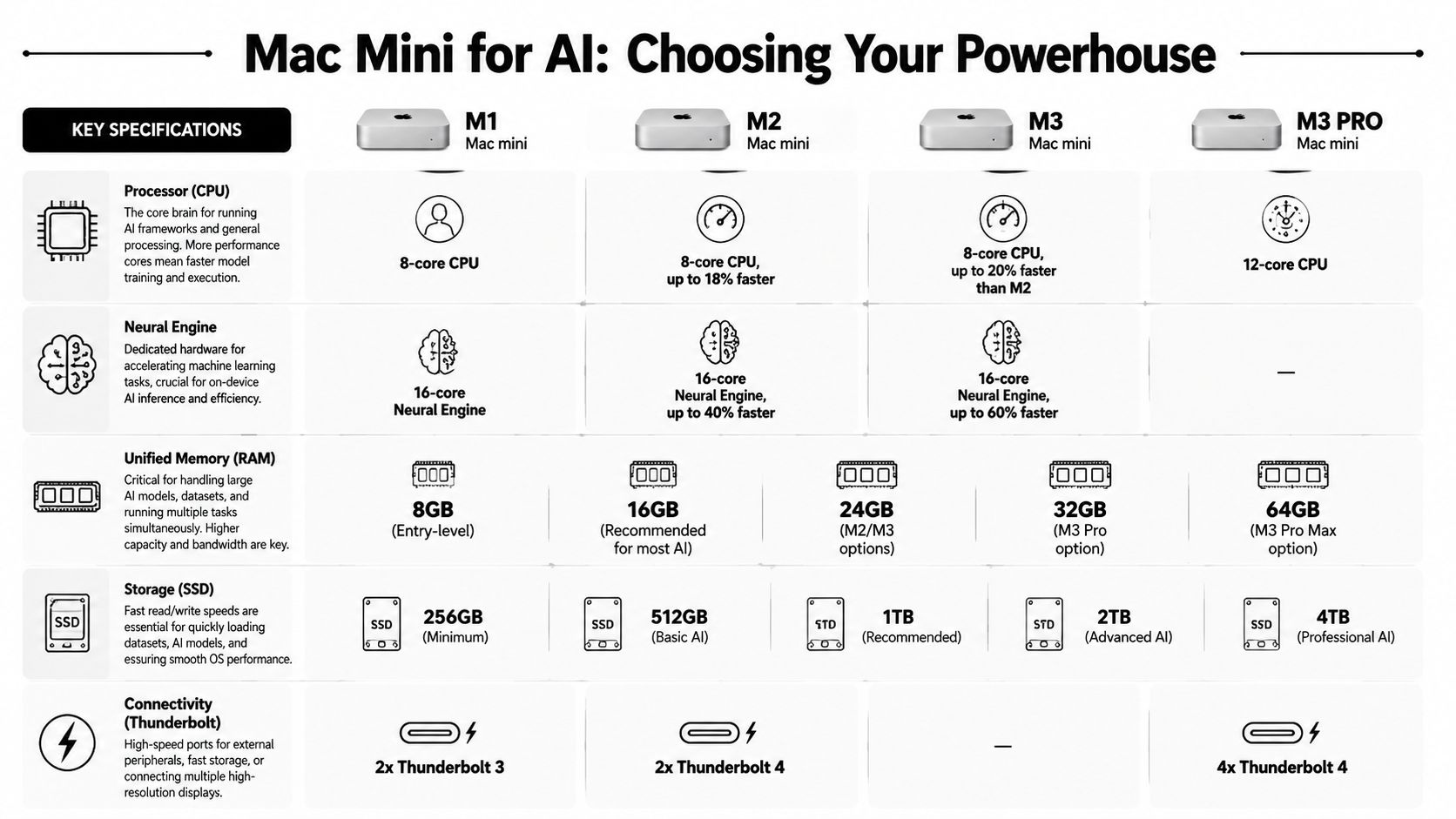
The buying decision is mostly about memory first, storage second, chip third.
Why unified memory matters more than the chip name
Apple Silicon has an advantage that changes the math for local inference. A Mac Mini with Apple Silicon can outperform traditional x86 GPU servers in cost-efficiency for single-node AI inference because unified memory lets one machine handle larger models without the usual multi-GPU gymnastics. Mac-oriented private AI infrastructure discussions also point out that Apple Silicon systems can scale to up to 192GB of RAM on a single machine for large-model inference workloads, which is why they’ve become attractive for private deployments and RAG-heavy use cases, as noted in this overview of private AI servers on Apple hardware.
That doesn’t mean every Mac Mini is interchangeable. It means the memory architecture is doing more of the heavy lifting than many buyers realize.
If you only remember one hardware rule, use this one: buy the most memory your workload justifies before spending for storage vanity or chasing the newest chip tier.
A practical configuration guide
Here’s the decision framework I’d use for a mac mini ai server meant to run local LLMs and OpenClaw agents.
| Mac Mini Model | Ideal Workload | Recommended RAM | Est. Price | Notes |
|---|---|---|---|---|
| Base M4 Mac Mini | Single personal agent, testing local inference, light automations | 16GB | $599 | Good starting point for smaller local models and API experiments |
| Base M4 Mac Mini | Daily-use local assistant with more breathing room | 24GB | Qualitatively higher than base | Better fit when you want fewer memory constraints |
| M4 Pro Mac Mini | Heavier agent workflows, larger local models, more concurrent services | 48GB | around 13,000 RMB (~$1,800 USD) | Community-aligned option for more demanding OpenClaw-style setups |
A few practical notes matter more than spec-sheet reading:
- 16GB is workable for smaller models: The base M4 Mac Mini with 16GB unified memory can handle 7B to 8B parameter models and has been described as suitable for always-on local AI server use.
- 24GB is the safer floor for growth: If you know you’ll run larger local models or stack more background services, the extra memory gives you margin.
- 48GB changes the kind of workload you can attempt: That’s where the machine starts to feel less like a personal box and more like a serious single-node server.
Buy for the workload you want in three months, not the demo you want tonight.
Storage is the other commonly ignored issue. Internal SSD space disappears fast once you start pulling multiple local models, adding embeddings, logs, and containers. For AI-serving use, I prefer treating the internal drive as fast system storage and adding external NVMe for models and data.
A simple checklist helps:
- One agent, one user, small model set: Base M4, 16GB.
- One serious daily driver with room to experiment: Base M4, 24GB.
- Multiple services, larger models, fewer compromises: M4 Pro with higher memory.
If you’re trying to decide between “cheap enough to start” and “strong enough not to regret,” memory is usually the tie-breaker.
Installing the Core AI and Container Stack
A Mac Mini usually feels solid on day one. Then the first background worker hangs, logs fill the internal SSD, and one agent update breaks another because everything shares the same host setup. The fix is simple in principle. Treat the machine like a small production node from the start.
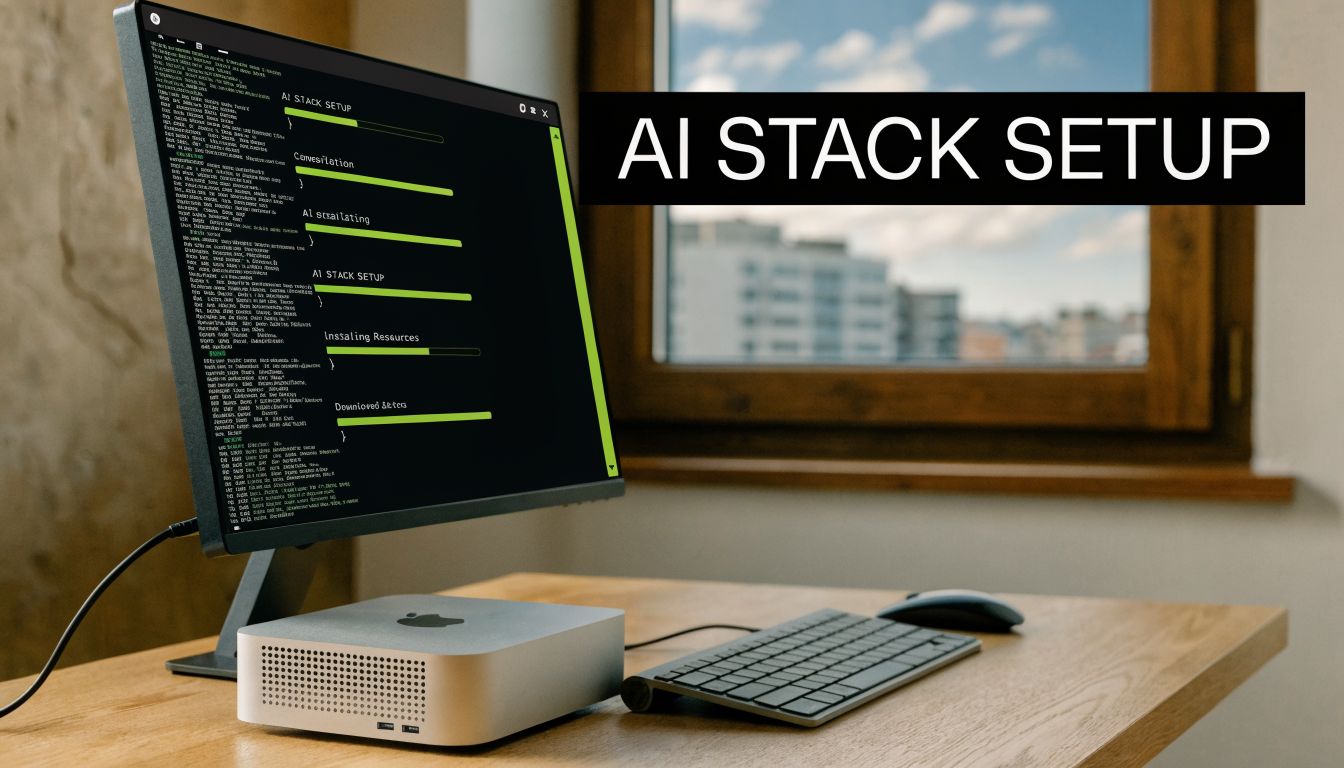
For local AI serving, the stack is usually Ollama for inference, a container runtime for every supporting service, and enough monitoring to catch memory pressure before the box starts thrashing.
Start with Ollama and a model you can actually observe
The local inference path on macOS is straightforward. Install Ollama with Homebrew, pull a model such as llama3.1:8b, and run the local API:
brew install ollama
ollama pull llama3.1:8b
ollama serve
Keep the first test boring. A smaller model gives you a clean read on latency, memory use, and whether the rest of the stack is stable. That matters more than proving the machine can barely hold a larger model for one benchmark run.
A Mac Mini can serve useful internal workflows with this setup. Draft generation, support triage, document lookup, and narrow tool-calling jobs are all realistic. The limit shows up once multiple agents compete for memory or you start layering embeddings, queues, and schedulers onto the same machine.
If you want a reference point for a hosted install path before committing to local hardware, this guide on installing OpenClaw on a VPS is a useful comparison.
Containerize support services early
Running Ollama directly on the host and everything else in containers is the pattern I recommend.
Model serving benefits from staying close to the metal. Redis, Postgres, queue workers, API wrappers, webhook receivers, and retrieval services benefit from isolation. The moment you run more than one OpenClaw agent, this split stops being a nice-to-have. It becomes the difference between a machine you can debug and a machine you keep rebooting.
A practical starter layout looks like this:
- Ollama on the host: Fewer moving parts for inference.
- Docker for support services: Redis, Postgres, worker processes, small APIs, and schedulers.
- Basic observability:
htop,docker stats, Activity Monitor, and log rotation. - External storage for models and data: Keep the internal SSD for macOS, swap, and active workloads.
The common failure mode is not CPU. It is memory pressure, swap growth, and disks filling up with models, container layers, and logs.
If your mental model is still fuzzy, this primer on the difference between Kubernetes and Docker is worth reading. Docker isolates workloads on one machine. Kubernetes coordinates many workloads across many machines. A single Mac Mini usually needs Docker first.
Build for the second and third agent, not the first
One OpenClaw agent can run on a messy setup longer than people expect. Two or three agents expose every shortcut.
Separate environment variables per service. Keep credentials out of shell history. Use named volumes deliberately so you know what survives a rebuild. Standardize logs early, because once agents start touching business systems, debugging without timestamps, request IDs, and service boundaries gets expensive fast.
This is also where the guides usually stop too early. Installing Ollama and Docker is the easy part. The harder part is operating several agents with clean isolation, role-based access boundaries, auditability, and predictable rollback paths on a machine that was never designed to be a fleet manager. A Mac Mini is a good single-node starting point. It is not a substitute for platform operations.
That trade-off is fine at small scale. It stops being fine once uptime, compliance, and team access control matter as much as model output.
Deploying Your First OpenClaw AI Employee
The first useful agent shouldn’t be ambitious. It should be narrow, boring, and valuable.
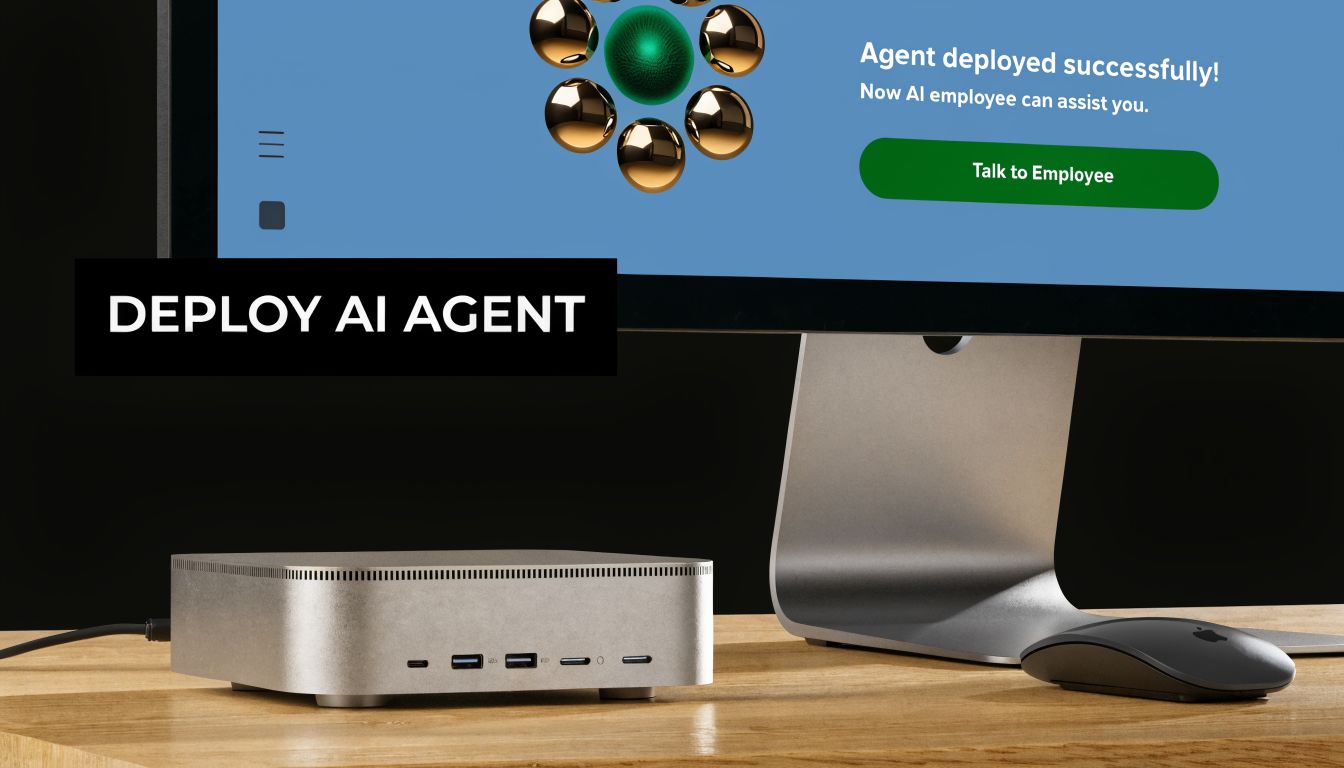
A good starting point is a support workflow. Let the agent watch a support inbox, draft responses from an approved knowledge base, and create a ticket in Jira when confidence is low or the request needs human review.
Pick one narrow workflow
The mistake is trying to build an “AI chief of staff” on day one. What works better is one workflow with clear boundaries:
- Gmail receives a support request.
- The agent reads the message.
- It checks a constrained context source.
- It drafts a reply.
- If needed, it opens a Jira issue for follow-up.
That kind of task keeps the reasoning surface small. It also makes failures visible. You can tell when the model missed context, when the tool call failed, and when the output should never have been auto-sent.
For teams working through deployment patterns more broadly, this guide on deploying machine learning models is useful because it frames deployment as an operational discipline, not just a packaging task. That mindset matters even more when the “model” is attached to business actions.
Wire the agent to your local model endpoint
The practical pattern is simple. OpenClaw points at your local Ollama API. Your prompt and tool config define what the agent is allowed to do. Then you add one or two integrations, not ten.
A lightweight flow usually includes:
- Local model endpoint
- Run Ollama on the Mac Mini and keep the API local.
- Agent instructions
- Tell the agent what it is allowed to answer, when it must escalate, and which tools it may call.
- Tool connections
- Add only the inbox and ticketing system first.
- Human review path
- Review drafts before sending until the workflow has earned trust.
A VPS-based path can still make sense in some setups, especially if you want public reachability without depending on a machine in your office. This walkthrough on installing OpenClaw on a VPS is useful contrast because it shows how the hosting assumptions change once you move off local hardware.
Here’s the important part. Your first success metric isn’t sophistication. It’s stable repetition.
After you’ve watched the agent process the same class of task without drift, tool confusion, or context leakage, then you add more workflows.
A short demo helps make that deployment shape concrete:
The Hidden Complexities of Scaling Your AI Workforce
A Mac Mini feels elegant when it serves one person or one bounded workload. That same setup starts to unravel when you add client work, internal teams, or regulated data.
Most tutorials often stop too early. They prove a local agent can run. They don’t deal with what happens when several agents need different permissions, different data boundaries, and different operators.
One machine is not the same as one secure platform
The core limitation is native multi-tenancy. A self-hosted Mac Mini setup doesn’t provide that by default.
The compliance problem is more serious than many people expect. Self-hosting on a Mac Mini lacks native multi-tenancy, and achieving per-instance RBAC, scoped data access, and unified audit logs for compliance frameworks such as HIPAA or SOC 2 isn’t possible without extensive custom DevOps engineering, according to this discussion of private AI server limitations on Mac Mini setups.
That means a simple “just containerize it” answer is incomplete. Containers help with packaging and some isolation. They do not automatically create governance.
If two client agents run on one machine, you need to prove separation, not just assume it.
What breaks first when more people get involved
The first scaling problem usually isn’t compute. It’s permissions.
A founder can live with one admin account and loose operational habits for a while. A team can’t. An agency definitely can’t. Once different people manage different agents, you need structure around who can see prompts, logs, credentials, usage data, and connected tools.
These are the pressure points that show up fast:
- Access control: One teammate should manage support without touching finance or client agents.
- Data separation: Client A’s documents and logs can’t leak into Client B’s context.
- Auditability: You need a record of what changed, who triggered it, and what the agent did.
- Operational consistency: Rebuilding a broken instance should be routine, not tribal knowledge.
That’s the gap between a local AI server and an actual hosting layer for AI employees. If you want to see what that managed model looks like structurally, this overview of AI employee agent hosting is useful because it frames the problem around isolation, governance, and repeatability instead of raw model access.
A single Mac Mini can still be the right answer. It just stops being simple once multiple stakeholders depend on it.
Analyzing the True Cost of a DIY Mac Mini Server
The cheap part is the hardware purchase. The expensive part is everything that starts after the unboxing.
That’s the gap most mac mini ai server guides leave open. They focus on local performance, low power draw, and the satisfaction of owning the stack. They usually skip the question founders and agencies need answered. When does self-hosting stop saving money?
Hardware cost is only the first line item
A realistic cost view includes more than the machine:
- Acquisition friction: Supply constraints can distort what you pay or how long you wait.
- Maintenance labor: Someone owns updates, backups, monitoring, restarts, and troubleshooting.
- Security work: Isolation, secrets handling, access control, and auditability don’t appear by magic.
- Downtime risk: If the box goes offline, your workflow goes offline with it.
- Growth complexity: One machine is manageable. A small fleet is a different operating model.
The missing analysis has already been called out directly. Founders and agencies need to calculate total cost of ownership for a Mac Mini server, including hardware, maintenance labor, and the DevOps overhead for security and isolation, and existing content largely fails to quantify when a managed platform with centralized billing and scaling economics becomes the better ROI, as discussed in this analysis of the Mac Mini cost and operations gap.
That doesn’t mean DIY is a bad choice. It means sticker price is the wrong metric.
When DIY still makes sense
DIY is still rational when your setup looks like this:
- You’re a solo builder: One or two agents, one operator, low compliance pressure.
- You need local privacy: Sensitive context shouldn’t leave your environment.
- You enjoy infrastructure work: The operational overhead is part of the value, not just a tax.
- Your workloads are stable: You’re not constantly spinning up isolated environments for different teams or clients.
DIY starts losing its appeal when the machine becomes shared business infrastructure instead of a personal server. That’s where labor, risk, and governance swallow the original savings.
If you’re still in the early stage, a Mac Mini is a strong way to learn the stack, validate workflows, and keep data local. If you’re moving from one successful agent to many, the smarter question isn’t “Can I keep self-hosting?” It’s “Should my team keep paying the hidden operational cost?”
If your Mac Mini setup is starting to feel like infrastructure you have to babysit, Donely is the clean next step. It gives you a unified platform to deploy and manage OpenClaw-powered AI employees with isolated instances, granular RBAC, centralized logs, monitoring, and billing, so you can keep the benefits of production-ready agents without carrying the DevOps burden yourself.