
You've got OpenClaw running, Anthropic billing is active, and the first agent works on your laptop. Then actual deployment starts. A second instance needs a separate key. A client workspace can't share costs with internal ops. Someone copies a config file between environments, and suddenly you're debugging auth errors that have nothing to do with the code.
That's where most openclaw api key setup anthropic guides stop being useful. They explain how to paste a key into an environment variable. They don't explain how to keep that setup stable when you're running multiple isolated instances, rotating credentials, tracking costs, and trying to avoid cross-client exposure.
The production version is different. The API key is not just a credential. It's part of your security boundary, your billing model, and your audit trail. If you treat it like a throwaway setup step, the rest of the stack becomes fragile fast.
Table of Contents
- Prerequisites for a Secure Anthropic Integration
- Generating and Structuring Your Anthropic API Key
- Configuring OpenClaw with the Anthropic Messages API
- Deploying Keys in a Multi-Instance Donely Environment
- Troubleshooting Common API Key Errors and Rate Limits
- From Setup to a Scalable AI Workforce
Prerequisites for a Secure Anthropic Integration

Start with isolation, not convenience
If you're preparing a production deployment, local setup is for validation only. It's fine for a quick smoke test. It's the wrong place to keep long-lived Anthropic credentials, tool connectors, and client-facing automations.
OpenClaw's Anthropic provider documentation states that by Q1 2026, over 2.3 million API keys were generated specifically for OpenClaw integrations, and the recommended deployment baseline is an isolated VPS with at least 2 vCPUs and 8GB RAM, not a local workstation, to reduce key exposure risk and support production use in the OpenClaw Anthropic provider documentation.
That recommendation matches what operations teams already know. Shared laptops drift. Browser extensions see too much. Shell history lasts longer than people think. When a key sits on a developer machine, the blast radius includes every other app, tab, and helper script on that machine.
Practical rule: treat the host running OpenClaw as part of your credential boundary.
If you support regulated workloads or client environments, the host choice also affects how well you can enforce access control and logging. Teams working through regional privacy requirements often use infrastructure guidance like Australian business data security as a plain-language reference point for why isolation, controlled access, and auditable handling matter before any application secret enters the stack.
Build the environment before you create the key
A clean deployment starts with the runtime, not the API console. Provision the server first. Lock down who can access it. Decide where environment variables will live and who can read them. Then create the Anthropic key for that exact environment.
Use this baseline:
Production host
Run OpenClaw on an isolated Ubuntu VPS sized to the documented minimum production baseline.Access model
Limit shell and dashboard access to the smallest admin group possible. If multiple people need visibility, use logging and role-based access rather than shared root credentials.Secret injection path
Decide whether the key will enter the instance through environment variables, a secrets manager, or platform-native secret distribution. Pick one. Mixing methods across instances causes drift.Auditability
Tie each instance to a distinct operational purpose. Personal testing, internal ops, and client workloads shouldn't share the same credential path.
For teams planning a larger enterprise rollout, the architecture patterns in this OpenClaw enterprise deployment discussion are worth reviewing before you issue the first production key. The important point is simple. Security for openclaw api key setup anthropic starts with environment design. The key comes later.
Generating and Structuring Your Anthropic API Key
Create the key with production ownership in mind
Generate the key in the Anthropic console only after you know which instance will own it. In production, the wrong key in the wrong workspace looks exactly like an application problem until you trace billing, permissions, and environment mapping by hand.
The operational trap is that the secret appears once, in sk-ant- format, and then it's gone from view. A lot of teams copy it into a notes app or a local file “just for now.” That shortcut creates cleanup work later and often leaves plaintext copies in places nobody inventories.
A better sequence is straightforward:
- Open the correct Anthropic workspace.
- Create the key for a specific environment or instance.
- Copy it once.
- Store it immediately in your approved vault or secret store.
- Inject it into the target runtime through your standard deployment path.
Donely's support analysis found that up to 40% of initial deployment failures came from post-setup issues such as unmonitored token expiry, insufficient billing credits, or workspace mismatches after key creation in this OpenClaw setup troubleshooting guide. That tracks with real operations. The key itself is often valid. The surrounding account context isn't.
Use a naming scheme you can operate later
Proper key labeling is frequently postponed, leading to a list of nearly identical credentials and no safe way to rotate one without risking the wrong service.
Use names that answer three questions:
- Who owns this key
- Which environment uses it
- What workload it serves
Examples that work well:
openclaw-sales-prodopenclaw-support-stagingopenclaw-client-acme-prodopenclaw-internal-ops-dev
A key name should tell an on-call engineer what breaks if it's revoked.
Avoid names like test, new-key, or claude-prod-final. Those become useless as soon as you have more than one instance.
Also decide where rotation records live. If your vault or ticketing workflow doesn't show when a key was created, replaced, and retired, your future incident response will be slower than it needs to be. Good key hygiene isn't glamorous, but it prevents the kind of “invalid key” debugging sessions that burn a whole afternoon.
Configuring OpenClaw with the Anthropic Messages API
The key alone is not enough
A working Anthropic key does not guarantee a working OpenClaw deployment. The common assumption is that once ANTHROPIC_API_KEY is exported, the provider layer will sort itself out. That assumption is exactly why production tool calls fail in ways that look random.
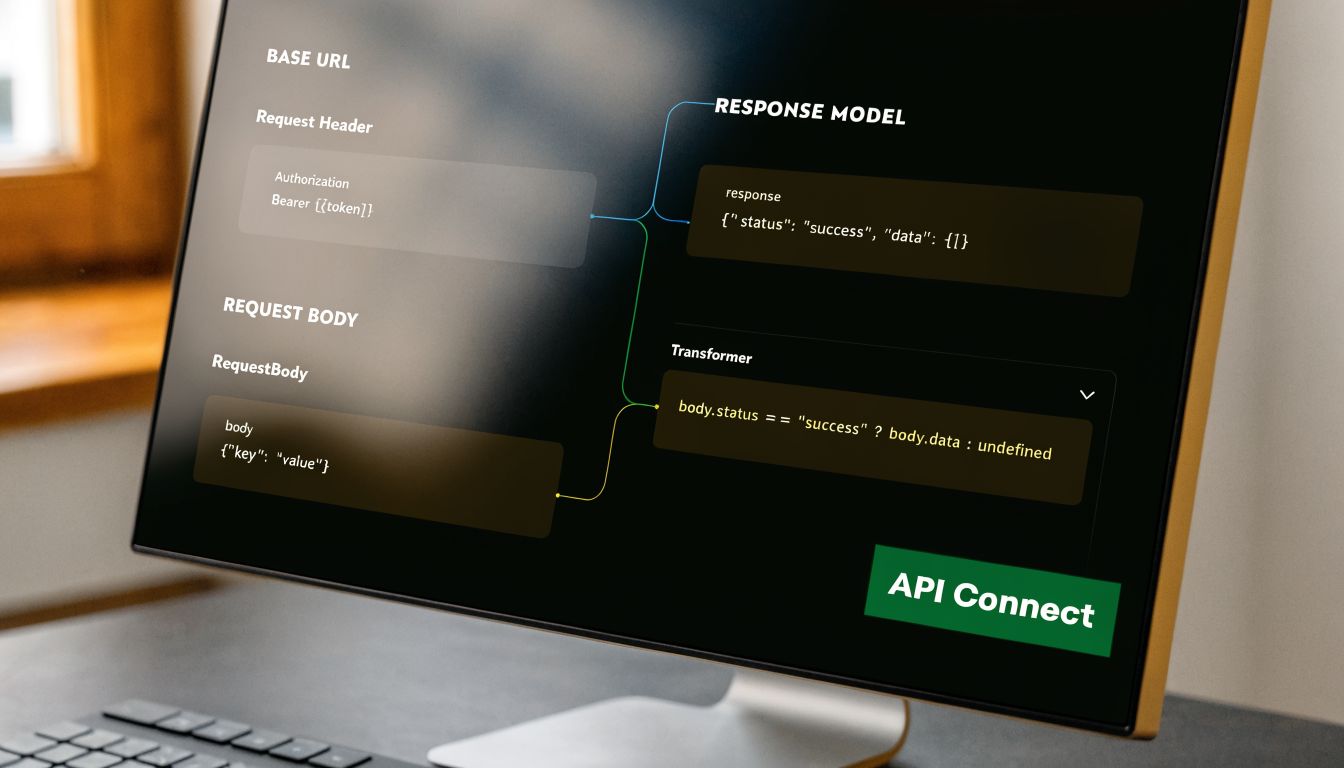
OpenClaw's Anthropic integration requires the anthropic-messages API format. Using the wrong protocol is a documented cause of 400 errors in production workflows, and the provider config must include both api: "anthropic-messages" and the full https://api.anthropic.com/v1 base URL path in this Anthropic Messages API integration guide.
That matters most when your agent does more than one turn. Single prompt tests can appear healthy while multi-round tool calling fails under load, especially when the provider definition falls back to an OpenAI-style wrapper.
A minimal provider definition that avoids common failures
For openclaw api key setup anthropic, the safe baseline is explicit configuration. Don't rely on assumptions, defaults, or copied snippets from unrelated providers.
Use the key through an environment variable:
- Environment variable
ANTHROPIC_API_KEY="sk-ant-..."
Then make the provider definition explicit in the runtime config:
API format
api: "anthropic-messages"Base URL
https://api.anthropic.com/v1Model selection
Choose the Claude model appropriate for your workload and keep that selection versioned with the config.
One practical reference for teams getting the surrounding agent workflow right is this OpenClaw agent tutorial, especially if you need a cleaner view of how provider settings interact with agent behavior.
What to disable when stability matters more than experimentation
There are also failure cases caused by optional features rather than missing basics. If your environment has session issues, flaky tool loops, or cache corruption, strip the configuration back to the supported baseline first.
That means:
- Disable beta-specific headers unless you have a clear reason to use them.
- Disable reasoning parameters if they're not required for the workflow.
- Keep the provider path exact. Missing
/v1is not a cosmetic issue.
A quick visual walkthrough helps if you're reviewing config with a team or onboarding a new operator.
If a tool-calling workflow breaks after the first successful request, inspect protocol settings before you inspect business logic.
Deploying Keys in a Multi-Instance Donely Environment
Per-instance keys are the operational baseline
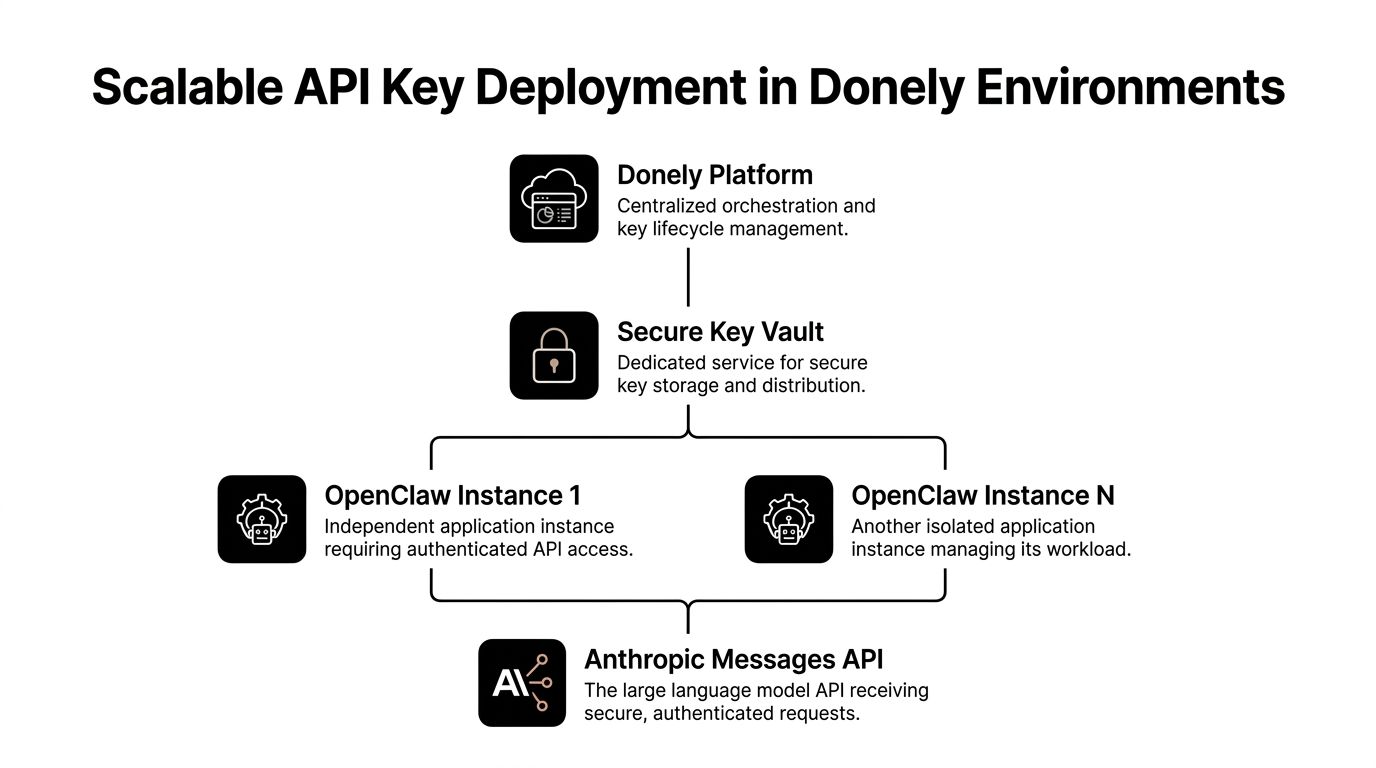
Multi-instance deployments fail when teams pretend they're single-instance systems with extra containers. They aren't. Each instance needs its own authentication boundary, its own cost trail, and its own rotation plan.
That requirement got stricter after Anthropic's authentication and billing changes. Following the April 2026 restructure, API keys must be rotated per-agent or per-instance, and 30-40% of initial deployments run into misconfigured per-agent authentication where new agents don't inherit parent credentials automatically in this April 2026 OpenClaw setup tutorial.
That has direct operational consequences:
- A client instance should not inherit an internal ops key.
- A support automation should not spend against a sales workload's budget.
- A rotated key should affect one instance, not the whole fleet.
Environment variables versus a secrets layer
For a solo builder, environment variables are often enough. They're simple, visible, and easy to wire into a container start command. The downside appears later. Manual rotation gets messy, and access control depends too much on who can inspect the runtime.
For agencies or internal platform teams, a secrets layer is usually the better pattern. It lets you separate secret ownership from application ownership and reduce the number of places where raw credentials ever appear.
A practical comparison:
| Method | Best fit | What works well | Where it breaks |
|---|---|---|---|
| Environment variables | Single instance or low-change setups | Fast to deploy, easy to audit at container start | Rotation becomes manual and inconsistent |
| Secret manager or vault | Multi-client, regulated, or larger fleets | Better separation of duties, cleaner rotation workflow | More setup discipline required |
| Mixed ad hoc methods | Almost never | Short-term convenience | Drift, duplicate copies, unclear ownership |
A rollout pattern that works
The cleanest pattern is central secret ownership with per-instance injection at deploy time. Each OpenClaw instance gets a dedicated Anthropic key. The deployment system passes that key only to the target runtime. Logging maps usage back to the instance that consumed it.
A good rollout checklist looks like this:
Create one key per instance
Don't share keys across departments or clients.Store keys outside application config
Plaintext config files are too easy to copy, back up, and leak.Inject at runtime
Keep the credential outside the image and outside version control.Test onboarding for new instances
Credential inheritance assumptions are where many multi-instance launches go wrong.Revoke and replace without downtime
Practice rotation before you need it during an incident.
If you're deploying OpenClaw onto a hosted VPS footprint, this VPS installation guide is a useful companion for the infrastructure side of the rollout. The credential design should match the instance design from day one. Retrofitting isolation later is always harder.
Troubleshooting Common API Key Errors and Rate Limits
Start with the failure domain
When Anthropic requests fail in OpenClaw, don't start by changing everything. Narrow the problem. Most auth incidents belong to one of four domains: the key itself, the Anthropic account context, the OpenClaw provider config, or traffic behavior under load.
That sounds obvious, but under pressure people often rotate a valid key, restart healthy containers, and change config at the same time. Then they lose the original signal.
Use a simple triage order:
Credential
Is the right key present in the right instance, with no truncation or stale secret injection?Account context
Is the key tied to the expected workspace, and is billing ready for that environment?Protocol
Does the provider config match the Anthropic Messages requirement covered earlier?Throughput
Are requests failing only under concurrency or burst traffic?
The fastest fix usually comes from proving what still works, not from guessing what broke.
Common Anthropic API Errors in OpenClaw
| HTTP Status | Potential Cause | Solution |
|---|---|---|
| 400 | Wrong API protocol, incomplete base URL, malformed request shape | Confirm the provider uses anthropic-messages and that the base URL includes the full /v1 path |
| 401 | Invalid key, key pasted incorrectly, wrong workspace, expired or revoked token, billing not ready | Re-check secret injection, verify the key belongs to the intended workspace, and confirm account readiness before rotating |
| 403 | Access denied by policy or environment boundary | Review which instance is using the key and whether the credential belongs to that workload |
| 429 | Rate limiting or burst traffic beyond what the workload can sustain | Reduce concurrency, add retry logic with backoff, and smooth traffic rather than spiking requests |
| 5xx | Upstream or transient provider-side failure | Retry safely, capture request context, and avoid changing credentials unless other evidence points to auth |
The checks that save the most time
The most common production mistake isn't a bad setup command. It's assuming the key is the only moving part. In practice, the issue is often workspace mismatch, revoked access, or billing state after the key was created.
Run these checks in order:
Verify secret origin
Confirm the running instance received the expected secret, not an older value cached by a previous deployment.Check the environment boundary
Make sure the failing agent belongs to the same isolated instance that owns the key.Review recent changes
If auth failures begin right after creating a new agent, suspect missing per-agent credential onboarding before you suspect model changes.Inspect failure timing
If the first requests work and later ones fail, look at throughput, retries, and request patterns before reissuing credentials.Separate auth from protocol
A valid key with the wrong provider format can still generate failures that look like auth noise.
For rate limits, the practical fix is traffic shaping. Queue non-urgent work. Stagger retries. Keep long-running workflows from stampeding the same provider endpoint at once. For invalid key errors, fix the ownership chain first. Don't start rotating secrets blindly unless you know they were exposed or revoked.
From Setup to a Scalable AI Workforce
The setup philosophy becomes the operating model
The first version of an OpenClaw deployment usually aims for speed. That's fine. The problem starts when the temporary setup becomes the production design. Shared credentials, copied configs, and local-first habits don't scale into a stable operating model.
A durable openclaw api key setup anthropic workflow does three things well. It isolates environments, assigns credentials to clear ownership boundaries, and keeps provider configuration explicit. Those choices reduce confusion during onboarding, rotation, incident response, and cost review.
This is also where the difference between a script and an AI workforce becomes obvious. Once agents are handling business workflows, the surrounding platform matters as much as the model call. Teams building customer-facing or revenue-adjacent automations often benefit from broader engineering perspectives on agentic AI for SaaS founders because the primary challenge isn't just model access. It's operating the system cleanly over time.
Why mature teams stop treating keys as app settings
An Anthropic key in OpenClaw isn't a line item in setup docs. It's a control point. It determines who can spend, which instance can act, and how you contain mistakes when one workload goes sideways.
That's why mature teams stop storing credentials in app config, stop sharing keys across environments, and stop assuming a successful first prompt means the integration is production-ready. They build around isolation and traceability because those properties make every later task easier.
If your goal is a single experimental assistant, you can keep things light. If your goal is a reliable fleet of AI workers, the credential model needs to be deliberate from the start.
If you want that production model without building the whole control plane yourself, Donely gives you a practical path. You can launch isolated OpenClaw-powered agents, keep workloads separated by instance, and manage deployment, monitoring, billing, and access from one place instead of stitching those pieces together by hand.